

INKforall’s SEO Optimizer is built around a simple loop: enter a keyphrase, get an SEO score, then improve it by completing clear, in-editor tasks as you write. The score updates in real time, so writers can see progress immediately instead of guessing what to fix after the draft is done.

This review focuses only on content optimization features, meaning the parts that help you plan, write, improve, and finalize an SEO-focused page.
Quick summary
INK’s SEO Optimizer gives you a keyphrase-driven score and a set of task cards that guide improvements to structure, readability, topical relevance, and on-page elements (like metadata).
If you like the idea of writers following a checklist that updates a live score, INK’s workflow will feel familiar and easy to adopt.
Where it’s especially helpful
- Turning a rough draft into a “ready to publish” version using a clear task list (word count, readability, subheadings, etc.)
- Refreshing existing posts by pasting content into the editor or importing a URL, then re-optimizing around a keyphrase
- Helping less experienced writers hit baseline on-page standards consistently (headings, keyphrase placement, metadata)
What INK’s SEO Optimizer is
INK frames its optimizer as a “semantic” scoring system that’s meant to go beyond basic keyword counting. In practice, the user-facing workflow is straightforward:
- Add your keyphrase
- INK generates an SEO score
- You improve the score by completing easy-to-follow tasks
- The score updates in real time
INK also explains that “SEO keyphrases” are the keywords the optimizer uses to understand what your content is targeting and to start generating optimization suggestions.
Who it’s best for
- Writers and marketers who want a live content score and a checklist of fixes they can apply immediately
- Small teams that need a consistent, repeatable “optimize before publish” habit without heavy training
Who may need more
- Teams that want a stronger SERP-to-brief workflow (so the brief is tightly aligned to what’s ranking before writing begins)
- Agencies that need content optimization built around repeatable client delivery, including briefing standards and editorial QA across many writers
Feature Breakdown
1. Keyphrase-first workflow and real-time scoring
INK’s optimizer starts with a single keyphrase input and then provides a score “with one click,” updating as you make changes.

How to use it (quick SOP)
- Choose one primary keyphrase per page (match it to the page’s actual goal).
- Draft the core sections first (don’t start by chasing the score).
- Use the task cards to close gaps in structure, readability, and topical coverage.
- Stop optimizing when changes start hurting clarity or adding fluff.
- Do a final human edit pass for voice, accuracy, and usefulness.
2. Word Tasks card (readability and writing-quality guardrails)
INK’s Word Tasks card is where most content-focused improvements happen. It includes tasks like:
- Word count targets (based on what INK recommends for the keyphrase)
- Readability checks (hard-to-read and very-hard-to-read sentences)
- Style cleanup (adverbs, passive voice, repeated sentence starts)
- Structure prompts like proper use of subheadings and keeping sections from getting too long

If you manage writers, this is one of INK’s most practical strengths because it turns “make it more readable” into specific, actionable edits.
3. Relevant Topics card (topic expansion and idea prompts)
INK’s Relevant Topics card is positioned as a way to improve topical relevance by exploring suggested topics and sources. It can show topic ideas and source material you can use to expand coverage.

This is useful when a draft feels thin, but it’s still on you (or your editor) to make sure additions are:
- necessary for the reader
- accurate
- not just filler added to boost a score
4. Document Tasks (on-page SEO essentials tied to the draft)
INK’s Document Tasks focus on common on-page elements that impact how a page is interpreted and displayed, including:
- Keyphrase placement suggestions (first paragraph, a subheading, title)
- Adding images and image alt text
- Adding meta title and meta description

These are simple, but they help writers avoid the classic mistake of finishing “the article” while ignoring the supporting on-page pieces that ship with it.
5. Updating existing content (paste or import, then re-score)
INK explicitly supports optimizing already-published content by copying it into the editor or importing a URL, then entering the keyphrase you want to optimize for.

This makes INK a practical “refresh tool” for older posts that need:
- better structure
- tighter keyphrase alignment
- improved readability
- stronger on-page completeness
Real-world use cases
- Refreshing older blog posts that are close to page one but missing sections
- Bringing guest writers up to a consistent standard with checklist-based revision
- Optimizing product, service, or landing-page copy for structure, scannability, and metadata completeness
Performance notes, learning curve, and pitfalls
Learning curve: light to moderate. Most users can start quickly because the workflow is “score + tasks.”
Common pitfalls
- Over-optimizing for the score instead of optimizing for the reader
- Inflating word count to hit a target rather than earning the length with substance
- Treating topic prompts as “must include” items rather than editorial options
INK also suggests aiming for a very high score (they mention 90%+ as a target and make ranking-likelihood claims tied to higher scores). Treat those as directional guidance, not a guarantee.
Pricing
INK lists two main plans on its pricing page:

- Professional: $39/month (or billed annually), includes a 5-day free trial with 10K words and no credit card required
- Enterprise: $99/month (or billed annually), includes 3 paid users, team management, and support for larger teams
Both plans list “Unlimited SEO Articles,” which matters if you plan to optimize a lot of pages each month.
Pros and cons
Pros
- Real-time scoring and clear “do this next” task flow
- Strong readability and writing-quality checks inside the optimization workflow
- Helpful for content refresh workflows via paste or URL import
Cons
- Keyphrase-first design can feel limiting when you’re targeting broader topics or blended intent pages
- Like any score-driven system, it can encourage “score chasing” unless an editor sets quality guardrails
- Some teams may want a more robust briefing and SERP-alignment workflow before drafting begins
A strong alternative if you need a more agency-grade content optimizer
If you like INK’s task-based approach but want something more purpose-built for SERP-aligned briefing and scalable content production, Rankability’s Content Optimizer is a popular next step for teams that need a tighter “brief → draft → optimize” workflow and stronger coverage guidance.
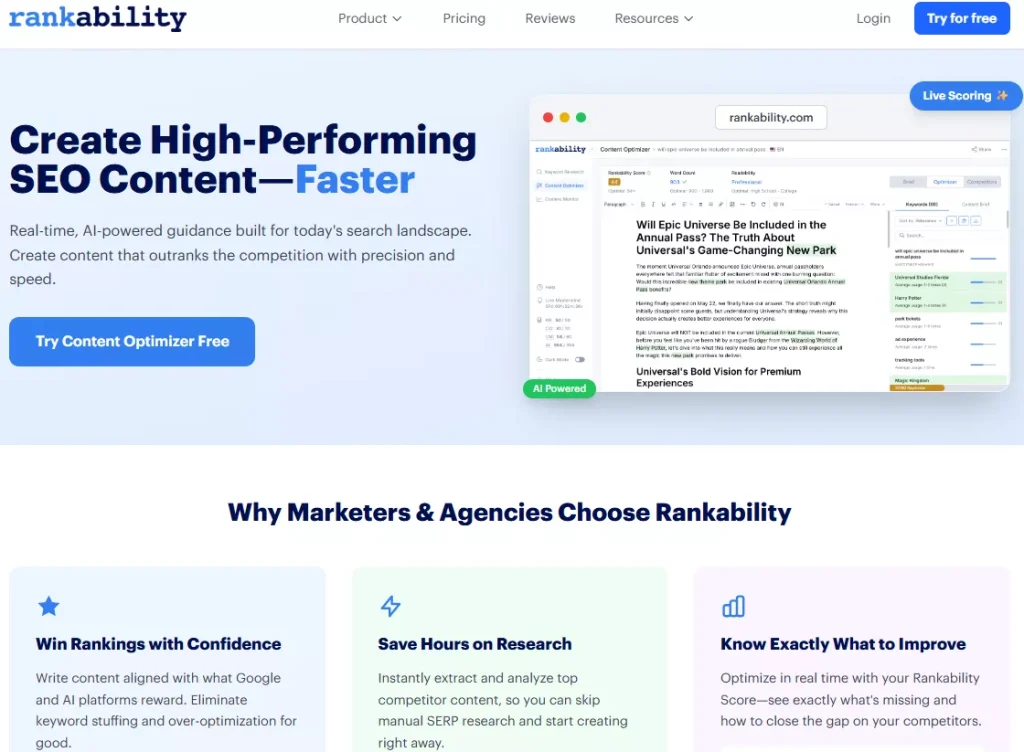
If you’re comparing options, here’s a curated list of top content optimization tools to benchmark features side by side.
FAQ
Can INK optimize content that’s already published?
Yes. INK says you can paste existing content into the editor or import a URL, then enter the keyphrase and improve the score by completing tasks.
What INK score should you aim for?
INK suggests aiming for 90%+ and shares claims about higher scores correlating with better ranking likelihood. Use that as a benchmark, but don’t treat it as a promise.
Does INK help with readability and editing?
Yes. The Word Tasks card includes readability grade guidance and flags hard-to-read sentences, passive voice, adverb usage, and structural issues like overly long sections.
Does INK help with on-page essentials like metadata?
Yes. The Document Tasks include prompts for meta title, meta description, images, and image alt text, plus keyphrase placement suggestions.
How much does INK cost?
INK lists Professional at $39/month and Enterprise at $99/month, with a 5-day free trial and no credit card required.
Conclusion
INKforall’s SEO Optimizer is a solid choice if you want a simple, score-driven content optimization workflow where writers can improve drafts through clear task cards focused on readability, structure, topical relevance prompts, and basic on-page completeness.
It’s especially useful for teams that need consistency and quick wins without a heavy process. If your content operation relies on tighter SERP-aligned briefs and repeatable editorial systems at scale, it’s worth comparing alternatives built specifically for that style of production.