

Most content “optimization” tools fall into one of two camps: writer-first editors that help you cover a topic thoroughly, and on-page checklists that push you toward a target score. Page Optimizer Pro (POP) leans into the second camp.

If you already have a content process and you want a structured way to tighten on-page relevance, fill topical gaps, and systemize refreshes across many URLs, POP can be a strong fit.
If you’re looking for a more guided brief-to-draft experience that keeps writers focused on clarity and intent (not just a score), you’ll want to pay close attention to the workflow differences covered below.
Quick take: what POP does best
Page Optimizer Pro is best when you want a clear, actionable checklist for improving an existing page or drafting a new one to match competitive on-page patterns.
POP is a good fit if you want:
- A score-driven editor that turns “optimize this page” into a repeatable checklist
- NLP/entity suggestions to close topical gaps
- Built-in EEAT and schema guidance to complement your content updates
- A workflow that supports content refresh sprints and agency QA
POP might not be ideal if you want:
- A writer-first experience where the brief and editor are designed primarily for content teams (not SEOs)
- A workflow that minimizes the temptation to “optimize mechanically” for the sake of a score
What is Page Optimizer Pro?
Page Optimizer Pro (often called POP) is a content and on-page optimization platform built to help you improve a page’s relevance for a target query. Instead of vague advice like “add more depth,” POP produces structured recommendations you can execute, then tracks progress toward an optimization target.
For this review, we’re focusing only on POP’s content-related features, not broader SEO tooling.
Features
1. Content brief
POP’s content brief is designed to remove uncertainty around what a page should include.
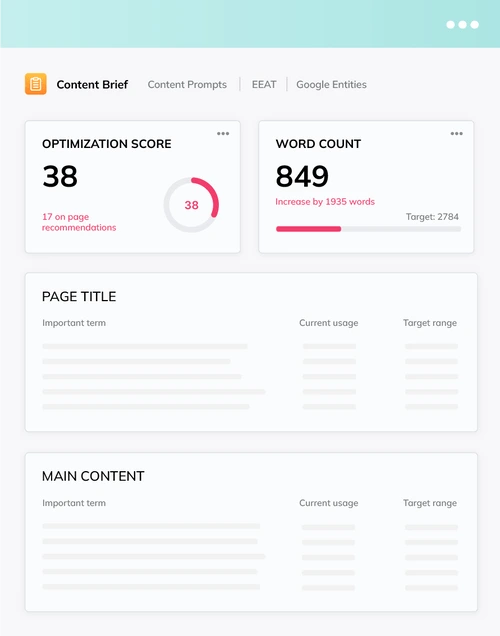
It typically guides:
- Page length targets and coverage depth
- Recommended sections and headings
- Terms, variants, and topical elements to include
- Additional on-page elements that support relevance
How it’s best used
- Build the brief first, then lock the outline before writing
- Assign sections to a writer, then use the editor as a QA layer
- Add original experience, examples, and proof points early so the page doesn’t feel “template optimized”
POP’s brief is especially useful for teams that already know how to produce content, but want a system to standardize what “optimized” means across multiple writers.
2. Content editor and optimization scoring
The POP editor is the heart of its content optimization workflow.

It’s designed around two ideas:
- Give you a concrete set of actions to take.
- Give you a measurable target so you can see progress.
This is great for execution because it turns optimization into a repeatable process. The biggest risk is predictable too: teams can start writing for the score.
Best practice
Use the score as a guardrail, not the finish line. You still need to prioritize:
- Matching intent
- Clear structure
- Human readability
- Real expertise and first-hand detail
If your content ends up feeling mechanical, it’s usually not because POP “forced” it. It’s because the team treated the checklist as the goal instead of the reader outcome.
3. POP NLP and entity coverage
POP includes NLP-driven suggestions that help you identify missing topical elements.
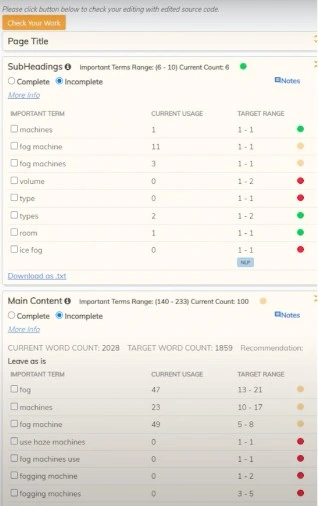
In practical terms, this tends to show up as:
- Entities and related concepts competitors include
- Subtopics you haven’t addressed yet
- Opportunities to make the page “about” the right thing more clearly
This is one of POP’s most useful content features because it helps you move beyond surface-level keyword placement and into topical completeness.
How to apply NLP suggestions without stuffing
- Add missing concepts as subsections, FAQs, comparisons, definitions, or examples
- Use natural phrasing and synonyms rather than forcing exact terms
- Only include concepts you can explain clearly and accurately
4. EEAT audits (content-focused use)
POP includes EEAT auditing features that aim to highlight credibility gaps that could weaken a page’s perceived trust and authority.
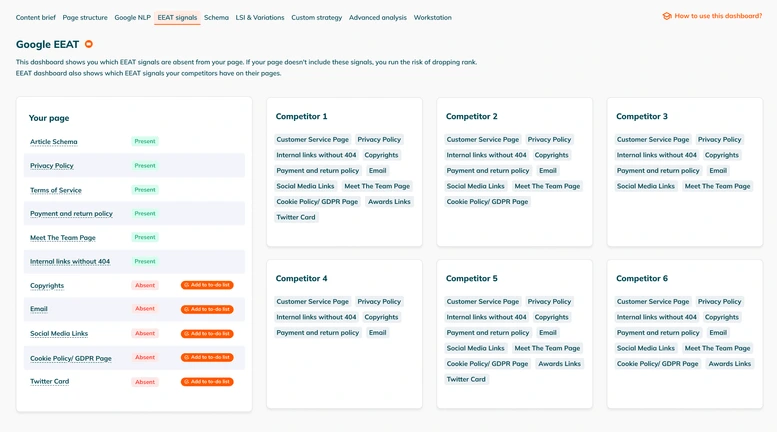
When these audits are used well, they can prompt upgrades like:
- Adding an author bio with relevant credentials or experience
- Improving citations and outbound references
- Adding proof of real-world experience (photos, step-by-step, case notes, screenshots)
- Strengthening policies and trust pages that support the content
One important note
EEAT checklists help, but they don’t create trust on their own. The biggest wins come from adding proof that a real expert (or experienced practitioner) contributed to the page.
5. AI-powered schema recommendations (as a content enhancer)
Schema isn’t “content optimization” in the writing sense, but it supports how your content is interpreted and presented.
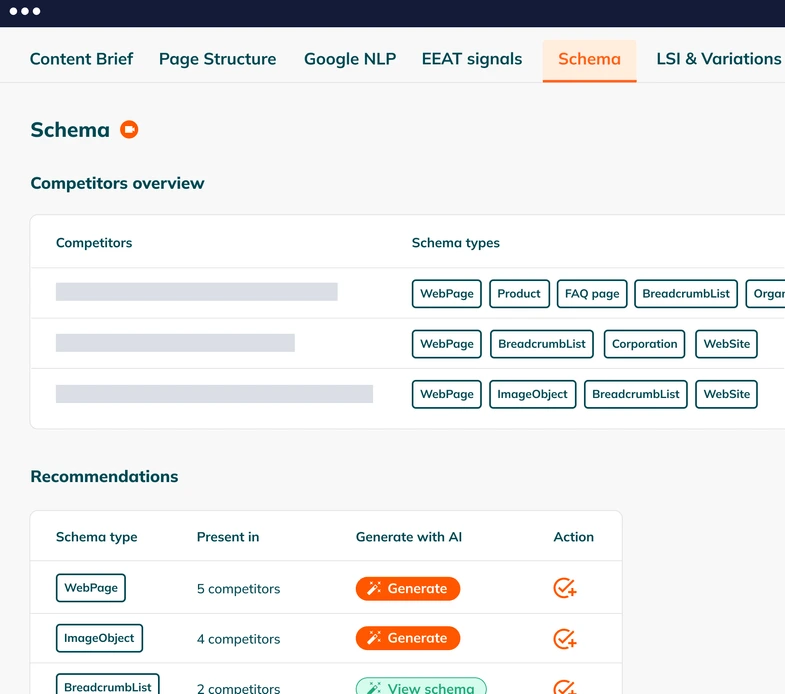
POP’s schema guidance is useful when it helps you:
- Choose markup types that fit the page intent (FAQ, HowTo, Product, Article, etc.)
- Add structured data that matches the actual on-page content
- Create consistency across content templates
Schema can be a nice force multiplier for content that’s already strong. It’s not a substitute for quality, and it shouldn’t be added in a way that misrepresents the page.
6. Chrome extension and in-workflow optimization
POP offers an extension experience that can reduce friction if your team drafts in Google Docs or publishes in a CMS where switching back and forth is painful.
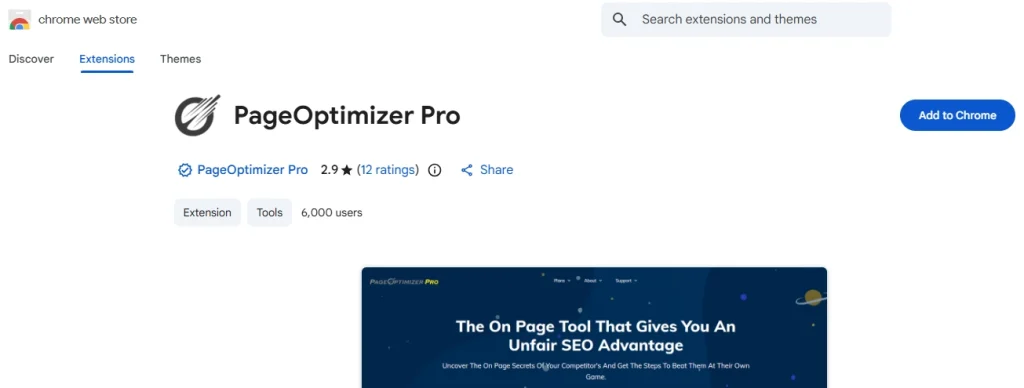
This matters for agencies and teams shipping lots of pages because the biggest hidden cost in content ops is context switching. Any workflow that reduces tool hopping can speed up production.
Page Optimizer Pro pricing
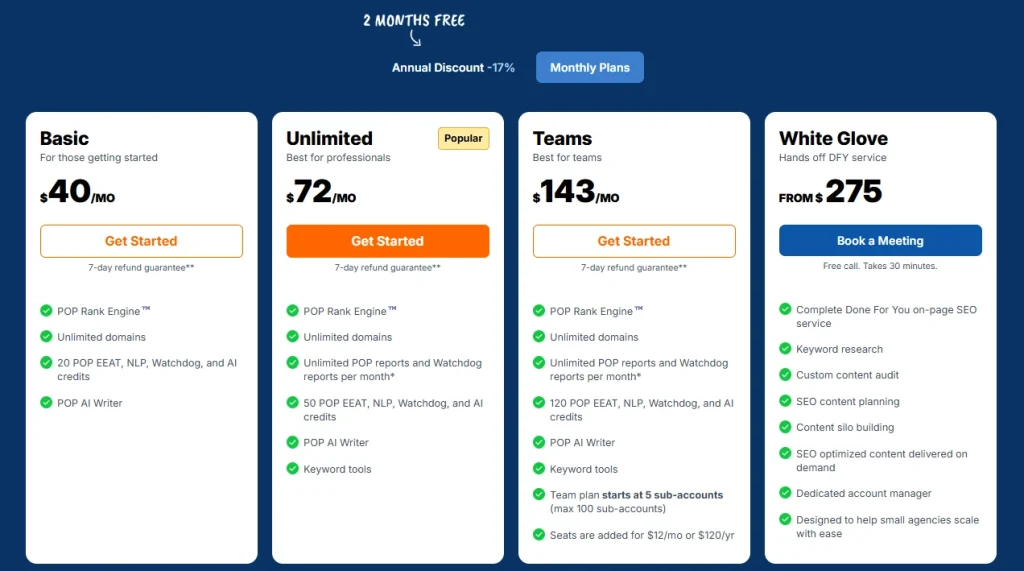
- Basic: $40/month, 20 POP Credits, 10 Watchdog pages.
- Unlimited: $72/month (or $62/month billed annually), 50 POP Credits, unlimited POP + Watchdog reports.
- Teams: $143/month (or $119/month billed annually), 120 POP Credits, starts with 5 sub-accounts (up to 100). Seats are $12/month (or $120/year).
Credits are used for tools like EEAT, NLP, AI, and Watchdog.
Real-world ways teams use POP for content
Here are the most common content-centric workflows where POP fits naturally:
Content refresh sprints
- Identify pages sitting in positions 4–20
- Re-optimize with the brief + editor + NLP
- Add experience, examples, and media
- Republish and track movement
Agency QA before publishing
- Writers draft using internal guidelines
- SEO team uses POP to verify topical coverage and on-page alignment
- Publish only after the page meets a consistent standard
Systemizing “what good looks like”
POP works well as a standardization layer when you have multiple writers and you’re trying to reduce variability in outcomes.
What to watch out for (common POP pitfalls)
POP is execution-friendly, but there are a few traps to avoid:
- Score chasing: You can “win” the checklist and still lose the reader.
- Over-optimization: Forcing terms instead of explaining ideas clearly.
- Thin differentiation: Matching competitors without adding anything new.
If your content already struggles with voice, clarity, or original insight, POP won’t fix that by itself. It’ll help you cover the expected topics, and you’ll still need to bring the differentiation.
Pros and cons of Page Optimizer Pro for content optimization
Pros
- Very actionable, checklist-based workflow
- NLP/entity suggestions are useful for topical gap closure
- EEAT and schema guidance can support higher-quality upgrades
- Works well for content refresh operations and agency QA
Cons
- Can encourage mechanical optimization if your team treats the score as the goal
- Better as an optimization layer than a full “brief-to-draft” content production system
- Requires good editorial judgment to avoid pages that feel templated
Alternatives for agencies and teams
If you like POP’s structured approach but want a more streamlined brief-to-editor workflow that’s built to keep writers focused on intent and clarity, there are alternatives that lean more writer-first while still delivering real-time optimization guidance.
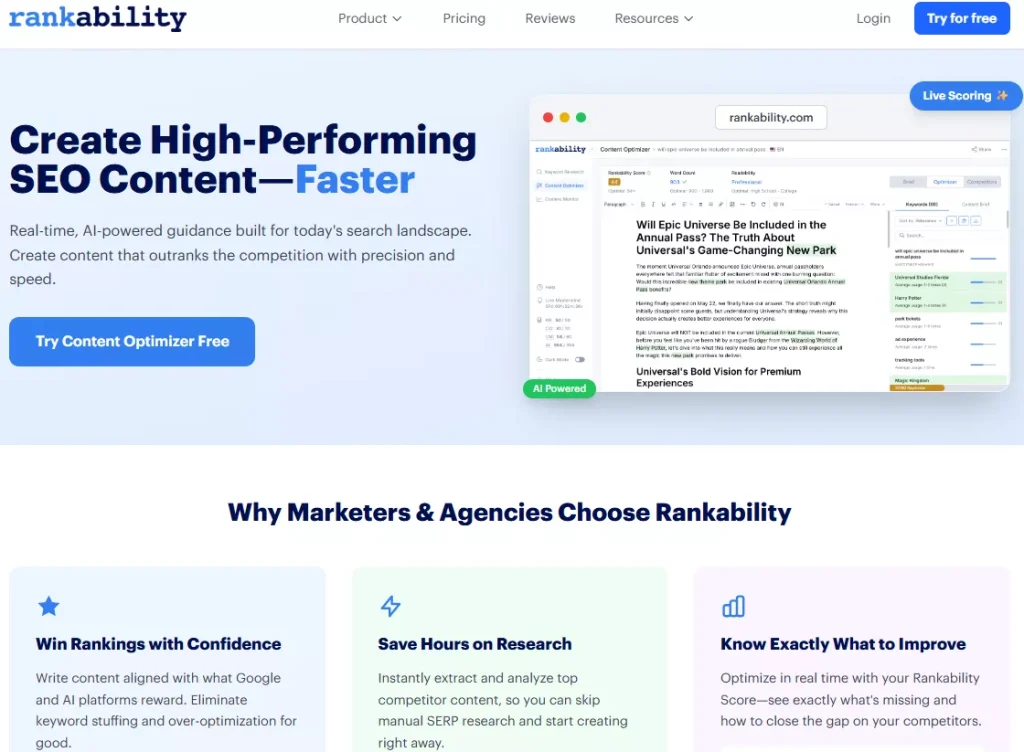
A common choice for agencies is Rankability’s Content Optimizer because it emphasizes topic coverage and readability inside the writing workflow, which can reduce the tendency to optimize mechanically. If you’re comparing options, it’s worth adding to your shortlist alongside POP.
If you want a broader roundup before deciding, check out this guide to the best AI SEO content optimization software.
FAQs
Does POP work best for new content or content updates?
It’s especially strong for updates because the checklist format makes it easy to take an existing page and systematically improve topical coverage and on-page alignment.
Will a higher POP score guarantee higher rankings?
No. A higher score can correlate with better on-page alignment, but rankings still depend on intent match, authority, competition, links, and how useful your content is compared to what’s already winning.
Is POP good for writers?
It can be, but it depends on how your team uses it. If writers treat POP as a quality checklist after a strong draft is written, it’s helpful. If they write for the score from the start, the content can suffer.
Does POP help with EEAT?
It can help identify missing trust elements and prompt upgrades, but the real EEAT lift comes from adding genuine proof of experience and credible sourcing.
Does schema matter for content optimization?
It can. Schema won’t rescue weak content, but it can improve clarity for search engines and support enhanced SERP features when it accurately reflects the page.
Conclusion
Page Optimizer Pro is a strong content optimization tool if you want an execution-focused workflow that turns on-page improvements into a repeatable checklist. Its brief, editor scoring, NLP/entity guidance, and EEAT plus schema support make it especially useful for content refreshes and agency QA.
Just don’t fall into the trap of optimizing for the score instead of the reader. If your team can use POP as a structured guardrail while still writing with clarity, originality, and real experience, it can be a practical system for improving content outcomes at scale.