

Raven Tools is best known for reporting, audits, rank tracking, and broader SEO operations, not as a dedicated content optimizer.
That matters because this Raven Tools Review is focused only on Raven’s content-related features, not the full platform.
If you’re evaluating Raven specifically for content optimization, the main question is simple: Does its content workflow help you produce better SEO content, or is it more of a content management layer inside a larger SEO software suite?
Based on Raven’s current product and help documentation, the answer leans toward content management and publishing support, with lighter optimization guidance than the leading editor-first tools in this category. Raven Tools offers a broad toolset for day-to-day SEO tasks, but content optimization is not the primary surface the platform is built around.
This review focuses on Raven’s content features: Content Manager, keyword emphasis fields, WordPress publishing workflow, and content ordering, plus where it fits in a modern SEO content workflow.
Quick summary
Raven Tools can support content operations inside an agency workflow, especially if you already use Raven for reporting and campaign management. Its content tools let you store drafts, add metadata, tag content, and push work toward WordPress.
If your SEO efforts rely on consistent process, this can help keep content production organized across multiple web pages and website URLs. Where it falls short for pure content optimization is the in-editor experience.
Raven’s content workflow, as documented, does not present the kind of real-time topic coverage scoring, content grading, or SERP-driven optimization guidance that most teams expect from a modern SEO solution focused on content performance. It’s a capable reporting tool and marketing platform, but the content layer is more operational than instructional.
Where it’s especially helpful
- Agencies already using Raven for reporting and campaign management
- Teams that want content organization and publishing support in the same platform
- Basic SEO metadata workflows for drafts and pages
- Standardized client reports when content is part of deliverables (including white-label reporting features)
Where it falls short
- No clear modern content score or topic coverage workflow in the content editor
- Limited documented evidence of SERP-led optimization guidance inside Content Manager
- Better for content operations than content optimization depth
- Content teams that need a full content strategy workflow may still want a dedicated optimizer alongside Raven
What Raven Tools is for content teams
Raven is positioned as an all-in-one SEO and marketing reporting platform. Its homepage heavily emphasizes site audits, backlink profiles, keyword rank tracking, reporting features, competitor research, and keyword tools.
Content is part of the platform, but it is not the central product experience, which is why Raven often appeals to small businesses and small agencies that want one dashboard to manage marketing campaigns and SEO data.
In Raven’s Help Desk, content features sit under Manage Content, where Raven describes the capability as being able to “order, optimize and publish content directly from Raven.” That section includes:
- Content Manager
- WordPress
- Order Content
That setup makes Raven feel more like an SEO operations hub with content workflow support, rather than a purpose-built content optimization platform.
In other words, it can support an SEO strategy, but it’s not trying to be the best SEO tool for in-editor optimization decisions.with content workflow support, rather than a purpose-built content optimization platform.
Who it’s best for
Best fit
- Agencies that already rely on Raven for reporting and want content workflow support in the same system
- Teams that value campaign organization, marketing reports, and detailed reports more than in-editor optimization scoring
- SEO professionals who need a place to manage drafts, metadata, and publishing handoff without adding more tracking tools
- Teams that want white-label client reports and a report builder to package SEO performance results
Who may need more
- SEO experts and an SEO specialist role that needs live content scoring while writing
- Teams that depend on SERP-driven briefs, keyword difficulty guidance, and search volume context during drafting
- Content operations that need a repeatable “optimize as you write” process, especially for competitive search engine rankings
- Teams focused on AI SEO workflows that require stronger in-editor guidance and QA checks
Feature Breakdown
1. Content Manager basics
Raven’s Content Manager provides a straightforward workflow for adding and managing content.
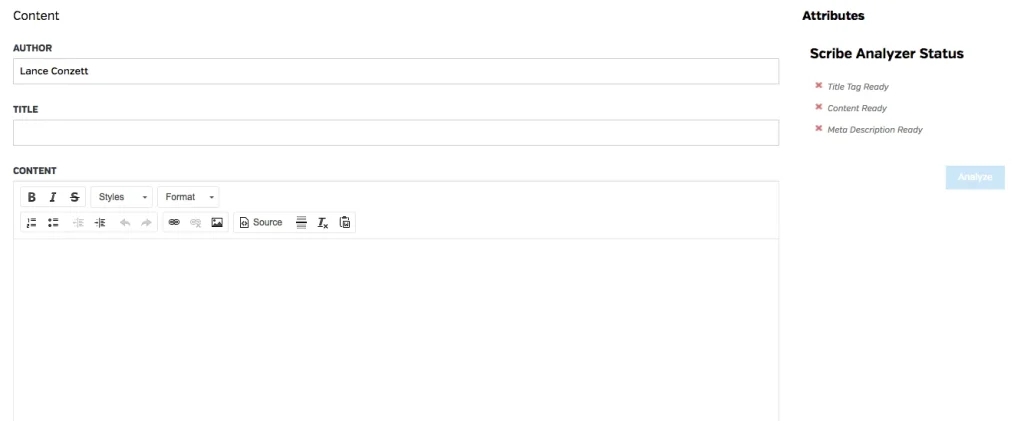
In the official Help Desk article, Raven outlines the process:
- Add content from Content > Content Manager
- Enter Author, Title, and Content
- Add Meta Description, Tags, and Keywords
- Save the content
Raven also explicitly notes that the Meta Description field is limited to 156 characters and that the Keywords field is for SEO keywords you want to emphasize.
That is useful, but it is still a fairly lightweight content optimization workflow by modern standards, since it’s primarily about organizing information and supporting execution rather than teaching writers what to add, remove, or improve.
What you get (content-related)
- Draft storage fields (author, title, content)
- Meta description support for on-page SEO basics
- Tags and keyword entry to align drafts with SEO needs
- Save and manage content inside Raven for repeatable production
What’s missing for advanced optimization
- No documented live content score
- No documented topic coverage grading
- No documented in-editor competitor gap prompts
- Limited evidence of content QA elements like page speed checks tied directly into the writing surface
2. WordPress publishing workflow support
Raven’s content flow appears designed to help teams move content through a simple operational process. The Content Manager documentation mentions that the title should be filled in if you plan to push content to WordPress, which confirms Raven is thinking about publishing handoff, not just draft storage.
That’s valuable for agencies that want one place to manage SEO work and content publishing, especially if they are already using Raven for client reporting. It can reduce tool switching and tighten the “draft to publish” loop.
From a content optimization standpoint, though, this is still more about workflow convenience than on-page optimization intelligence. You can use Raven Tools to move content into production, but you’ll typically rely on other SEO analysis inputs to decide what the content should include and how it should be structured for search visibility.
3. Order Content workflow (Textbroker integration)
Raven also includes an Order Content feature through a Textbroker integration.
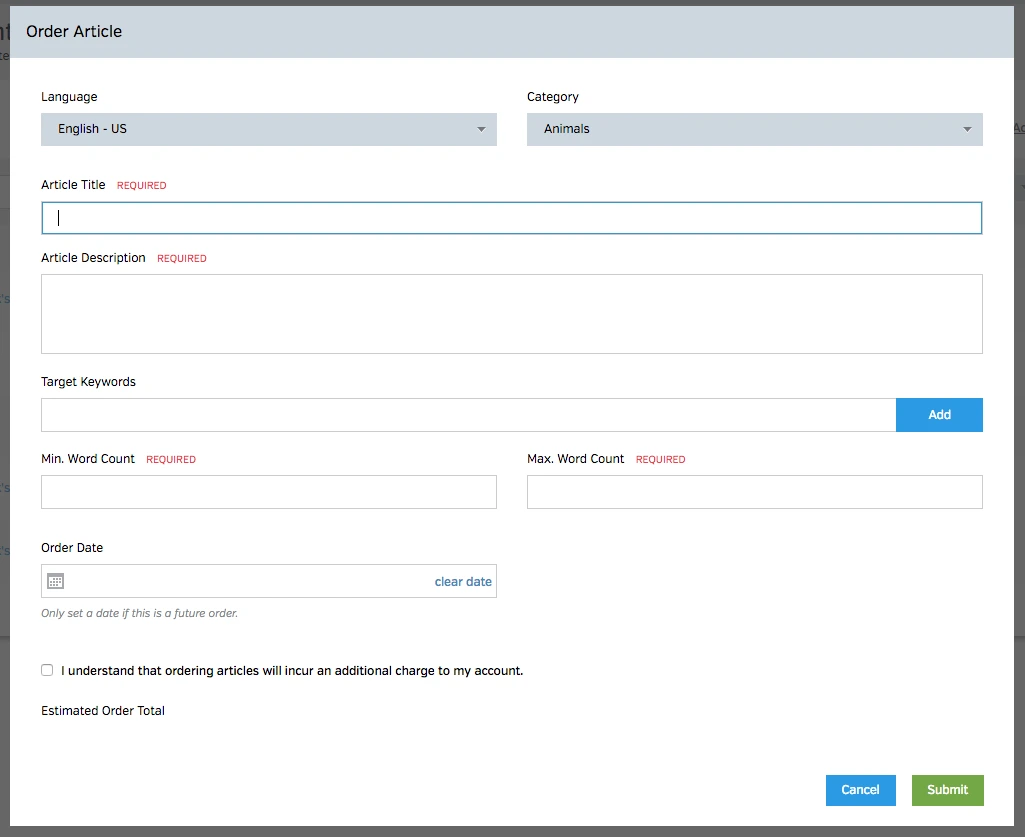
The Help Desk describes it as a custom content ordering system where users can specify:
- Topic
- SEO keywords
- Minimum and maximum word counts
That can be helpful for agencies that need outsourced drafts and want a lightweight workflow inside Raven. Still, this feature is more about procurement and production logistics than actual optimization analysis. It helps content get created, but it does not replace a dedicated optimization editor.
4. Keyword support and content workflow context
Raven’s broader platform clearly supports keyword and SEO research, and those capabilities can inform content planning.
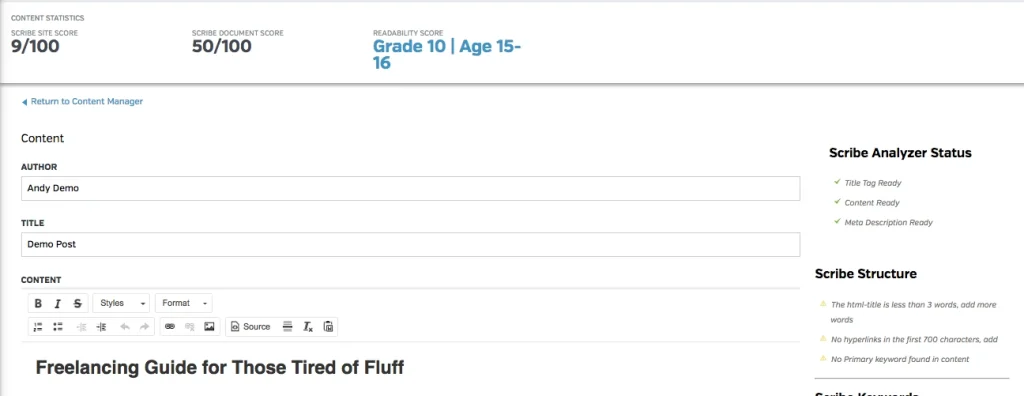
The homepage highlights keyword rankings, Rank Tracker capabilities, and related SEO features that can help teams choose topics and measure outcomes.
That said, there’s an important distinction:
- Raven helps with SEO operations and content workflow
- Dedicated content optimizers help with in-editor optimization decisions
If your goal is to improve how writers structure, cover, and optimize content in real time, Raven’s documented content features look limited compared to specialist tools. You can pull useful context from Raven’s keyword research and tracking, but Raven is not clearly positioned as a writing-first optimization layer.
In practice, many teams pair workflow platforms like Raven with dedicated tools for content optimization, especially when the goal is measurable improvements in search engine optimization and Web Ranking outcomes.
Pricing
Raven Tools pricing reflects the value of an all-in-one SEO and reporting suite, not a standalone content optimizer.
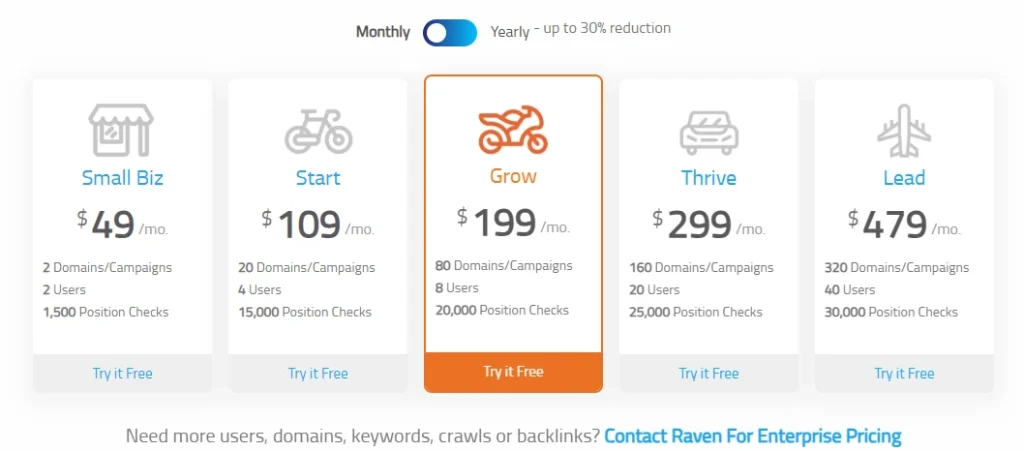
On the official pricing page, Raven highlights annual prepaid pricing such as:
- Small Biz: $49/month
- Start Plan: $109/month
- Grow Plan: $199/month
- Thrive Plan: $299/month
- Lead Plan: $479/month
So the pricing question is less about “is this a good content optimization value?” and more about “will you use the full SEO/reporting platform enough to justify the price point?” This is especially relevant for small agencies that need customizable reports and a report builder for client deliverables.
Pros and cons for content optimization use
Pros
- Content workflow is built into a larger SEO software toolset
- Useful metadata and keyword emphasis fields
- WordPress-oriented publishing flow support
- Helpful for agencies already standardized on Raven for reporting features and client reports
- Can support marketing strategy execution across multiple SEO tasks
Cons
- Content features are workflow-focused, not editor-first optimization-focused
- No clearly documented live content scoring or topic coverage grading
- Limited evidence of modern SERP-driven optimization guidance in the content editor
- May require a second tool for serious on-page optimization, especially if your SEO needs include structured briefs and content strategy guidance
- The learning curve may be higher than a single-purpose optimizer because Raven’s value comes from the full platform, not only content
Where Raven fits among content optimization tools
Raven can play a role in content operations, especially for agencies that want reporting, tracking, and content management in one place. It’s a strong fit when your process is driven by reporting outputs and SEO performance monitoring, and content is part of a broader execution stack.
But if you are specifically comparing it to the leading SEO content optimization tools, Raven does not appear to offer the same level of in-editor optimization depth based on its documented content features. It is better understood as an SEO platform with content workflow support than as a dedicated content optimizer.
In side comparison discussions, you’ll often see teams weigh Raven against platforms like SE Ranking or Moz Pro for broader SEO tracking and reporting, or compare it alongside larger stacks where Semrush offers deep research and competitive analysis.
Raven’s differentiation is usually in reporting, workflow, and report builder flexibility, not in being the best tool for optimizing content as you write.
An alternative if you need deeper optimization
If your main goal is content optimization, not content management, a dedicated optimizer will usually be a better fit.
For example, Rankability’s Content Optimizer is built around real-time scoring, topic coverage guidance, AI-assisted briefs/outlines, and an editor workflow designed for agencies.
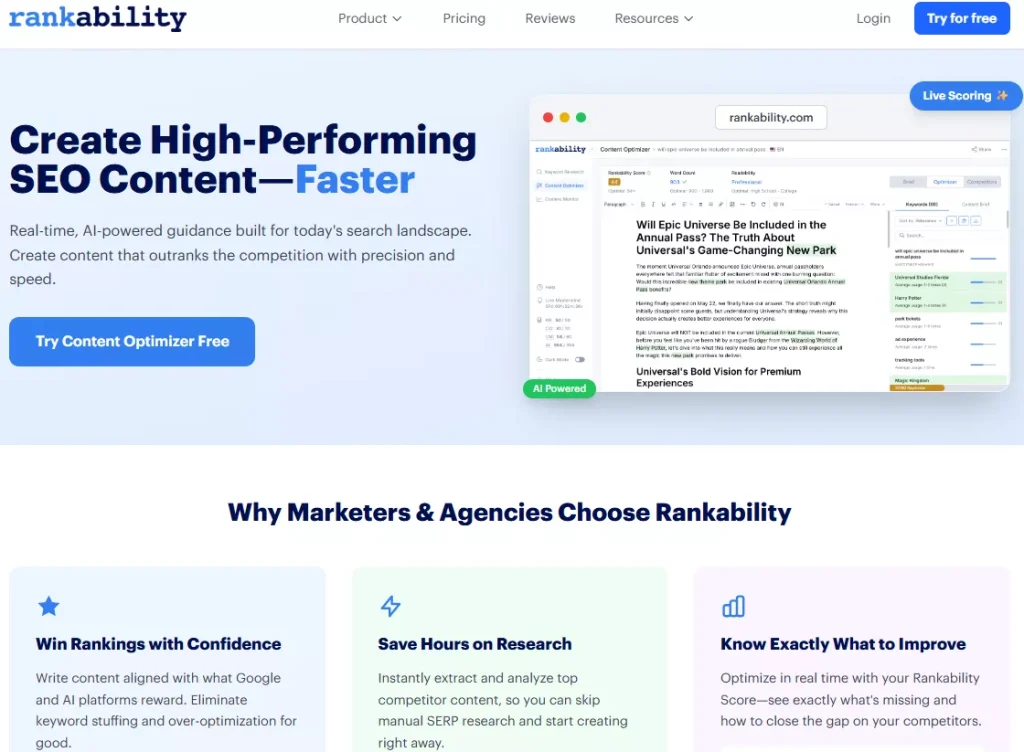
That is a very different experience from a metadata-and-publishing content manager. Raven is strong when you want broader SEO operations, reporting, and deliverables like customizable reports, while a dedicated optimizer is stronger when you need writers and SEOs to improve page quality inside the editor itself, especially for competitive keyword difficulty scenarios.
Related: Raven Tools Alternatives for Advanced SEO & Content Marketing
Customer support, integrations, and data context
Because Raven is often used as a reporting tool, its integrations can affect how useful it is for content workflows and post-publish measurement.
Teams commonly want to connect SEO data sources like Google Search Console (formerly referenced as Google Webmaster Tools) and Google Analytics to understand website traffic and search visibility trends, then reflect those outcomes in client reports and marketing reports.
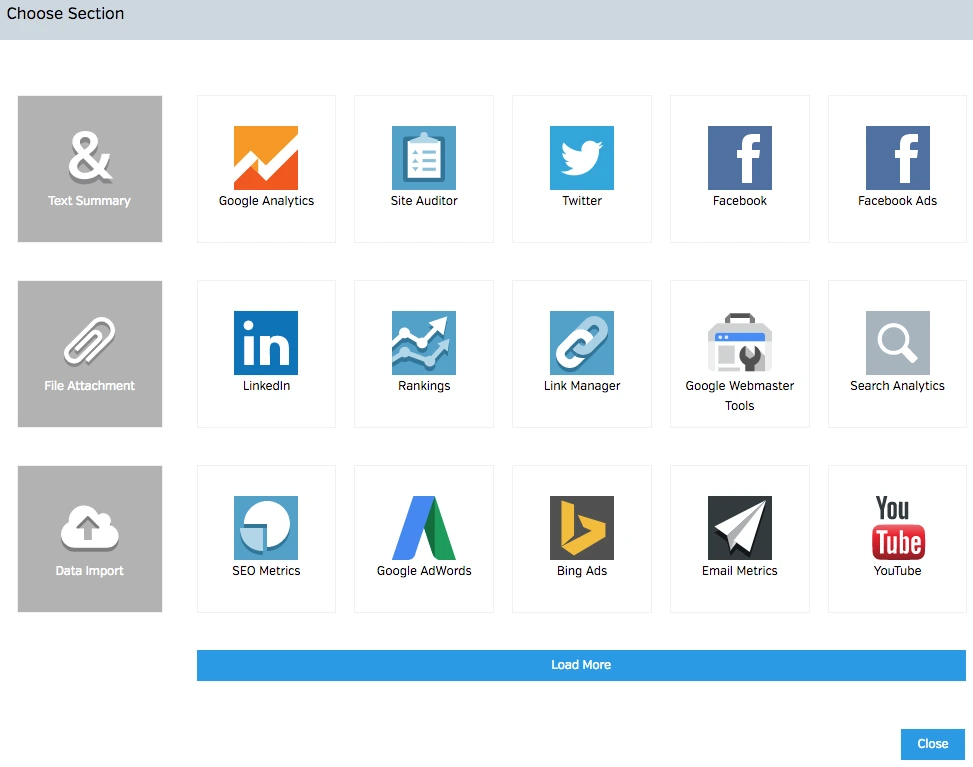
Raven also supports Google Ads data in reporting contexts, which matters if your SEO efforts run alongside PPC campaigns and broader marketing campaigns. While these are not content optimization features, they influence how teams measure content impact and communicate results.
If your workflow depends on link management and backlink analysis to inform content priorities, Raven’s broader SEO analysis toolset can provide context through features like backlink profiles, Link Manager workflows, and link-building tool surfaces such as Backlink Explorer.
Some teams also reference metrics like domain authority, Trust Flow, and Citation Flow when prioritizing link opportunities and understanding competitive pressure, although those are typically part of broader SEO analysis rather than content editing.
For customer support, Raven’s Help Desk documentation is a strong starting point. If you need direct support for implementation details, you’ll want to confirm current options like phone support and customer service channels on raventools.com, since support offerings can change by plan and over time.
Verdict
Raven Tools is a solid SEO platform, and its content-related features are useful for organizing drafts, adding metadata, and supporting publishing workflows.
But if you are reviewing Raven strictly as an SEO content optimization tool, it feels light. Its documented content features are more about managing and moving content than optimizing it in a modern, score-driven editor.
It can work well as a content workflow layer inside an agency SEO stack. For teams that want deeper optimization guidance while writing, it is usually better paired with a dedicated content optimization tool.