

Most content “optimization” tools fall into one of two camps: lightweight editors that nudge your draft in the right direction, or heavier platforms that try to connect content creation to performance data and repeatable workflows.
Ryte’s approach sits closer to the second camp. While it’s known as a broader SEO and website quality platform, it also includes a set of content-focused features that help you research, build, and refine pages with more structure than a basic content editor.

This review focuses only on Ryte’s content optimization functionality: how its content workflow works, what the editor actually helps with, where TF*IDF fits, and the kinds of teams that’ll get the most value from it.
Quick summary
Ryte is a strong fit if you want content optimization that’s connected to a structured workflow (research → template → editor) and you’re optimizing content as a team, not just as a solo writer. It’s especially useful for organizations that publish at volume and want a consistent way to generate content plans, draft in a guided environment, and monitor content outcomes.
If you’re expecting a lightweight “paste draft, get a score” tool, Ryte may feel like more platform than you need. But if you want content production support that’s closer to an editorial system, it’s worth a look.
What Ryte is
Ryte’s content optimization features generally roll up into a workflow that looks like this:
- Research and keyword discovery (often competitor-informed)
- Template creation for a page type and intent
- Drafting and refinement in an editor
- Ongoing monitoring to spot improvement opportunities
Depending on the plan and setup, you’ll see these features referenced as parts of Content Hub / Content Success style workflows, plus capabilities like TF*IDF term suggestions and page-level performance insights.
Who Ryte is best for
Ryte tends to work best for:
- Content teams that need a repeatable workflow (briefing, templating, drafting, and updating)
- SEOs supporting multiple writers who want a consistent optimization standard
- Organizations updating existing content at scale and looking for a system to identify and execute improvements
Who may need something else
Ryte may not be ideal if:
- You want a super simple editor with transparent, self-serve pricing
- Your workflow depends on heavy “topic coverage” guidance rather than term-weighting style suggestions
- You primarily need an agency-style, brief-to-publish loop across many clients with minimal setup
Feature breakdown
1. Content workflow: research → templates → editor
Ryte’s biggest advantage, compared to standalone editors, is that it tries to operationalize content production instead of only scoring drafts.

What you get
- A guided process for turning an idea or keyword set into a structured content asset
- Template-driven creation so teams can standardize page types
- An editor that supports drafting inside the workflow rather than in a separate document
How to use it (quick SOP)
- Start with a topic or focus keyword and collect related keywords to support the page.
- Choose the page’s intent (informational, commercial, transactional, etc.) so the template matches what the searcher wants.
- Generate or apply a template, then draft inside the editor.
- Refine using the editor’s suggestions, then publish and monitor performance.
Where teams win
If you’re running a content program with multiple writers, templates can reduce the “everyone does it differently” problem. You get more consistent page structure, fewer missing sections, and easier QA.
2. The Content Editor: practical on-page guidance
Ryte’s content editor is designed to help you shape a draft with guided recommendations.

What you’ll typically see
- A focus keyword or topic anchor
- Draft stats (word count, estimated reading time)
- Suggestions for terms or phrases to consider adding or removing
- The ability to refresh recommendations as your draft changes
How to use it well
- Use suggestions to spot missing subtopics, not to force awkward phrasing.
- Refresh recommendations only after meaningful changes (new sections, rewritten intros, etc.).
- Treat the editor as a second set of eyes, not a rules engine.
Pitfall to avoid
If your team starts optimizing for a list of terms instead of a clear intent and clear explanations, the page can get bloated fast. The best outcomes happen when suggestions support clarity.
3. TF*IDF-style term discovery: what it’s good for (and what it’s not)
Ryte leans into TF*IDF as one way to surface terms that appear in top-ranking pages for a keyword. Think of it as “vocabulary discovery” from competitors.

When TF*IDF helps
- You’re entering a topic you don’t know well and want a fast list of common concepts
- You’re auditing an existing page and want to spot obvious gaps
- You’re checking whether a draft is missing key terminology that readers expect
When TF*IDF hurts
- You treat it like a checklist and cram terms into sentences
- You prioritize term presence over explaining the concept
- You optimize for “more terms” instead of “better answers”
Best practice
Use TF*IDF outputs as prompts to ask: “Do we cover this idea clearly?” If the answer is no, add coverage. If the answer is yes, don’t force it.
4. Content opportunity discovery (quick wins for existing pages)
A lot of content teams don’t need more new content. They need better performance from what’s already published.

Ryte’s content features can help you identify pages that are close to breaking through and worth updating.
Common “quick win” opportunities
- Pages sitting on page 2 that could move to page 1 with stronger coverage
- Content with decent rankings but weak click-through (suggesting a mismatch in title/description or intent)
- Pages that are aging and getting leapfrogged by fresher competitors
How to run an update pass
- Pull a shortlist of pages that matter commercially.
- Identify what the page likely needs: stronger intent match, missing sections, clearer structure, better explanations.
- Update the content inside a consistent template, then re-check performance after indexing.
This is also where it helps to benchmark your process against other leading SEO content optimization tools so you’re clear on what’s “workflow” versus what’s just “editor scoring.”
5. Monitoring and iteration for content programs
Content optimization isn’t a one-time event. The best teams run a cycle: publish, measure, refresh, and consolidate.

Ryte’s content monitoring can support that cycle by helping you segment content and track what’s improving, flat, or declining. If you publish frequently, monitoring also helps you spot patterns like:
- Which templates tend to win
- Which topic types decay fastest
- Where updates consistently pay off
Real-world use cases
Ryte’s content optimization features tend to shine in a few scenarios:
- Scaling editorial production: templates and guided drafting create consistency across writers
- Refreshing content libraries: identify update targets and run repeatable improvement passes
- Standardizing on-page quality: editorial guidance becomes part of the workflow, not an afterthought
Pricing
Ryte is typically sold as a platform, so pricing is often quote-based and tied to usage, feature set, and services.

If you’re evaluating it primarily as a content optimization tool, you’ll want to ask very directly what’s included.
What to ask on a demo
- Which content modules are included (templates, editor, TF*IDF, monitoring)?
- Are there limits by project, usage, or seats?
- Can you standardize templates across teams and workflows?
- What does onboarding look like for content teams?
Pros and cons
Pros
- Strong workflow orientation: research, templates, drafting, and iteration feel connected
- Helpful for teams that need consistency and structure
- Term discovery can be useful for gap spotting and topic familiarization
Cons
- Can feel heavier than a simple content editor if you only want quick on-page suggestions
- TF*IDF can steer teams into “term chasing” if you don’t have editorial guardrails
- Quote-based pricing makes quick comparisons harder if you’re shopping multiple tools
An alternative if you want a faster brief → optimize workflow
If you like the idea of guided content production but want something that’s more purpose-built for content optimization workflows (especially for SEO teams that publish a lot of pages and need repeatability), Rankability’s Content Optimizer is a strong alternative.
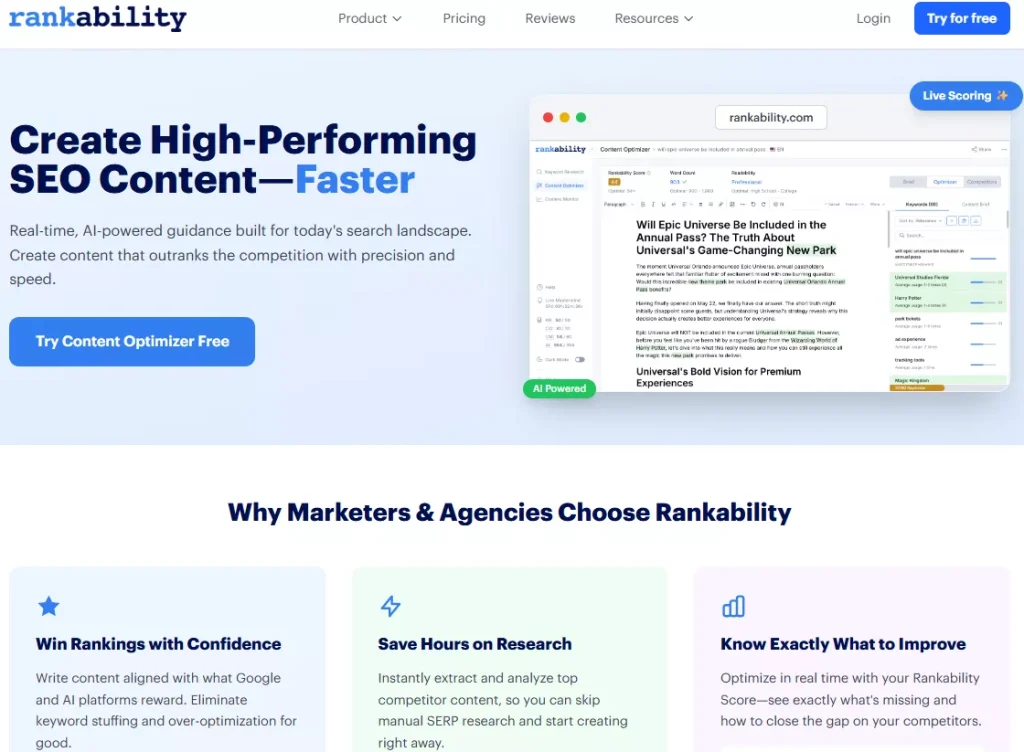
Where it often fits best is when your team wants a clearer “start with a keyword, build a brief, optimize while drafting, and ship” loop, without needing a broader platform around it.
FAQ
Is Ryte a standalone content optimization tool?
Not really. It’s best thought of as a broader platform that includes content optimization features. That’s great if you want a system, but it can be more than you need if you only want an editor.
Does Ryte replace a writer or editor?
No. It supports writers with structure and suggestions, but the quality still comes down to intent match, clarity, and original insight.
Is TF*IDF enough for modern content optimization?
It’s useful for discovering common terms and gaps, but it isn’t a complete strategy. The best results come from pairing term insights with clear intent alignment and strong topic coverage.
Is Ryte good for agencies?
It can be, especially if your agency wants a standardized platform and you’re comfortable with a more involved setup. If you want a faster, client-scalable content optimization workflow, you may prefer a tool that’s built specifically around that loop.
Conclusion
Ryte’s content optimization features make the most sense for teams that want a structured workflow, templated production, and an editor that supports iterative improvement over time. It’s not the lightest content editor on the market, but it’s more than a scorecard, and that’s the point.
If your priority is systemizing content creation and updates across a team, Ryte is worth considering. If you want a more streamlined, content-optimizer-first workflow, it’s smart to compare it against purpose-built alternatives before you commit.