

Search Atlas Content Genius is positioned as an AI-driven writing and optimization workflow that’s meant to ship SEO-ready drafts faster by pulling from live SERP signals, entity relationships, and a set of “microagents” that handle common editing and refinement tasks.

If you’re evaluating best SEO content optimization software specifically (not the broader Search Atlas platform), the real question is whether Content Genius helps your team consistently produce drafts that match search intent, cover the right entities, and add something new enough to deserve to rank.
This review focuses on the content optimization features inside Content Genius, not the full Search Atlas Review scope (which also includes technical SEO, site auditing, backlink analysis, local SEO, and other SEO automation features).
That distinction matters because Search Atlas is a broad SEO platform, while Content Genius is the part most teams will use for blog posts, content development, and day-to-day content marketing work.
Quick summary
What it does well
- Automates core on-page content elements like semantic entity coverage, heading structure, internal linking suggestions, schema recommendations, and “information gain” prompts.
- Uses microagent-style actions to refine clarity, tone, and user experience without rewriting prompts repeatedly.
- Bakes “structure-first” behavior into the workflow (outline, schema, then drafting).
- Helps teams standardize an SEO workflow across writers, editors, and SEO agencies.
Where to be careful
- It’s easy to mistake “more automation” for “better content.” You’ll still need human judgment to ensure accuracy, originality, and real-world expertise.
- If your team already has a tight editorial process, the value comes down to how much time it saves on research, outlining, and coverage checks (not whether it can generate a draft).
- Like any AI tool, content generation can speed up the first draft, but it can also create generic copy if your team skips editorial review.
What Content Genius is
Content Genius is presented as an AI content creation and optimization layer inside Search Atlas that generates structure and drafts using live SERP data and semantic signals, then lets you refine using specialized microagents.
Search Atlas also claims Content Genius can do real-time web research to build a topical knowledge graph before drafting, then output a brief that includes structure, visuals, data tables, and schema.
In practical terms, it’s a Content Writer + optimizer workflow inside the broader Search Atlas tool. That means it’s less like a simple keyword tool and more like a guided content system for search engine optimization, where the platform tries to reduce manual grunt work across research, content planning, and SEO optimization.
Who it’s best for
Best fit
- Agencies and in-house teams that need a repeatable “research → structure → draft → refine” flow with built-in coverage checks.
- Teams that want internal linking and schema prompts as part of the writing workflow, not as a separate step.
- SEO agencies and content teams producing a steady volume of blog posts and service pages.
- A marketing agency that wants a more standardized content process across multiple client accounts.
Might be less ideal
- Writers who prefer to draft freely first and optimize later (you can still do it, but Content Genius is designed to front-load structure and coverage).
- Teams that mainly want a lightweight content score and a simple list of terms to include. Content Genius is trying to do more than that.
- Teams looking primarily for technical SEO, site audit, or backlink profiles analysis. Search Atlas has those, but they’re outside this Content Genius-focused review.
Feature breakdown
1. Live research and SERP-informed structure
Content Genius is built around the idea that content should be drafted from live SERP patterns and entity relationships. Search Atlas describes a flow where you input a topic or URL, then it scans search results and reverse-engineers what Google rewards.

This is one of the strongest parts of the tool because it ties content planning directly into the writing process. Instead of doing keyword research in one tool and drafting in another, the workflow tries to merge keyword research tools, SERP analysis, and content generation into one place.
How to use it (quick SOP)
- Start with a single query that represents the page’s primary intent.
- Sanity-check the SERP: are top results guides, product pages, comparisons, or list posts?
- Let the tool generate the initial structure, then edit the outline to match your brand’s POV and your audience’s pain points.
- Add sections that reflect your real-world use cases, not just what competitors cover.
A quick note for first time users: this is where you’ll get the most value. If you skip the outline review and go straight to generating copy, you’ll miss the part that actually improves the SEO strategy.
2. Semantic entity coverage (topical completeness)
Search Atlas frames “semantic entity coverage” as automatically injecting relevant entities and topic-specific terms pulled from top-performing SERP results.

This feature is useful for building topical authority because it helps writers cover the concepts Google expects to see on a page, not just the exact keyword. It’s especially helpful for newer writers who know the topic broadly but miss supporting subtopics.
What this is good for
- Catching obvious topical gaps before an editor has to mark them up.
- Helping junior writers stop missing “table stakes” subtopics.
Pitfall
- Entity coverage can turn into copycat content if you don’t add original examples, experience, or data.
Coverage improves SEO work, but it does not replace expertise. If your goal is long-term search visibility, you still need differentiated insights.
3. Passage-level optimization (rewrite suggestions)
Content Genius claims it can analyze paragraphs for clarity, keyword placement, and “semantic strength,” then rewrite weak sections to improve readability and relevance.

This is one of the more practical automation features because it helps editors and writers tighten weak sections without rewriting the entire page. It can also help improve user experience by making dense sections easier to scan.
Practical workflow tip
- Use paragraph rewrites sparingly: apply them to sections that are unclear or off-intent, then rewrite again in your brand voice.
If you let the tool rewrite too much at once, the page can lose tone consistency. It works better as a section-level assistant than a full-page replacement.
4. Heading and section structuring (outline generation)
The platform describes generating an H1–H3 hierarchy modeled after top-ranking pages, clustering headings around core and supporting intents.
This is one of the most useful content optimization features in the tool because heading structure drives everything else, including topical coverage, internal links, and schema opportunities. It also makes content development faster when you’re publishing at scale.

What to look for in a “good” outline
- It answers the primary query early.
- It earns deeper sections (comparison, process, FAQs) based on what users actually need, not just what competitors included.
For teams that publish a lot of content, this can be a game-changer simply because it reduces blank-page friction.
5. Internal linking suggestions (content connections)
Content Genius includes internal linking suggestions based on entity relationships and your site’s existing content structure.

Best practice
- Treat these as suggestions, not autopilot. Your editorial team should still choose the best link targets and anchors based on conversion and topic cluster strategy.
If you’re a website owner or agency managing a lot of published pages, this feature can save time, but it still needs human review to align with the broader SEO strategy.
6. Schema implementation prompts
Search Atlas says Content Genius proposes structured data markup (like Article, FAQ, How-To, Product) based on content type and topic.

How to get value
- Use schema prompts as a checklist, then validate schema selection and markup quality before you ship.
7. Information gain assessment (the “don’t be redundant” layer)
Content Genius includes an “information gain assessment” that flags thin or redundant sections and suggests adding unique data points, examples, or expert insights using competitive benchmarks.

This is one of the more useful concepts if your team is fighting “samey” content. In a crowded SEO world, this is the part that pushes content beyond basic SERP matching and toward real differentiation.
What to add when it flags redundancy
- First-hand screenshots, process breakdowns, templates, original definitions, mini case studies, and comparisons that reflect how your customers actually decide.
If you’re publishing content in competitive niches, this feature can help, but only if your team actually adds something original.
Performance notes, learning curve, and common pitfalls
Learning curve: moderate. Content Genius is trying to be a structured workflow, not just an editor with a score.
The biggest adjustment is process. Teams that already have a clear content planning and editorial system will adapt faster. Teams that expect one-click publishing may struggle, especially the first time they use it.
Common pitfalls
- Shipping drafts without a human pass (accuracy and trust drop fast).
- Over-relying on automated structure when the SERP is mixed intent.
- Confusing “coverage” with “quality.” Coverage is table stakes. Differentiation is what wins.
- Treating SEO automation as strategy. Automation speeds up SEO tasks, but it doesn’t replace editorial judgment.
Pricing (what matters for content teams)
Search Atlas lists plan tiers that start at $99/mo (Starter), then $199/mo (Growth), $399/mo (Pro), and $999/mo (Agency).

For the AI Content Suite category, it also shows a content “Pages” allowance (40, 100, 200, 500 depending on tier) and AI article credits (30, 60, 90, 300).
If you’re buying primarily for Content Genius, make sure the plan’s page limits and article credits match your monthly production volume.
This is especially important for:
- SEO agencies publishing across multiple clients
- A small business team trying to stay lean on cost
- A marketing agency that needs predictable usage limits for planning
If you’re comparing tools like Surfer SEO or other content optimization tools, pricing alone won’t tell the whole story. The bigger question is whether you want a focused optimizer or a wider SEO platform with more automation features.
Pros and cons
Pros
- Strong “structure-first” workflow: outline, headings, schema prompts, then drafting.
- Useful content-side automations: entity coverage, passage-level edits, internal links, schema suggestions, information gain prompts.
- Microagent concept can reduce repetitive prompt loops during editing.
Cons
- You’ll still need an editor and SME input to avoid generic, benchmark-chasing content.
- The best outcomes depend on your process discipline (brief quality, review standards, and willingness to add original insights).
- Can feel like more system than some teams need if they only want a basic content score and competitor analysis.
Where Content Genius fits among content optimization tools
Content Genius sits closer to an “automated research + drafting + optimization workflow” than a traditional content optimizer that mainly grades a draft and suggests terms.
Pick it if you want a more guided pipeline that:
- Generates structure from SERP patterns
- Prompts you through schema, internal linking, and differentiation
- Connects content planning and content development inside a broader SEO platform
It’s a stronger fit for teams that want more SEO automation in their content process. It’s a weaker fit for teams that only need a lightweight optimizer.
A strong alternative
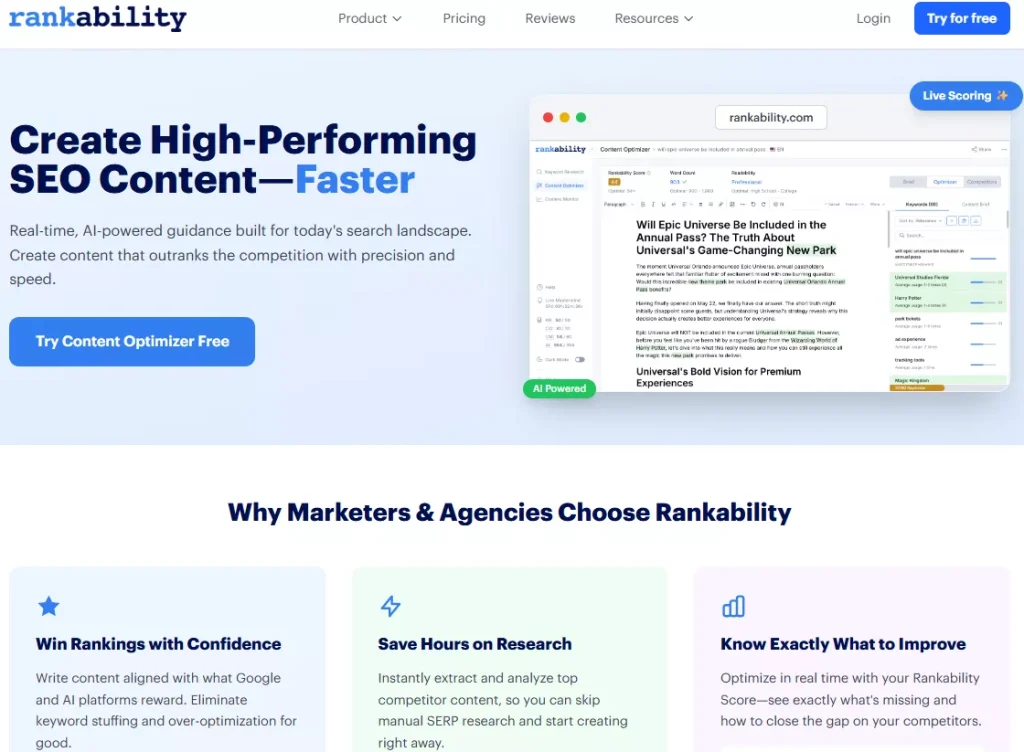
If your priority is a straightforward optimization workflow where you analyze competitors fast, write inside a real-time editor, and keep your team focused on coverage and clarity, Rankability Content Optimizer is a strong alternative.
Why teams switch for content optimization
- It’s built around quickly extracting and analyzing competitor content to reduce manual SERP research time.
- Plans are sized around content optimization usage (like content optimizers and seats), which is often easier to map to a content team’s workflow than broad-suite quotas.
Pricing snapshot (for context)
- Rankability’s pricing page lists plans like SEO Specialist ($124/mo billed annually shown on the pricing toggle) and SEO Expert ($208/mo billed annually shown on the pricing toggle), with allowances for content optimizers and seats.
If you want the “all-in-one suite” experience, Content Genius will feel more expansive. If you want the content optimizer experience to be faster, tighter, and easier to operationalize across writers, an editor-first tool can be the better fit.
Verdict
As a content feature set, Search Atlas Content Genius aims to compress the entire workflow into one system: SERP-informed structure, semantic coverage, paragraph-level refinements, internal linking and schema prompts, plus an explicit push toward adding unique information.
It’s worth testing if your bottleneck is briefing, structuring, and coverage QA. You’ll get the best results when you treat the output as a high-quality first draft, then apply a real editorial layer that adds voice, accuracy, and differentiation.
For teams that want content planning, content generation, and SEO optimization in one place, it’s a solid option. For teams that already have a strong writing process and just want a tighter editor-first workflow, a more focused content optimizer may be the better fit.