

If you’re evaluating seoClarity specifically for content optimization, you’re really looking at Content Fusion: the platform’s research-to-brief-to-optimization workflow that’s designed to help teams produce “more complete” pages faster, using a mix of NLP guidance, a real-time content score, and built-in AI assistance (Sia + GenAI).
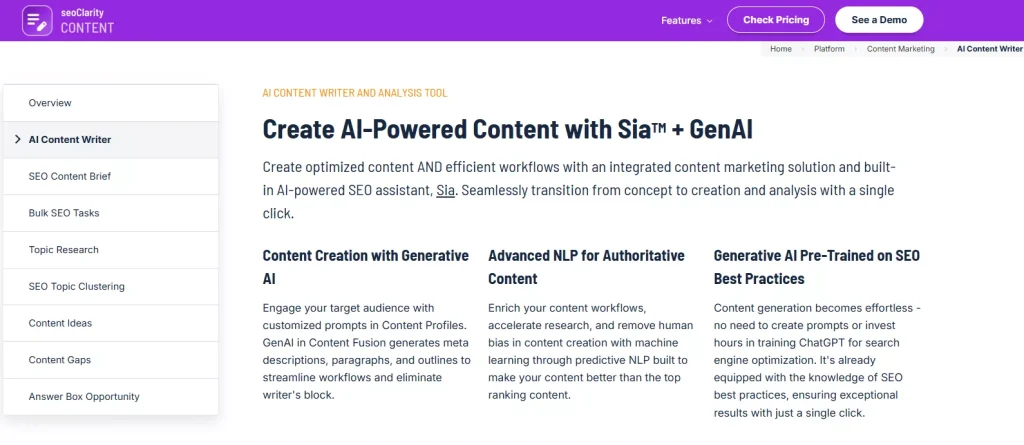
This review focuses only on content-related capabilities inside Content Fusion (briefs, editor guidance, scoring, internal linking recommendations, AI writing help, and writer workflows like Google Docs and Word plugins). It doesn’t try to cover seoClarity’s broader enterprise SEO platform modules.
Quick summary
What Content Fusion does well
- Turns a target topic into a structured brief quickly, with recommended terms, questions to answer, suggested headings, and internal link recommendations.
- Gives writers a real-time content score that updates as you improve relevance and coverage.
- Supports “writers where they write” with Google Docs and Microsoft Word plugins, plus API options for scale.
- Includes an AI Overviews Analysis Mode (AIO Mode) to analyze what performs well when AI Overviews show up for a topic.
Where it can be a mismatch
- It’s built and packaged like an enterprise workflow, which is great for scale but can feel heavier if you just want a lightweight editor.
- Usage is often structured around a monthly number of “analyses,” depending on plan.
Best for
- Enterprise content teams and agencies that want a repeatable brief + optimization workflow across lots of pages, with plugins and API support for distribution.
What seoClarity Content Fusion is
Content Fusion is seoClarity’s AI content writing and optimization tool that combines topic research, automated content briefs, a content score, and AI-assisted drafting (Sia + GenAI) into one workflow.
At a high level, it’s trying to solve the same core problem as most content optimization tools:
- reduce research time
- standardize briefs
- guide writers toward better topical coverage and relevance
- help editors QA the work before it ships
The differentiator is that Content Fusion is positioned for team scale, with built-in plugins for Docs and Word plus an API layer for programmatic workflows.
Where Content Fusion is especially helpful
Building briefs and outlines on a deadline
Content Fusion leans hard into “target keyword in, content brief out,” with customizable briefs generated quickly.
Refreshing existing pages
The workflow supports generating briefs for both net-new content and existing pages, which is useful when you’re doing content refreshes or pruning projects.
Working with distributed writers
If your bottleneck is handoff quality (SEO to writer, writer to editor), Content Fusion’s brief format and scoring system create a shared checklist for what “done” looks like.
Feature breakdown
1. Automated SEO content briefs
Content Fusion’s content briefs are designed to eliminate the “blank page + scattered notes” problem by consolidating competitive and topical signals into a usable writer handoff.
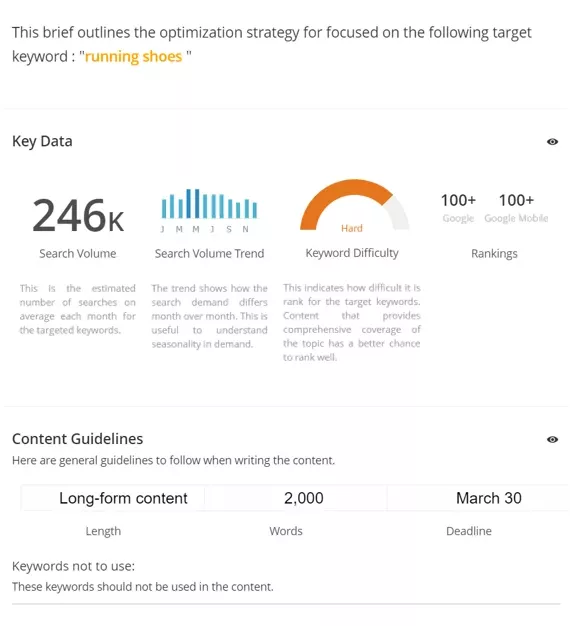
The brief components seoClarity calls out include:
- Recommended keywords / must-use terms
- Semantic guidance for topical authority
- Title and meta description guidance
- Subheadings suggested from top-ranking content
- Questions real searchers ask around the topic
- Recommended internal links to related pages
- Space for custom notes (objective, audience, and constraints)
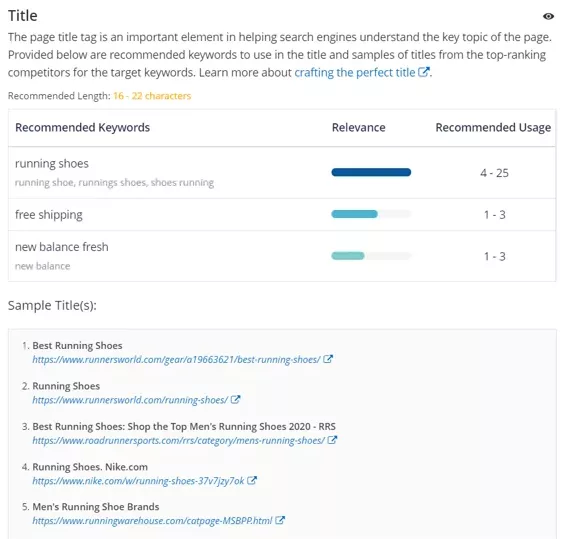
How this helps in practice: it creates a standardized “assignment spec” so writers can draft with fewer revisions, and editors can validate coverage without redoing the research.
2. Content score and real-time optimization guidance
Content scoring is the core mechanic behind most optimization tools, and Content Fusion uses it to give writers a measurable “coverage and relevance” feedback loop. seoClarity describes the score as updating in real time as you incorporate the tool’s recommended insights.
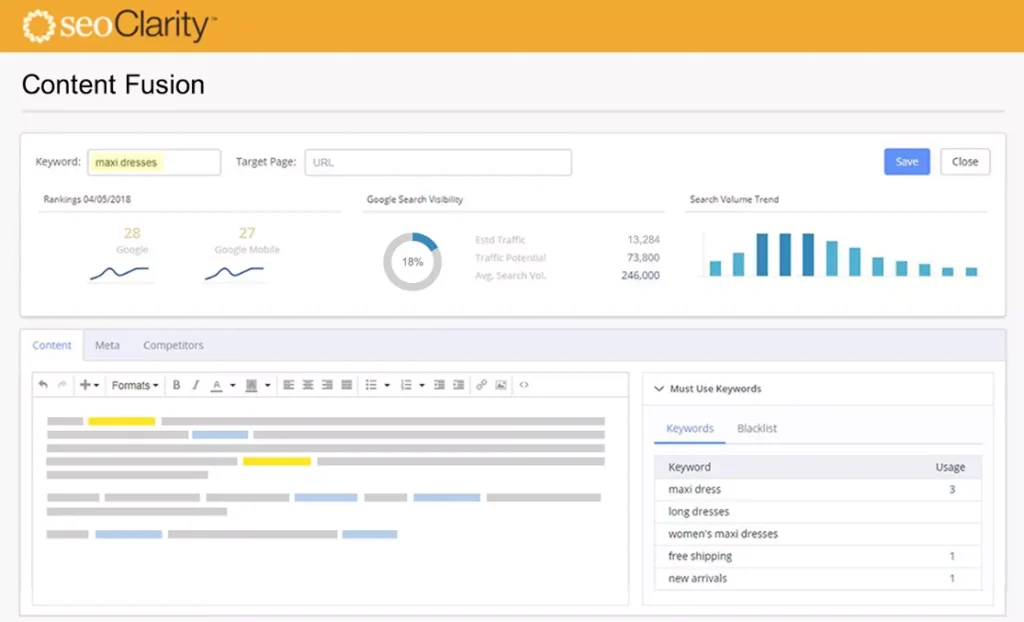
seoClarity also publishes a practical benchmark: aim for around 80+ in many cases, treat below 70 as a sign you’re likely missing important components, and don’t obsess over perfection because scoring isn’t the only ranking factor.
What to watch out for: content scores are helpful guardrails, but they can become counterproductive if your team treats them as the goal instead of a QA checkpoint. The best workflows use the score to confirm you’ve covered the essentials, then shift focus back to clarity, credibility, and usefulness.
3. AI writing help (Sia + GenAI)
Content Fusion includes generative AI support inside the workflow, positioned as a way to reduce writer’s block and accelerate drafting. seoClarity describes GenAI outputs like meta descriptions, paragraphs, and outlines, guided by “Content Profiles” and other inputs.
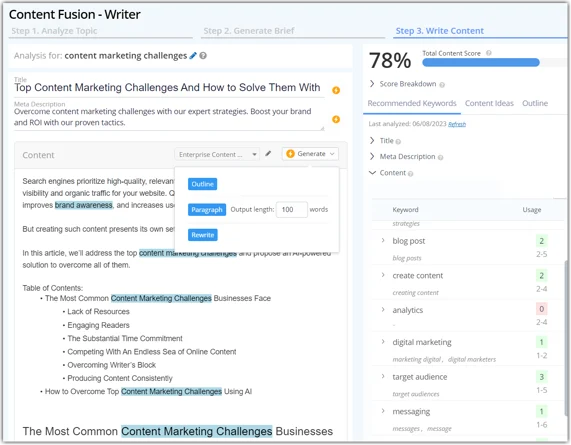
seoClarity also frames AI output as a starting point that should be reviewed and edited by your team, which is the right mental model for any brand publishing at scale.
Where AI assistance is most useful:
- quickly drafting sections once the brief is set
- rewriting clunky passages for clarity
- generating variations for intros, subheadings, and metas
4. AI Overviews Analysis Mode (AIO Mode)
Content Fusion includes an “AI Overviews Analysis Mode” that’s meant to kick in when AI Overviews are detected for your topic, so you can analyze what performs well in those results and optimize accordingly.
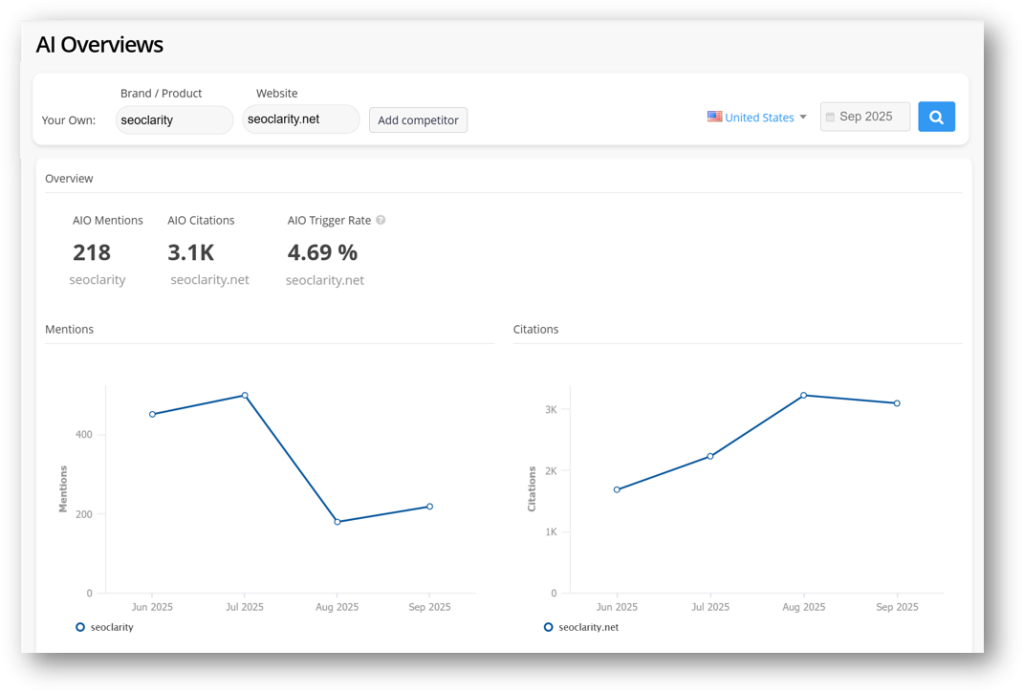
This is a notable inclusion for teams that are actively testing and adapting content strategy as SERP layouts shift. Even if you treat it as experimental, having the workflow inside the content editor can make “AI Overviews visibility” less abstract and more actionable.
5. Internal linking recommendations
Internal links are one of the simplest ways to improve topical relevance and help important pages earn more internal authority. Content Fusion’s workflow makes this easier by surfacing internal linking opportunities so you can connect supporting content to your priority pages without having to manually hunt through the site.
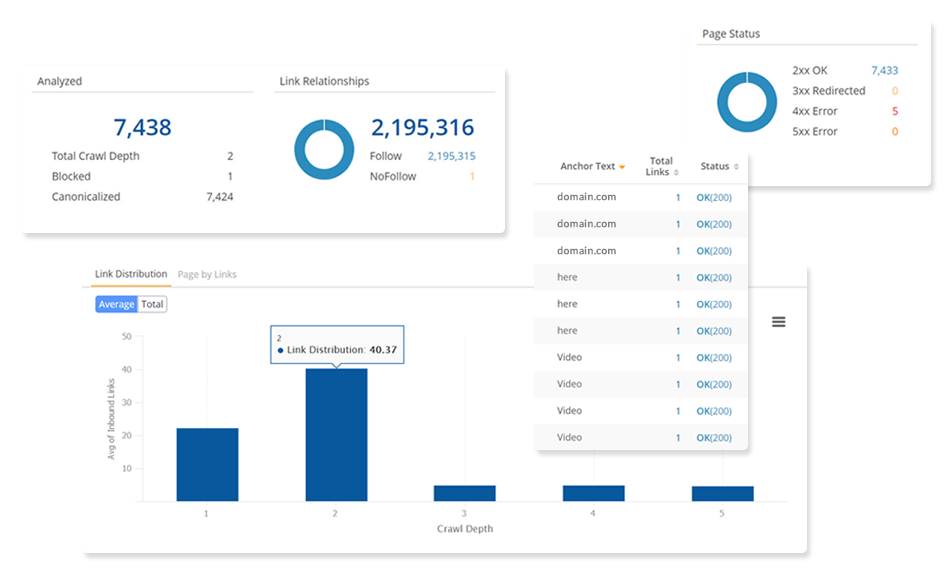
Once you’ve added or updated internal links, it helps to validate the structure and spot gaps, like orphaned pages, weak hub-to-spoke connections, or pages that aren’t receiving enough internal support. seoClarity also publishes internal link analysis visuals that work well to illustrate this “audit and confirm” step in your workflow.
6. Writer workflows: Google Docs and Microsoft Word plugins
One of Content Fusion’s strongest practical advantages is meeting writers inside their preferred tools.
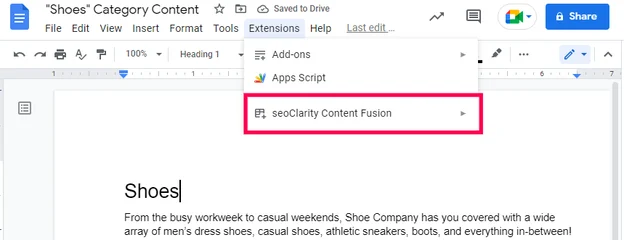
seoClarity offers:
- a Google Docs Content Fusion plugin, with guidance on terms to use and usage tracking inside the doc
- a Microsoft Word plugin positioned similarly
If your team is constantly bouncing between an optimizer and a writing surface, this matters. It cuts context switching and makes adoption easier for writers who don’t want to live in yet another SaaS UI.
7. API support for scale
If you’re a larger team, API access can be the difference between “nice tool” and “system.” seoClarity offers a Content Analysis API and states that pricing is dependent on scale and charged per content analysis.
This is most relevant if you want to:
- run programmatic checks across large page sets
- integrate optimization insights into your internal workflows
- feed BI dashboards with content metrics
Pricing and access
seoClarity’s public pricing information emphasizes that Content Fusion access includes a monthly number of “unique analyses,” commonly 25 to 50 per month depending on package.
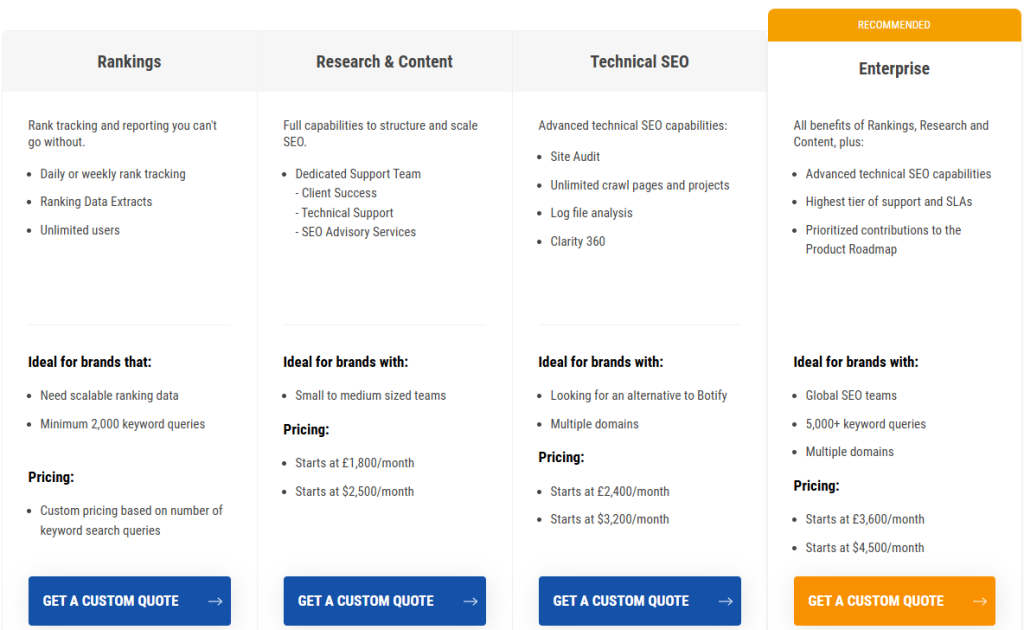
Because seoClarity is typically sold as an enterprise platform, full pricing can be less straightforward than self-serve tools. Some third-party roundups cite starting prices (for broader seoClarity plans) around the low-thousands per month, but you should treat that as directional and confirm with a demo and proposal.
What to ask during the demo (so pricing aligns with content ops reality):
- How many analyses do we need per month based on publishing volume and refresh cadence?
- Are the Docs/Word plugins included in our package, and how does API access work for our workflow?
- How does AIO Mode fit into the workflow and reporting for our priority topics?
Pros and cons
Pros
- Fast, structured briefs with strong “SEO to writer” handoff components (terms, headings, questions, internal links).
- Real-time content score guidance and published best-practice thresholds (80+ as a common target).
- Docs and Word plugin support, which can materially improve adoption and throughput.
- AIO Mode for teams actively adapting content for AI Overviews.
- API support for scaling analysis and integrating into BI stacks.
Cons
- Content optimization is packaged in an enterprise-style system, so it may be heavier than what small teams need.
- Analysis usage is plan-bound (25 to 50 unique analyses per month, depending on package), so high-volume teams need to map workflow to allowances.
A strong alternative to consider
If you like the “brief + score + guided editor” model but want something that feels more content-optimizer-first (and less like an enterprise suite), it’s worth comparing a few dedicated editors.
One option that often maps well to agency-style production is Rankability’s Content Optimizer, which emphasizes:
- instant briefs and outlines tied to SERP analysis
- a credit-based monthly model with rollover for unused optimizer credits
- a focused workflow for optimizing drafts in-editor
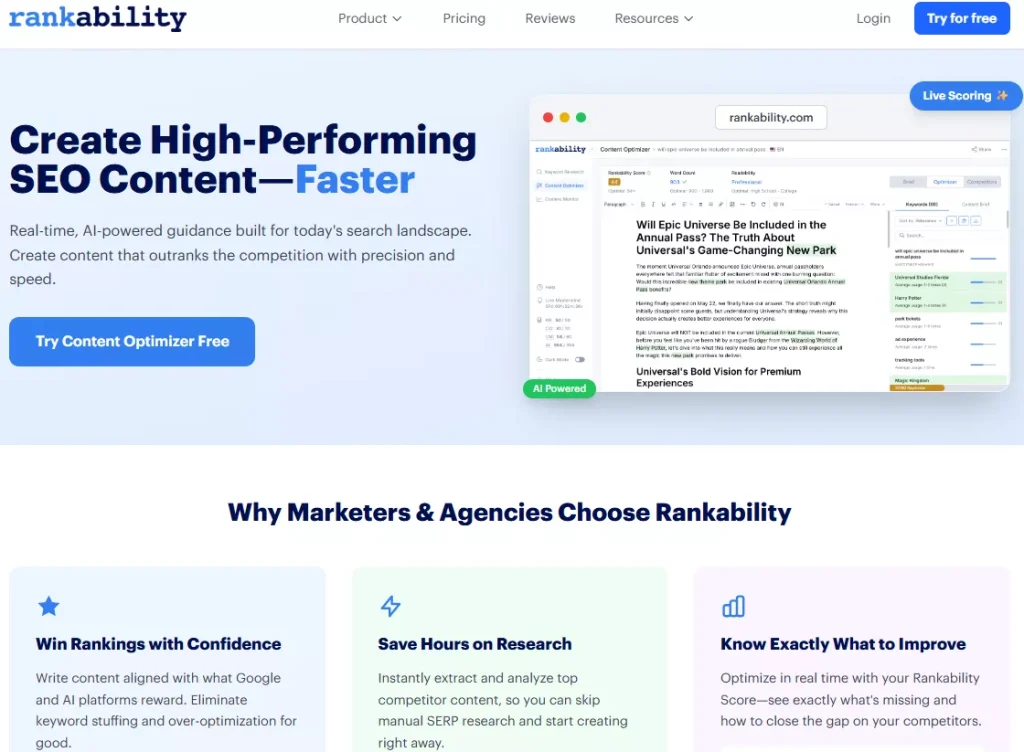
This doesn’t make Content Fusion “worse.” It’s more about matching the tool to your operating model: enterprise platform vs dedicated content optimizer.
Before you decide, it helps to compare seoClarity against the best content optimization tools.
FAQ
What content score should you aim for in Content Fusion?
seoClarity suggests aiming for around 80 or above in many cases, while treating below 70 as a sign you’re missing key components, and avoiding score obsession.
Does Content Fusion support Google Docs?
Yes, seoClarity provides a Google Docs plugin that brings Content Fusion analysis into Docs and guides term usage.
Can Content Fusion help with internal linking?
Yes, it includes recommended internal links to related pages as part of the briefs and workflow.
Does Content Fusion address AI Overviews?
It includes an AI Overviews Analysis Mode (AIO Mode) designed to analyze what performs well when AI Overviews appear for your topic.
Conclusion: Is seoClarity Content Fusion worth it?
If you’re evaluating seoClarity specifically for content optimization, Content Fusion is a strong choice when you need a repeatable system that goes from research to briefs to a real-time content score, with AI assistance and team-friendly workflows like Docs/Word support.
Where it shines is scale: standardized briefs, consistent QA via scoring, internal linking baked into the process, and extensibility via plugins and API.
The deciding factor is fit. If you want an enterprise-style content workflow with structured allowances, Content Fusion makes sense. If you prefer a more focused, agency-first content optimizer experience, it’s worth taking a look at tools like Rankability as you compare options.