

TextOptimizer is a semantic SEO content optimization tool designed to help you align a draft or existing page with what search engines appear to expect for a given query.

Instead of focusing on backlinks, technical audits, or full-funnel SEO workflows, it stays in a narrower lane: analyze the SERP, extract patterns, then tell you what to add or remove so your content better matches intent.
If you’re evaluating TextOptimizer specifically for content optimization, you’re really asking two questions:
- Does it reliably surface the topical gaps that hold pages back?
- Can you apply its recommendations without turning your article into a stuffed, unreadable mess?
Let’s break down what it does well, where it can feel limiting, and how to decide if it fits your writing workflow.
What TextOptimizer is
TextOptimizer positions itself as a fast, simple tool for improving on-page relevance by comparing your text against semantic patterns it extracts from search results. The product messaging is explicit about the mechanism: it extracts an “intent table” from search results, then analyzes your text to determine which intents to increase or reduce.
At a practical level, you can think of it as a content QA layer:
- Input a query (and often a URL or text).
- Get semantic topics, related terms, and intent-driven recommendations.
- Edit the page and iterate.
G2’s product description frames it similarly: it analyzes Google or Bing results, extracts common terms, and uses semantic analysis to produce topic and keyword guidance intended to make older content more relevant.
Quick summary
What TextOptimizer does well
- Intent-driven guidance that encourages adding and removing content to better match SERP expectations.
- Lightweight workflow that’s built for quick iterations and refreshes.
- Helpful for discovering questions and related angles to expand coverage (especially when you’re not sure what sections you’re missing).
Where it can feel limiting
- Recommendations can drift into “term-led” optimization if you don’t have a clear brief and intent target first.
- It’s not built as a full research-to-brief-to-editor workflow, so teams may need extra structure elsewhere.
Best fit if: you’re refreshing content and want a quick semantic checklist.
Not ideal if: you need a structured brief plus a writer-safe scoring workflow to standardize outputs across many writers.
How TextOptimizer works
TextOptimizer’s “how it works” positioning is consistent across its site:
- It extracts an intent table from search engines’ results.
- It semantically analyzes your text and determines which intents to increase or reduce so your page better matches expectations.
This is the core value: it’s trying to translate “what’s ranking” into actionable content guidance, without forcing you to manually reverse-engineer SERPs every time.
Who TextOptimizer is best for
Best for
- Solo site owners and small teams doing content refresh work.
- Writers who want a fast “what am I missing?” semantic pass.
- SEOs who want term ideas and question angles without heavy tooling.
You might outgrow it if
- You’re running an agency workflow where you need standardized briefs, consistent scoring rules, and collaboration guardrails.
- You want the optimizer embedded inside a full writing flow (brief → draft → optimize → export) rather than bolted on.
Feature breakdown
1. Intent table analysis (semantic, add/remove recommendations)
What it is
TextOptimizer extracts an “intent table” from search results and uses it to guide your edits, including what to increase or reduce in the draft.

How to use it (quick SOP)
- Pick one primary query per page (don’t try to optimize for five different intents at once).
- Run the analysis on your existing URL or paste your draft.
- Identify the biggest intent mismatch first (wrong page type, missing core section, off-topic tangents).
- Add the missing sections that support the main intent.
- Remove or trim sections that pull the page into a different intent.
- Re-check once, then stop and do a final human edit pass.
Workflow tip
Use this feature as a structure and coverage check, not a mandate to cram every suggested idea into the page. If an “intent” doesn’t belong in your angle, skip it.
2. Topic and term suggestions (semantic coverage support)
What it is
TextOptimizer is widely described as a tool that extracts common terms from top results and suggests topics and keywords to make your content more relevant.

How to use it (quick SOP)
- Scan the suggested topics and group them into 3 to 6 logical sections.
- Add only what you can explain clearly and accurately.
- Prefer “explain the concept” over “insert the term.”
- If you’re adding a term, add a sentence that proves you understand it.
Workflow tip
If you can’t define a suggested term in plain English, it probably shouldn’t be on the page.
3. Question discovery for expanding topical coverage
A common use case for TextOptimizer, especially via the extension ecosystem, is using it to identify questions and angles people ask around the topic.

How to use it (quick SOP)
- Pull the top recurring questions.
- Turn 3 to 5 of them into H2 sections if they support the page’s main intent.
- Keep answers tight and practical.
- Add an FAQ only if it improves clarity, not because it adds “more words.”
Workflow tip
Questions are great for coverage, but they can also dilute intent. If your page is meant to be transactional, don’t let it become an encyclopedia.
4. Chrome extension (optimize as you write)
TextOptimizer has a Chrome extension that positions it as a writing assistant for creating targeted, search-optimized content.

How to use it (quick SOP)
- Use the extension to run quick checks while editing in your preferred environment.
- Apply only the highest-impact changes (missing section, missing concept cluster, unclear subsection).
- Finish with a readability edit.
Workflow tip
Extensions are best for quick passes. For serious rewrites, it’s usually cleaner to do one focused optimization session, then edit normally.
5. Semantic Analysis API (for programmatic content QA)
If you’re technical, TextOptimizer offers an API workflow where you send text and receive a list of “intentions” back.
How to use it (quick SOP)
- Use the API to extract intentions for your draft.
- Compare intentions across competitor pages or across drafts.
- Build internal QA checks (for example: required intent coverage before publishing).
Workflow tip
The API is most valuable when you want consistent content QA at scale, not just one-off article tweaks.
Pricing notes
TextOptimizer’s pricing isn’t always presented clearly in one obvious place, so you’ll see third-party summaries cite a free plan and a paid tier commonly referenced around $60 per month.
If pricing is a major deciding factor, confirm the current plan details directly before committing.
Common pitfalls (and how to avoid them)
Pitfall: Optimizing for “terms” instead of intent
TextOptimizer’s model is grounded in SERP intent extraction. If you only chase term inclusion, you can miss the bigger issue: you might be publishing the wrong page type for the query.
Pitfall: Over-expanding content until it gets worse
More sections aren’t always better. Use questions and semantic suggestions to fill real gaps, then stop.
Pitfall: Treating the tool as a replacement for editorial judgment
Tools can highlight what’s missing. They can’t decide what’s true, what’s useful, or what’s actually differentiating.
Where TextOptimizer fits among content editors
TextOptimizer is best described as a lightweight semantic optimizer. It’s useful when you want quick, intent-aligned guidance without adopting a full content research and editor platform.
It’s most effective in two scenarios:
- Content refreshes: pages that rank but stall because they’re missing key sections or concepts.
- Draft QA: a final pass to spot obvious gaps before publishing.
If you’re comparing platforms, you may also want to review broader roundups of the category, like this list of top-rated AI SEO content optimization tools.
A strong alternative if you need a more guided optimizer workflow
If you like the idea of intent-aligned optimization but you want a more structured brief-to-optimization workflow with topic-first scoring and stronger guardrails against keyword stuffing, Rankability’s Content Optimizer is a standout alternative.
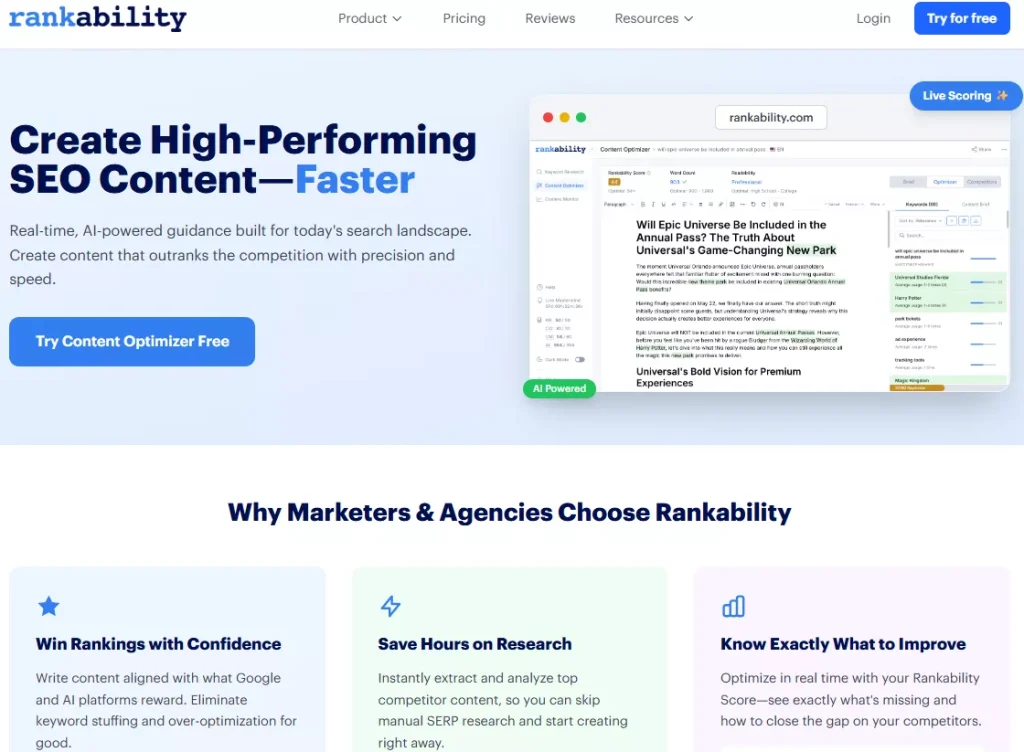
In their own Frase comparison, Rankability emphasizes topic-first scoring, a brief → optimize → publish flow, and agency-friendly workflows that scale across clients.
A simple way to decide:
- Pick TextOptimizer when: you want a lightweight semantic checklist and quick guidance for refresh work.
- Pick Rankability when: you want a more guided optimizer workflow with topic-first scoring and repeatable processes for teams.
Verdict
TextOptimizer is a practical, lightweight content optimization tool for intent-aligned refreshes. Its core approach, extracting intent tables from SERPs and guiding what to increase or reduce, makes it useful when you’re trying to close relevance gaps without overhauling your entire workflow.
Just keep your expectations grounded: it’s strongest as a semantic QA layer, and it works best when you bring a clear page intent, good structure, and editorial discipline to the process.