

WriterZen’s Content Creator is built around a simple promise: turn what’s already ranking into a practical writing workflow you can repeat. You start with a target query, WriterZen pulls signals from the current top results, and you build an outline and draft with SEO-focused guidance inside the editor.

This review stays focused on content optimization features only. That means we’re looking at how WriterZen helps you research, brief, draft, optimize, and validate originality, plus what to watch out for when you’re trying to ship content that ranks and still reads like a human wrote it.
If you’re evaluating WriterZen because you want an “outline → draft → optimize” loop you can run consistently, Content Creator is the part of the platform to pay attention to.
Quick summary
WriterZen Content Creator consolidates the core steps of content optimization into one workflow: SERP-driven research, outline building, in-editor drafting help, and a final optimization check that compares your draft to what’s performing in the top results.
A standout differentiator is how WriterZen layers in Google NLP analysis and an AI writing assistant as part of the content creation process, not as separate tools you have to bounce between.
Where it’s especially helpful
- Building a credible outline fast, without starting from a blank page
- Drafting while referencing intent questions and competitor insights inside the editor
- Doing a final optimization pass that checks your draft against the top SERP set
- Running an originality check without exporting to another tool
What WriterZen Content Creator is
Content Creator is WriterZen’s centralized content workflow for building and optimizing articles. WriterZen frames it as an outline-first process: outline, choose target keywords, then write.
Under the hood, WriterZen states that Content Creator optimizes content by pulling related information from the top 20 search results, then uses WriterZen metrics plus Google NLP algorithms to help shape the outline and optimization guidance.
At a high level, it’s meant to keep your entire content loop in one place:
- Brief and intent inputs
- Outline creation
- Drafting support inside the editor
- Content analysis and optimization feedback
- Plagiarism checking for originality
Who it’s best for
WriterZen Content Creator is a strong fit if you want a guided workflow that keeps research and drafting tightly connected.
Who it’s best for
- Writers and SEOs who want to start with SERP evidence, then draft with guardrails
- Teams that need a consistent outline and brief process before writing starts
- Anyone who wants integrated AI assistance, but still prefers a human-led editorial loop
Who may need more
- Teams that want a very opinionated, “writer-safe” optimization system that strongly resists score-chasing behavior
- Agencies that require heavier governance across many clients, strict roles, and repeatable templates at scale (WriterZen can support collaboration, but the exact experience depends on how you use their team features)
Feature Breakdown
1. Research features and SERP analysis
WriterZen’s optimization engine is explicitly SERP-based. They state Content Creator pulls related information from the top 20 search results, which gives you a grounded starting point for what readers (and search engines) are currently rewarding.
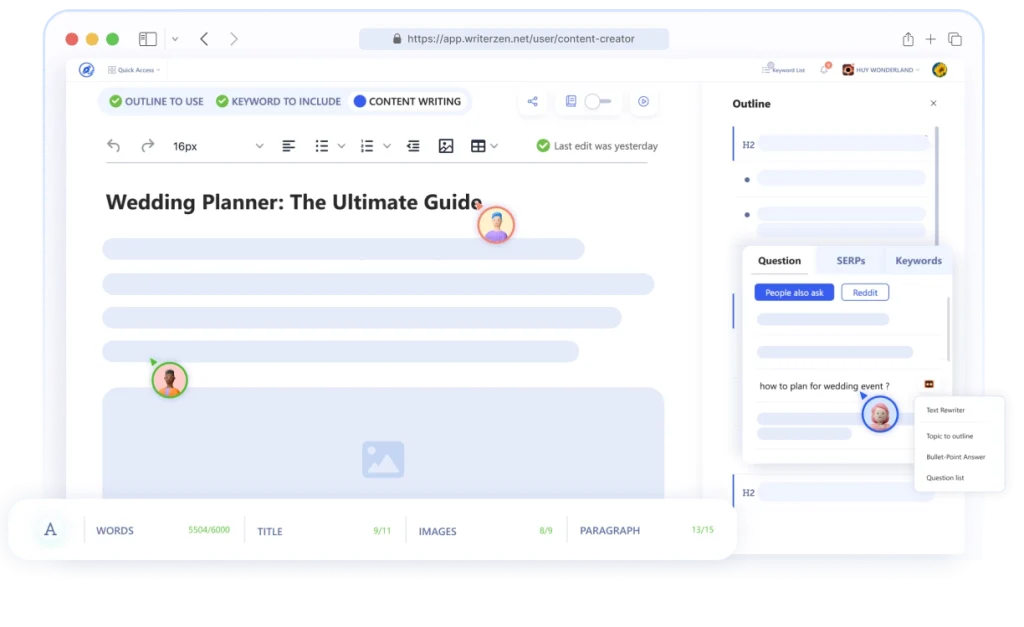
In practice, this is useful for answering questions like:
- What are the “must-cover” sections competitors consistently include?
- What intent angles show up repeatedly across page-one results?
- What supporting questions should be answered inside the article?
The key is to treat the SERP set as a map, not a script. Use it to avoid missing essentials, but don’t let it erase your point of view.
2. Briefing and outline creation
WriterZen leans into briefing as a first-class step. On the Content Creator page, they position briefing as a way to choose intent-focused searches, competitor keywords, and opportunities that are surfaced through their workflow.
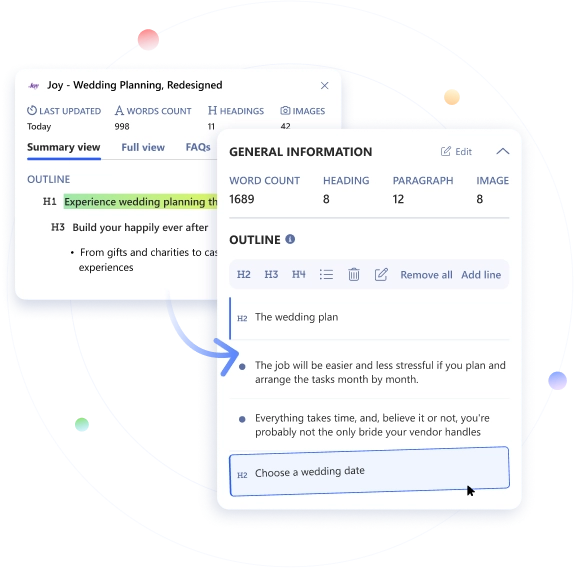
They also note that the platform has a suggested workflow template you can view as a sample case inside the tool.
A practical brief checklist (so your drafts don’t turn into “generic SEO content”)
- Working title + the primary intent (informational, commercial, mixed)
- H2/H3 plan with one-line notes on what each section should accomplish
- The 5 to 10 “reader questions” that must be answered (mapped to sections)
- Proof points you’ll include (examples, screenshots, data, first-hand experience)
- Notes on tone, audience sophistication, and what to avoid (fluff, clichés, hedging)
When a tool gives you strong scaffolding, your job is to inject differentiation early, not at the end.
3. The editor and optimization guidance
WriterZen positions the editor as being designed to fight writer’s block by letting you pull in relevant queries, reword insights from top-ranking articles, and address user-intent questions from sources like Google and Reddit while you write.
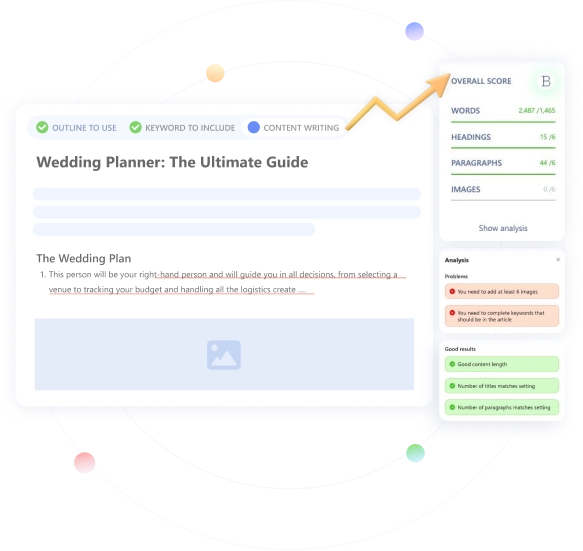
The optimization step is framed around comparison: WriterZen says you can see the “score” of your final draft compared to content on the top SERPs, then get practical recommendations aimed at originality, readability, and outranking competitors.
A smart way to use this type of guidance
- Use recommendations to spot omissions, not to “hit a number”
- Prioritize sections that clarify intent and reduce ambiguity
- Tighten readability by improving structure and specificity, not by inflating word count
- Keep the article grounded in proof and examples so it doesn’t become a rephrase of what’s already ranking
4. Google NLP integration
WriterZen explicitly calls out Google NLP integration and explains what it does: suggestions for context sentiment, entities to include, and more, with the goal of helping Google “understand” your content effectively. They also position it as useful for selecting keywords, deciding quantity, and optimizing content.
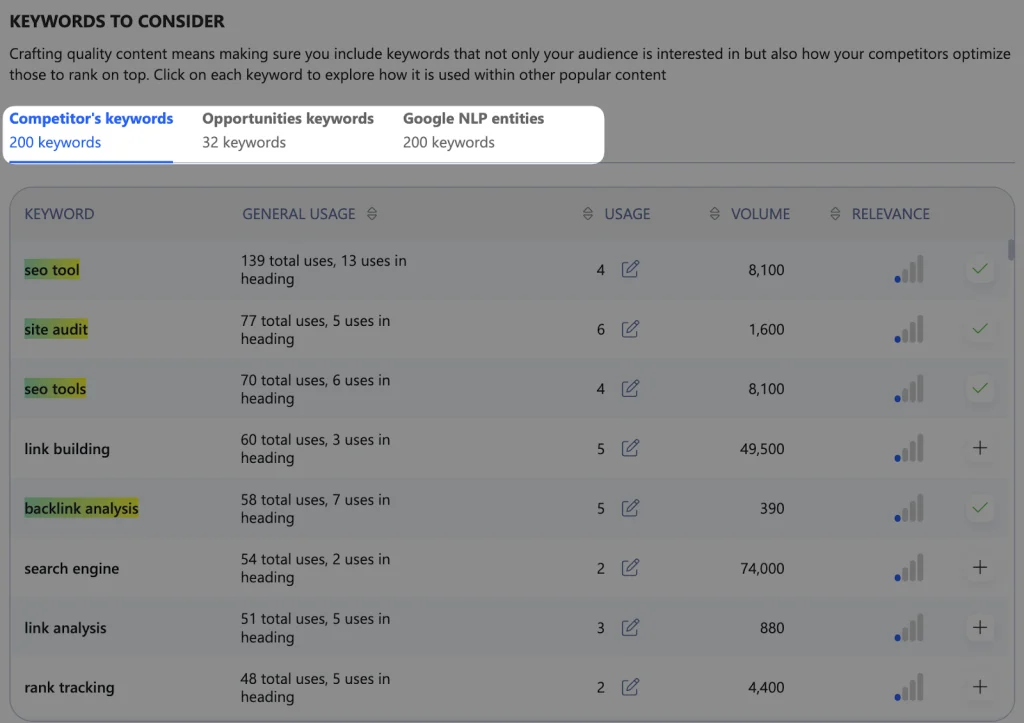
This is most valuable when you treat it like a coverage sanity check:
- Are you naming the right entities for the topic?
- Are you missing obvious concepts the query implies?
- Are you using terms in the right context?
What it’s not: a replacement for a real editorial review. You can include every entity on earth and still publish something that’s vague, repetitive, or untrustworthy.
5. AI Writing Assistant
WriterZen includes an AI writing assistant inside the workflow and frames it as a productivity booster for turning outlines into paragraphs quickly.

The best use case for AI in an optimization workflow is “speed up the first pass,” not “ship what it writes.”
A tight review loop that keeps quality high
- Generate a first pass from the outline
- Fact-check every claim, especially anything that sounds confident
- Personalize with experience, examples, screenshots, and POV
- Tighten wording for clarity (cut filler, reduce repetition)
- Re-check coverage and structure before publishing
This is how you get the upside of speed without publishing content that feels like it came from the same mold as everyone else.
6. Plagiarism checker and originality checks
WriterZen’s plagiarism checker is integrated into the editor and positioned as a one-click workflow with a detailed report.
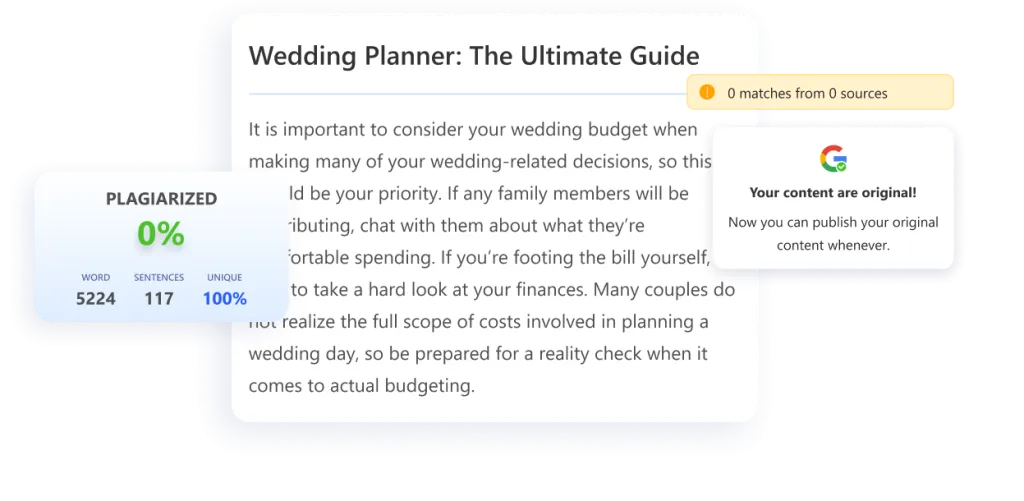
WriterZen also states it scans drafts against billions of pages in Google’s database to ensure originality.
If your team publishes at volume, an integrated originality check can save time and reduce tool switching. Just remember: “not plagiarized” is not the same as “original.” True originality usually comes from firsthand input, unique examples, and a clear editorial angle.
Real-world use cases
Here’s where WriterZen’s content optimization workflow tends to shine:
- New posts: going from keyword to outline to draft with fewer dead ends
- Updates and refreshes: running a new optimization pass to find missing sections and tighten structure
- Writer enablement: giving junior writers a structured workflow and consistent brief expectations
Performance notes, learning curve, and pitfalls
Learning curve: light to moderate. Most of the learning is not “how to use the tool,” it’s “how to avoid misusing optimization guidance.”
Common gains
- Faster outlining and drafting
- Better topical completeness, because the workflow keeps SERP signals front and center
Pitfalls to watch for
- Score-chasing: optimizing for a number instead of a better article
- Rewriting competitors: using SERP insights as content fuel rather than as a checklist for coverage
- Over-relying on AI drafts: skipping the fact-check and differentiation steps
Pricing
WriterZen’s pricing is “pay once” (one-time purchase), but Content Creator isn’t included in the lowest “Keyword Research” plan. On the pricing page, Content Creator appears greyed out on that plan, indicating it’s not part of that tier.
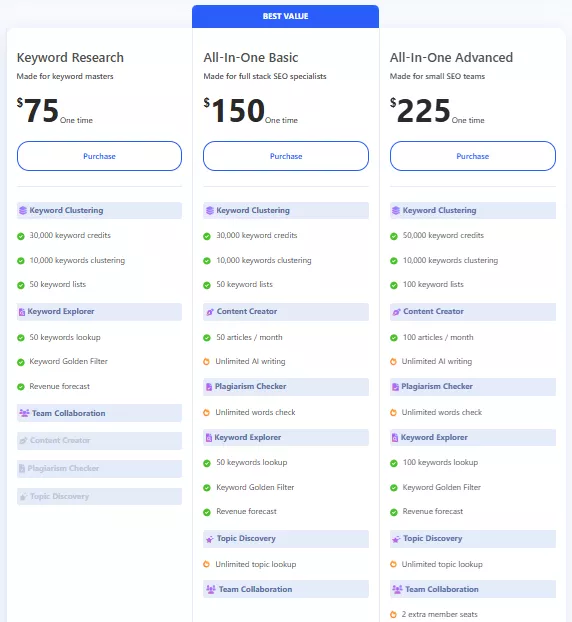
The lowest plan that includes Content Creator is All-In-One Basic ($270 one time).
With All-In-One Basic, you get:
- Content Creator: 50 articles/month
- Unlimited AI writing
- Plagiarism Checker: unlimited words check
If you’re buying WriterZen specifically for content optimization, All-In-One Basic is the real starting point because it’s the first tier where Content Creator is actually included.
Pros and cons
Pros
- SERP-based optimization reference set (top 20 results)
- Outline-first workflow with briefing and in-editor support
- Google NLP integration for entity and context coverage
- Integrated plagiarism checker for originality checks
Cons
- Optimization guidance can become box-checking if you don’t enforce editorial standards
- Collaboration and team workflow can feel different depending on which collaboration path you’re using (share-link access vs fuller team workspace features)
Where WriterZen fits among content optimization tools
WriterZen Content Creator fits best as a workflow-first content optimization tool. It’s designed to keep research, briefing, drafting, and optimization tightly connected, so you’re not stitching together five different tools to get one article out the door.
If you like starting with page-one patterns and then drafting with built-in prompts and checks, WriterZen’s approach makes sense. If you prefer drafting first and optimizing later, you can still use it as a final pass tool, but you’ll get the most value when you follow its outline-first flow.
If you’re still comparing options, here’s a current shortlist of the best AI SEO content optimization tools.
A strong alternative if you’re scaling agency production
If you’re producing content across many clients and you want a more agency-oriented optimization workflow, it’s worth looking at Rankability’s Content Optimizer as an alternative. It’s built around topic-first, writer-safe guidance, plus fast brief creation and a workflow that’s designed to scale across teams.
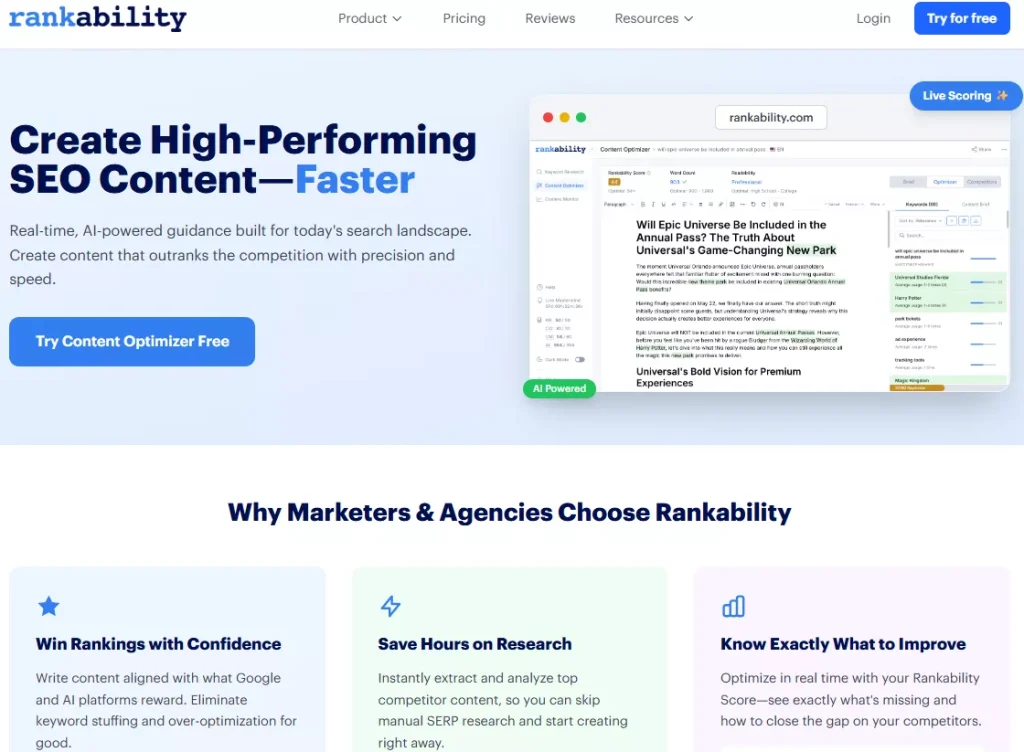
You don’t need to switch if WriterZen’s workflow already matches how your team writes. But if you find yourself fighting score-chasing behavior, struggling to standardize briefs, or needing a more production-grade content optimization system, it’s a sensible comparison point.
FAQ
What source does WriterZen use for content optimization?
WriterZen states Content Creator pulls related information from the top 20 search results.
What is Google NLP integration in WriterZen?
WriterZen describes it as Google NLP-based suggestions for context sentiment and entities to include, intended to help optimize content and improve how bots interpret it.
Does WriterZen support collaboration in Content Creator?
WriterZen notes share-link access for team members in the Content Creator FAQ, and they also promote a Team Function module with collaboration features like comments and task workflows.
Can WriterZen replace a writer?
No. It can speed up research, outlining, drafting, and optimization checks, but you still need a human to ensure accuracy, add proof, and make the content genuinely worth reading.
Verdict
As a content optimization workflow, WriterZen Content Creator offers a clear, repeatable path from SERP-driven research to a draft you can optimize against what’s already ranking. Its outline-first approach, Google NLP integration, and integrated AI assistant make it especially useful for teams that want more structure and fewer tool handoffs.
The biggest unlock is using WriterZen’s guidance as guardrails, not as marching orders. Some teams also compare it with tools like Rankability before committing.
When you pair the workflow with strong editorial standards, first-hand proof, and a clear angle, you get content that both ranks and feels distinct, which is the real goal of content optimization.