Rankability API
Build agency workflows with the Rankability API
Bring client AI visibility data into your reports. Connect client setup, content production, and page audits to the tools your agency already uses.
Book a demo
Client data and tools
- Client reports
- Content workflows
- Prospect audits
Supporting agencies and the brands they serve






Put AI visibility in your client reports
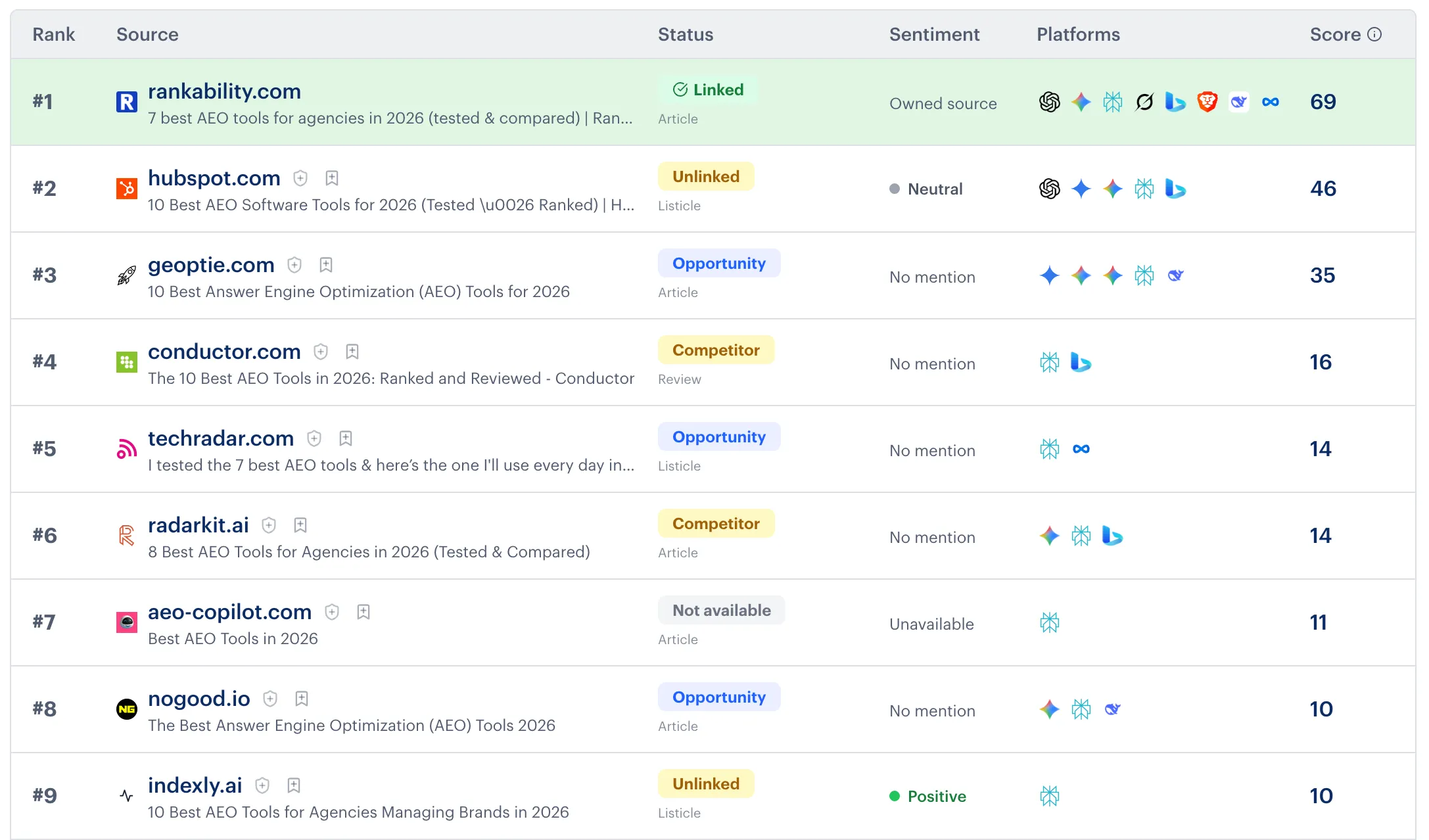
Retrieve saved tracking results, AI mentions and citations, visibility scores, and trends. Use that evidence in your own dashboards and recurring client reports.
Your team controls the report format and refresh schedule. Rankability supplies the structured data through the API.
Your agency’s workflow
Connect the rest of your client work
Set up new clients
Create client profiles with their domain, brand voice, and business context. Set up tracking reports as part of your onboarding workflow.
Move content through production
Start content jobs, retrieve briefs and drafts, approve briefs, and export finished content to your own publishing workflow.
Run page audits for prospects
Submit a page for an audit and retrieve the completed findings. Give your team evidence to review before the sales conversation.

“I use Rankability for all aspects of our clients' local SEO campaigns, and it really speeds up our content production process. The reporting features are great for getting snapshots of how our clients are ranking in traditional Google search and on AI platforms.”
Questions about Rankability API
Is API access included?
Yes. API access is included on every paid plan at no add-on cost. An active subscription is required. Available tools depend on your plan and API-key permissions. Work performed through the API uses your account’s existing allowances, and usage limits apply.
Do I need a developer?
You need someone who can configure authenticated API requests and handle the responses. A developer can build a custom integration, or your team can use an automation tool that supports HTTP requests. This page describes workflows you can build with the API.
How is the API different from MCP?
Use the API for integrations with your reporting tools, scripts, and automation workflows. Use MCP to access supported Rankability tools and client evidence from a compatible AI assistant. Both connect to your authorized Rankability workspace.
How do I get started?
Create an API key in Rankability Settings and give it the permissions your workflow needs. The help center covers authentication, usage, and supported requests. Bring your workflow to a demo if you want to evaluate the fit first.
Bring your agency’s workflow
Show us what you want to report or automate. See how the Rankability API could fit your agency’s client work.
Book a demo