
Track Client AI Visibility
Know where your clients appear in AI answers
Track the questions your clients want to be found for. Review AI answer visibility and citation results across selected platforms, then follow changes over time.
Request a demo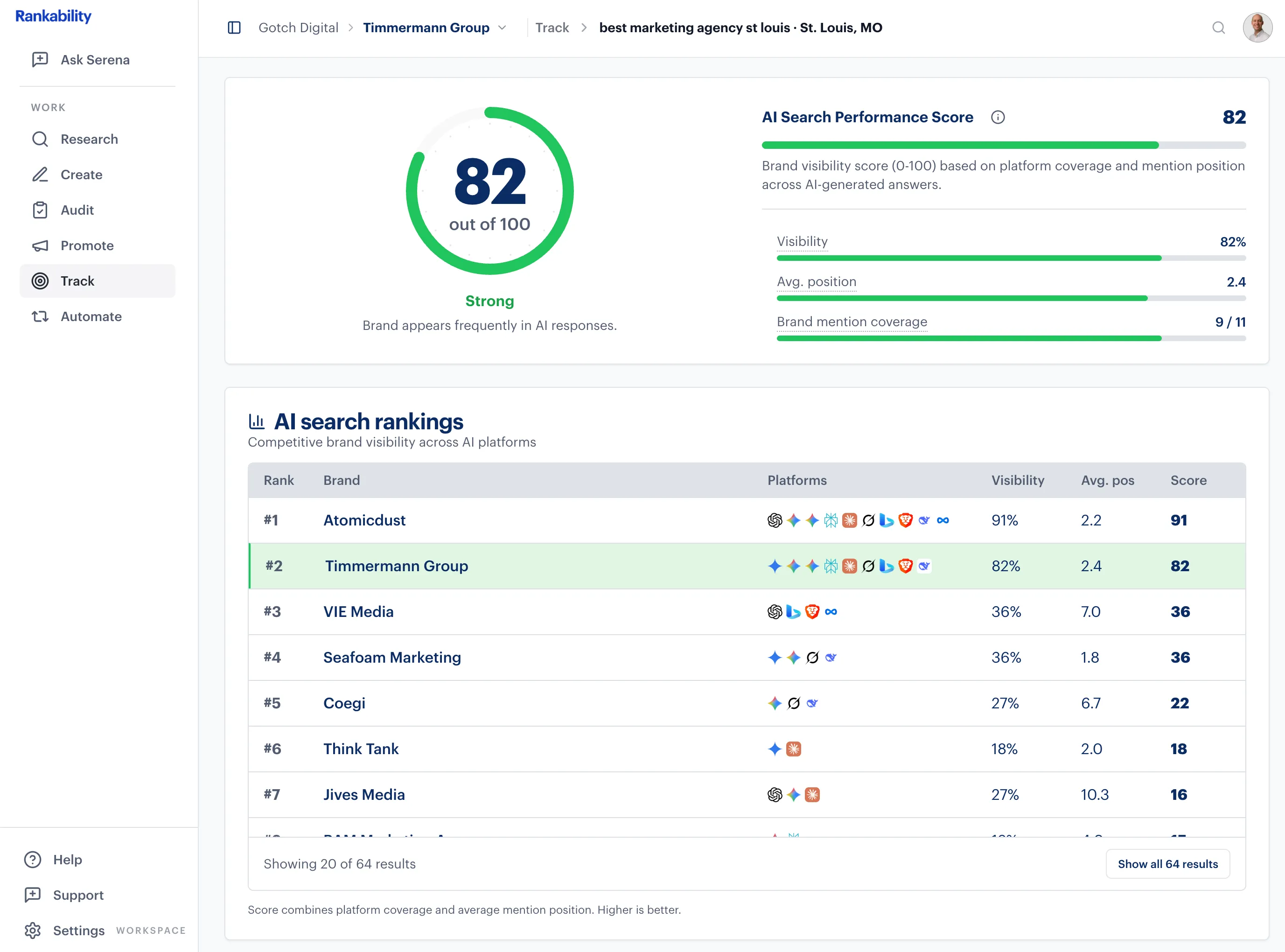
Supporting agencies and the brands they serve






Understand how your clients appear in AI search
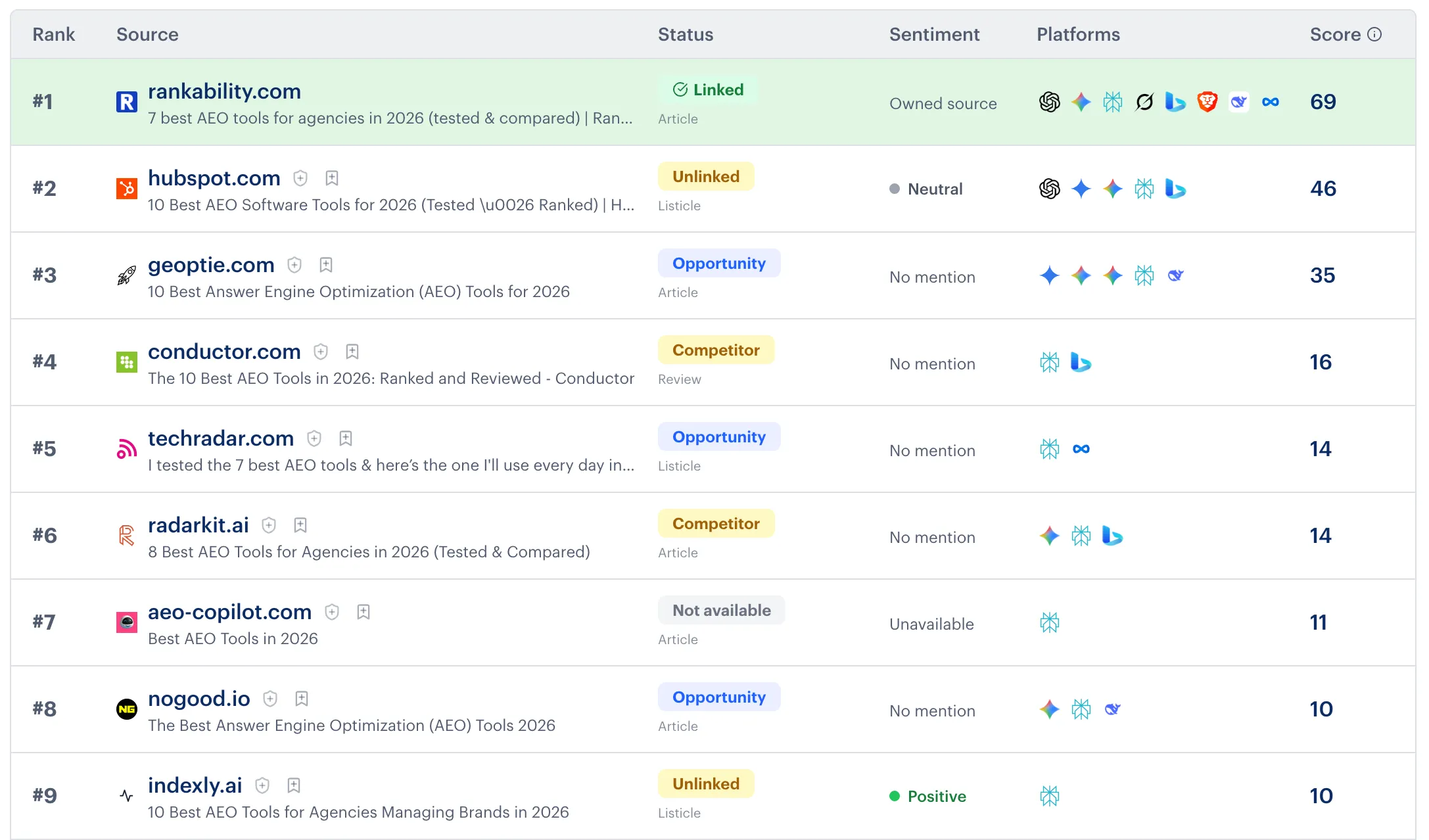
Mentions show whether an AI answer names the client. Citations show the pages it uses as sources. Sentiment shows how the client is described.
Open the reports behind the summary to review cited sources and the available evidence across platforms.
Your agency’s workflow
Follow changes in the questions that matter
Set the scope
Choose the buyer questions, AI platforms, and markets relevant to the client.
Establish the baseline
Run the first scan and review the available answer and citation results.
Monitor changes over time
Schedule recurring scans and compare the same questions and platforms. Use the results to decide what to investigate next.

“I use Rankability for all aspects of our clients' local SEO campaigns, and it really speeds up our content production process. The reporting features are great for getting snapshots of how our clients are ranking in traditional Google search and on AI platforms.”
Questions about AI visibility tracking
Which AI platforms can I track?
Rankability supports ChatGPT, Google AI Mode and AI Overviews, Perplexity, Gemini, Claude, Grok, Copilot, Brave AI, DeepSeek, and Meta AI. Available platforms depend on your plan and add-ons.
Can I compare my clients with competitors?
Yes. Use the available competitor comparisons to review your client’s visibility alongside other businesses appearing in the tracked results. Comparisons depend on the report configuration and collected data.
How often does tracking run?
Choose a recurring schedule when you set up tracking, or run a one-time report for a snapshot. Review the selected cadence before creating the report.
Can I share reports with clients?
Yes. Give clients read-only access through a client portal or share link. Choose an AI-only view or all channels, and control which report sections appear. A share link can open without a Rankability sign-in, and you can revoke access.
Bring the questions your clients want to appear for
See how Rankability could help your agency track AI answers, review citation evidence, and monitor client visibility.
Request a demo