

If you run an agency, the real question about the Semrush SEO Writing Assistant isn’t “what does it do?” — it’s “is it worth it for managing multiple client campaigns, and what else should you compare before you commit?” This review answers both.
Semrush SEO Writing Assistant sits inside the broader Semrush SEO ecosystem as a Writing Assistant Tool that scores your draft, highlights keyword gaps, and checks readability, tone of voice, and originality.
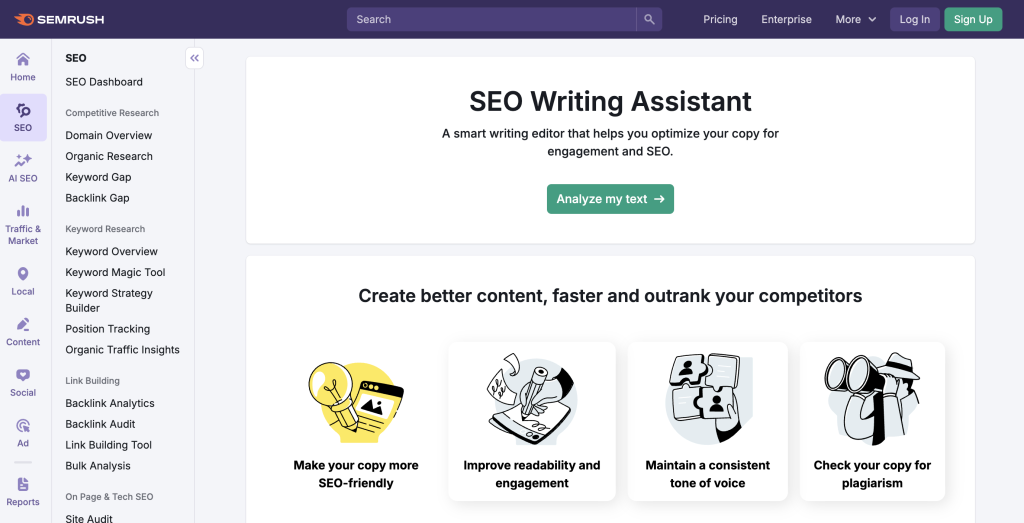
It plugs into Google Docs, WordPress, and Microsoft Word as an add-on, and connects to your SEO Content Template data so your blog posts and key web pages line up more closely with the top 10 results in Google.
This Semrush SEO Writing Assistant review focuses solely on content-related features. It does not dive deep into Technical SEO audits, backlink analysis, or other marketing tools inside Semrush.
The goal is simple: if you are a content writer, editor, or digital marketer trying to improve page SEO for a new piece of content, is this the best tool for the job, or are you better off with a dedicated content optimization platform?
Semrush Writing Assistant is positioned as an AI Writing Assistant and SEO-optimized Content Editor in one. Type in your target keywords, and it pulls SEO recommendations based on competitors’ ranking in search engines, then scores your draft for readability, SEO, tone, and originality in real time.
This review will walk through how that actually feels in practice, where it helps, where it does not go far enough, and how it compares to dedicated content optimization tools.
Quick summary
Semrush SEO Writing Assistant helps you:
- Connect a piece of content to an SEO Content Template built from the top 10 organic results for your target query
- Get a combined SEO score with recommended keywords, readability, and tone checks inside the same panel
- Use a built-in plagiarism checker and basic AI tools to clean up and expand copy
In other words, it is a user-friendly interface for content optimization that works across different platforms, primarily Google Docs, WordPress, and Microsoft Word.
Where it is especially helpful
- Writers who already use Semrush and want SEO suggestions without leaving their editor
- Small business teams who need a quick way to keep content quality and brand voice consistent
- Agencies that review a lot of drafts and want an instant overall score before deeper edits
Where it feels light
- Teams that want deeper competitive analysis and topic coverage beyond simple related keywords
- Content operations that need more robust workflows, templates, and tracking of long term SEO performance
- Users who want a content optimization tool without buying into a larger Semrush account and toolkit
Before you commit, compare it against the top Semrush alternatives for agencies so you can weigh it with eyes open.
What SEMRush’s SEO Writing Assistant is
Semrush SEO Writing Assistant is part of Semrush’s Content Toolkit, which also includes tools for topic ideas, briefs, and AI-generated articles.
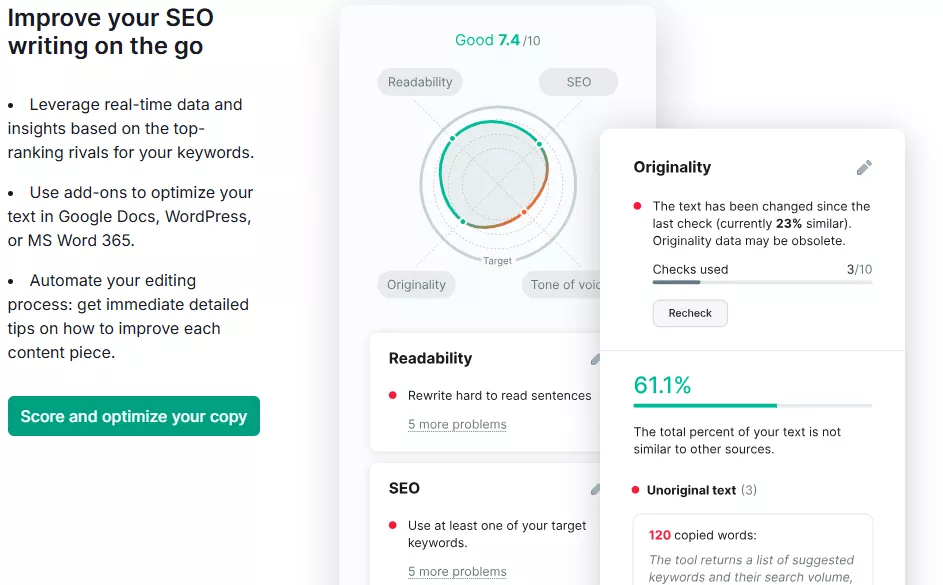
At its core, the Writing Assistant acts like a sidebar SEO Checker and content analysis panel for a draft you already have in front of you. You can:
- Start from an existing SEO Content Template in your Semrush account
- Or create a new set of recommendations by entering target keywords directly inside the assistant
It then evaluates that draft for:
- SEO score
- Readability score
- Tone of voice consistency
- Originality and potential plagiarism
The data behind these suggestions comes from your top 10 organic competitors for the chosen query, which keeps the focus on search engine optimization rather than generic writing advice.
Related: Semrush AI Toolkit Review
Who it is best for
- Content creators who already use Semrush If you are paying for Semrush SEO or the Content Toolkit, adding the Writing Assistant into your workflow is a natural step. You stay inside one ecosystem, from keyword research tool to Content Editor.
- Digital marketers shipping recurring blog posts and landing pages You get a fast snapshot of SEO potential and basic SEO metrics without exporting data or checking multiple dashboards.
- Teams that care about readability and brand voice as much as keywords The tone of voice and readability panels are prominent in the interface and encourage a consistent brand voice across many pieces of content.
Who may need more
Agencies that manage content at serious scale
You can certainly have team members run drafts through the Writing Assistant, but it is not a full content operations system. It lacks richer collaboration flows, templates for different content types, and tight links to Position Tracking or search traffic dashboards.
Teams that want deep topical coverage or entity level guidance
Recommended keywords are helpful, but this is not the same as a topic-first optimizer that evaluates entity coverage or cluster strategy.
Users wanting a standalone content optimization tool
Although there is a Content Toolkit plan with its own pricing, most unlimited usage scenarios still tie you back to broader Semrush pricing plans, which can feel heavy if you only want content optimization and nothing else.
Feature Breakdown
1. Recommendations based on SEO Content Template
Semrush SEO Writing Assistant is powered by the SEO Content Template element of SEMRush’s SEO platform. You start by entering target keywords, region, and device, and Semrush analyzes the top 10 organic results in Google.
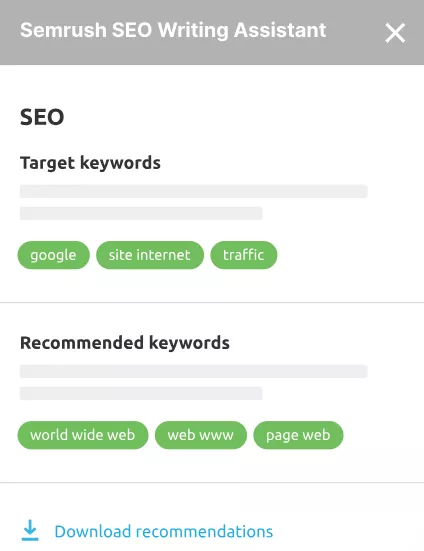
From those competitors it generates:
- Recommended keywords and semantically related keywords that frequently appear on ranking pages
- Suggested text length range based on average word counts
- Basic readability guidance so your content lines up with what already works in search rankings
Inside the Writing Assistant panel, you then see actionable SEO recommendations drawn from this template. Rather than guessing search intent, you are looking at patterns that already win in the SERP.
For a content writer or editor, this means your piece of content is framed against real competition instead of generic rules.
2. Writing environments and add-ons
One of the strongest aspects of the tool is how easily it plugs into existing writing environments as an add-on or plugin.
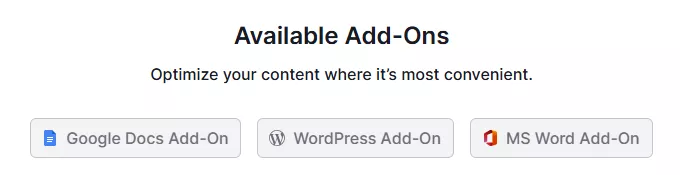
Supported environments include:
- Google Docs add on – install from Google Workspace Marketplace, then open the sidebar in any document after logging in with your Semrush account and email address.
- WordPress plugin – add Semrush SEO Writing Assistant to your site and see the panel on the post editing screen.
- Microsoft Word – use the MS Word add in to run checks inside your desktop writing environment.
If your team drafts in different platforms, this is a simple way to keep SEO suggestions, readability, and originality checks consistent across those environments.
3. Editor panel: SEO score, readability, and tone of voice
When you open a draft with Writing Assistant, you see a combined overall score and sub-scores for key content quality dimensions.
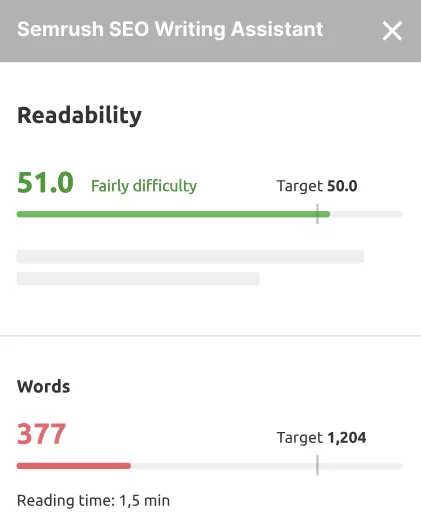
Typical panels include:
- SEO score – how well the draft matches recommended keywords from your SEO Content Template and basic on-page SEO checks
- Readability score – usually based on Flesch-Kincaid or similar formulas, with suggestions to simplify sentences, remove fluff, or break up long paragraphs
- Tone of voice – guidance on whether the writing is formal or informal, and whether it stays consistent across the piece
- Content length – how your word count compares to recommended ranges from the SERP
Practically, this turns the assistant into a focused SEO Checker for a blog post, product page, or other piece of text, where you can see at a glance which dimension needs attention next.
The best part for many teams is that you get these SEO features in real time while typing, not after you paste a finished draft into a separate tool.
4. Recommended and related keywords
The keyword panel is where SEMRush’s SEO Writing Assistant leans on Semrush’s broader data.
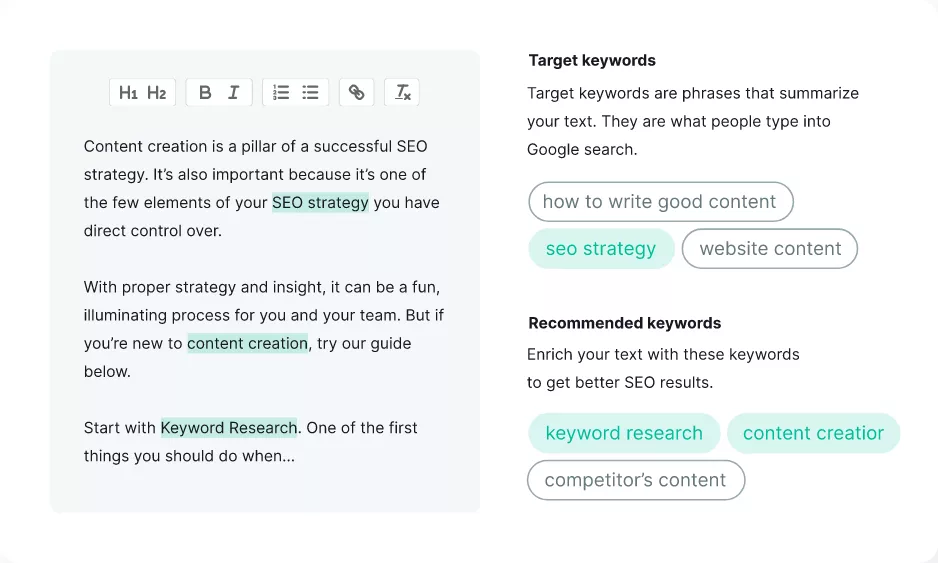
Based on top ranking pages, it suggests:
- Recommended keywords that should likely appear somewhere in your draft
- Related keywords you may have missed that support the main topic and provide additional context
The tool highlights which terms you have already used and which are missing, and warns if you are overusing the primary phrase. This nudges content creators away from basic keyword stuffing and toward more natural coverage of relevant keywords.
It is not as advanced as some dedicated topic modeling tools, but for many small business and in house digital marketing teams it is a clear step up from guessing.
5. Originality and plagiarism checker
Semrush bundles an originality check into the Writing Assistant so you can scan for accidental duplication before publishing.
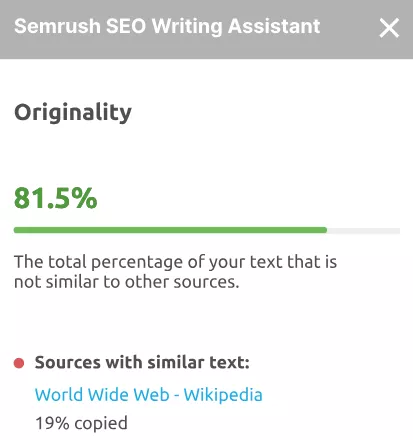
In practice, that means:
- Paste or write your draft in the connected editor
- Run the plagiarism checker and see whether your copy matches other content on the web
- Adjust sections that look too close to existing text
If you rely on guest writers, agencies, or AI writing tools, this extra layer of protection can help keep content quality high and reduce risk.
6. AI tools and rephraser
Semrush has been layering AI tools into the Content Toolkit, and Writing Assistant benefits from that work.
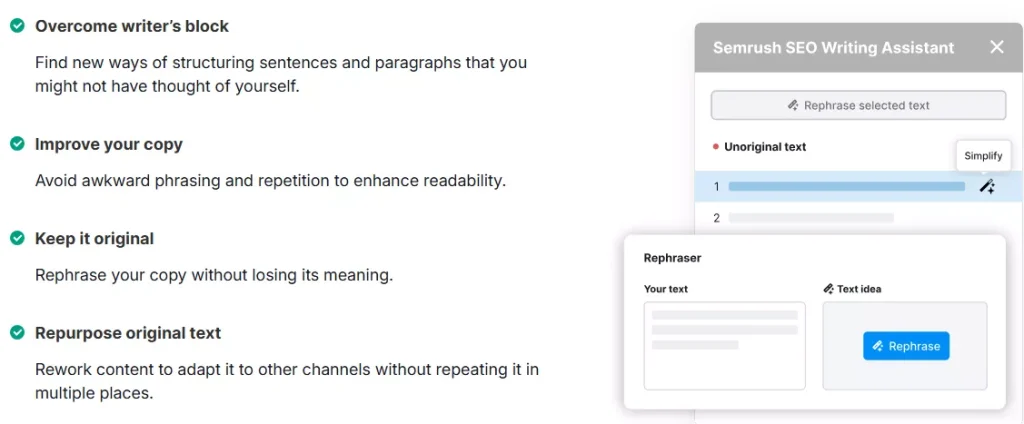
Inside the panel you can use:
- An AI Writer or generation features for snippets, intros, and short sections
- A rephraser that rewrites sentences or short passages for clarity or different channels
The sensible way to approach these features is as helpers, not as a full automation engine. Generate, fact check, adjust for brand voice, then re-check the coverage and SEO score. Used that way, it can speed up production without putting your content strategy on autopilot.
Real world use cases
In day to day work, Semrush SEO Writing Assistant fits into workflows like:
- Drafting a long form blog post in Google Docs, then running the sidebar to tighten structure and hit missing recommended keywords
- Reviewing a freelance article in WordPress, checking the overall score and readability score before sending feedback
- Updating an older guide by pasting sections into the assistant, identifying gaps against the latest SEO Content Template, and rewriting key sections with the rephraser
It is handy as a last mile optimization step before publish, especially when you want to ship SEO-optimized content aligned with search intent without overthinking each small detail.
Performance notes, learning curve, and pitfalls
Learning curve
- Light to moderate. The user interface is straightforward, although some users note that it is not always clear why certain targets are chosen or how scores are calculated.
Common gains
- Faster quality checks for page SEO without logging into a separate dashboard
- More consistent tone of voice across team members
- Fewer missed keyword opportunities on priority pages
Pitfalls
- Easy to chase the number instead of judgment, which can hurt content quality
- Some reviewers find the guidance a bit generic, especially compared to specialists like Surfer SEO or Clearscope that go deeper into topic modeling and entities.
- You still need to connect outcomes back to Google Analytics or Google Search Console to understand true SEO performance over time
The net result is a light but helpful layer in your SEO strategy, not a game changer on its own.
Pricing
There are two main paths to using Semrush SEO Writing Assistant:
Content Toolkit plan – Semrush now sells a Content Toolkit at 60 dollars per month with a 7 day free trial that includes content ideas, SEO briefs, content optimization, and a set number of SEO boosted articles each month.

Higher Semrush plans – In many comparisons, unlimited Writing Assistant usage is tied to higher end Semrush SEO plans, which can run north of 200 dollars per month when billed annually.
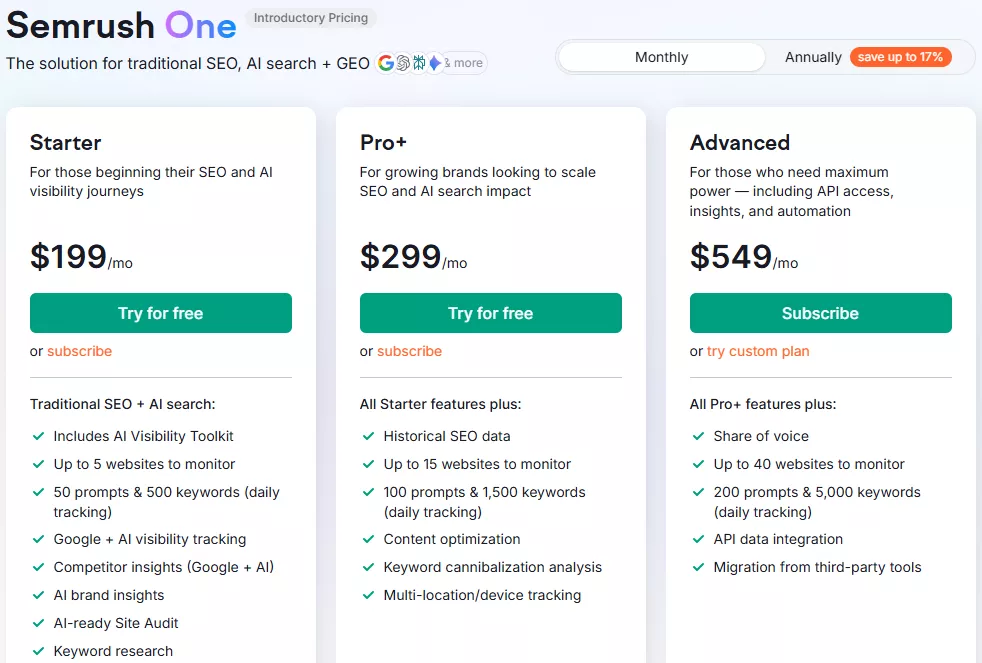
A limited free version exists through promotional trials, but to use the writing assistant at scale you will almost always end up inside a paid plan.
For teams that also rely on Semrush for Domain Overview reports, Keyword Gap analysis, and full SEO Audit workflows, this bundled pricing can be reasonable. For someone who mainly wants a content optimization tool, it can feel like a lot.
Pros and cons
Pros
- Comfortable, user friendly interface that lives where you write
- Solid keyword and readability guidance powered by real competitor data
- Built in plagiarism checker and tone of voice checks
- Helpful for quick reviews of drafts from freelancers or junior team members
Cons
- Requires a Semrush account and usually a paid plan for meaningful use
- Suggestions can feel surface level, especially if you are used to high end SEO writing tools
- Not designed as a full content operations system, so you still need other structures for briefs, approvals, and tracking SEO metrics like keyword rankings and search traffic
Where Semrush fits among content editors
As a content optimization feature, Semrush SEO Writing Assistant sits somewhere between simple on page SEO checkers and the top-rated content optimization tools for SEO that focus purely on topic coverage and competitive depth.
It is strongest when:
- You already plan, research, and report inside Semrush, and simply want to bring some of that context into your editor
- You occasionally compare with tools like SE Ranking or SurferSEO, but prefer to keep most activity in one ecosystem
- You want an add on that supports a wide mix of content types from basic blog posts to supporting web pages
It is weaker as a standalone Content Editor for teams that expect their optimizer to drive content ideas, cluster strategy, and long term search performance.
Semrush SEO Writing Assistant vs Rankability
If you like the idea of a content focused tool but do not want to tie it so closely to a broader Semrush review decision, it is worth looking at a specialist.
Rankability is one of the notable alternatives in the SEO writing tools space. Rather than being an add on to a large suite, it is built from the ground up as a topic first optimizer with workflows for agencies and in house teams.
For a feature-by-feature breakdown, see our Rankability vs Semrush comparison.
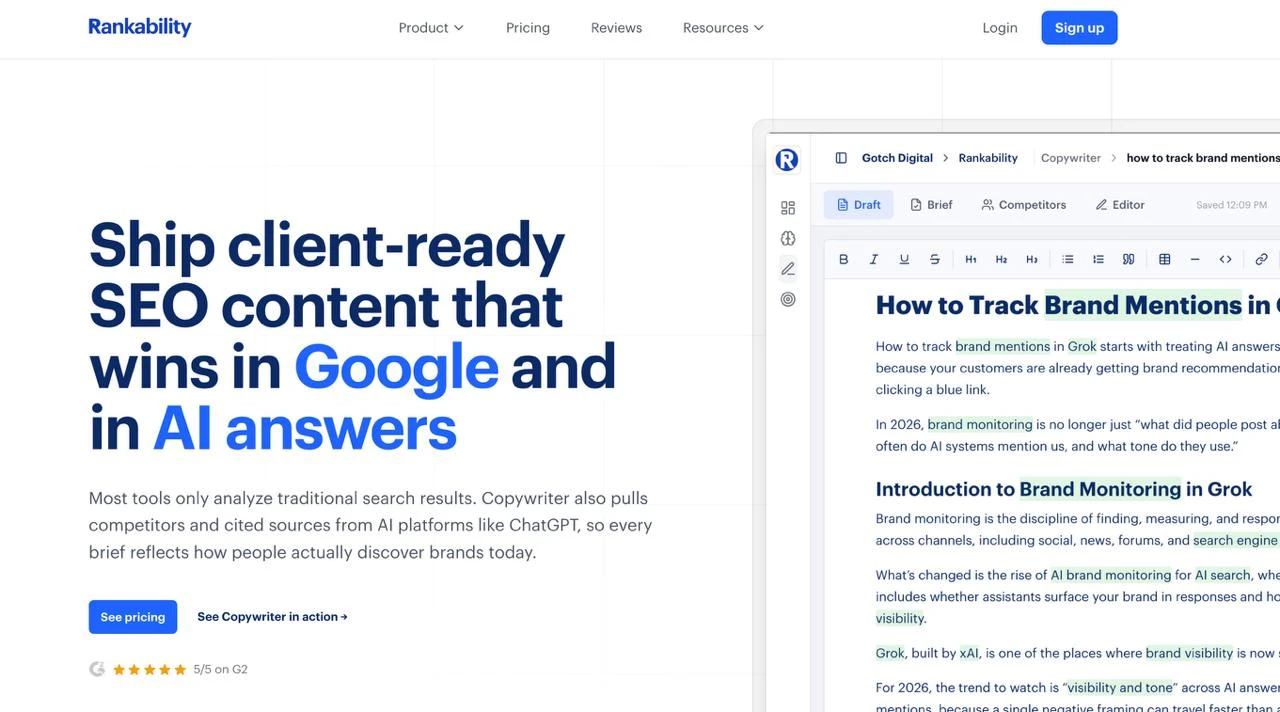
At a high level, Rankability differs by:
- Emphasizing topic coverage and search intent alignment over chasing term density
- Providing a single Rankability score that encourages coverage without forcing repetitive phrasing
- Sitting alongside keyword research, content monitoring, and ranking diagnosis in a stack focused specifically on content and search performance, rather than every possible marketing feature
If you want a Writing Assistant Tool that is deeply tied to the rest of your Semrush SEO stack, the Semrush option is the natural choice. If you want your optimizer to live at the center of your content process, with a tighter focus on content quality and repeatable workflows, a dedicated tool like Rankability will often feel more purpose built.
FAQ
Does Semrush SEO Writing Assistant help with AI written drafts? Yes. Many teams use AI writing tools to generate a first pass, then run that copy through the assistant to check originality, readability, and on page SEO before publishing.
Can it replace an editor or strategist? No. It provides helpful SEO suggestions and structure checks, but you still need human judgment to shape the narrative, verify facts, and connect content to your target audience and business goals.
Will it improve SEO performance on its own? It can help individual pieces reach a healthier baseline for search engine optimization, but true performance still depends on your overall site health, link profile, and how well your content strategy matches demand.
Is there much of a learning curve? Most users get comfortable within a few sessions. The main adjustment is learning when to accept suggestions and when to ignore the score in favor of clear, high-quality writing.
What about AI search visibility?
One gap worth flagging in 2026: the SEO Writing Assistant optimizes drafts for traditional Google rankings, not for whether ChatGPT, Gemini, or Perplexity cite your page. If earning mentions in AI answers is a priority, treat the Writing Assistant as a quality gate and pair it with a dedicated AI-search workflow — see our Semrush AI Toolkit review and AI Toolkit alternatives for that side of the stack.
Verdict
As a content focused add on, Semrush SEO Writing Assistant is a practical way to bring search engine data into the place where you write. It works well for tightening up individual posts, aligning drafts with basic SEO best practices, and keeping readability and originality in check.
It is strongest if you already use Semrush for other SEO features and want your SEO recommendations to come from the same platform. If you only care about content optimization and prefer a tool built specifically for that job, you may outgrow it and look for a specialist.
Used thoughtfully, though, it can help you ship more SEO-optimized content with fewer blind spots, especially when you pair it with a well defined content strategy and an optimizer that is designed to scale alongside your team.