

The short answer is no: coding is not required for SEO. And this is not just my opinion.
I have now polled SEO professionals twice about this, in January 2025 and again in July 2026, collecting 2,210 votes across LinkedIn and X.
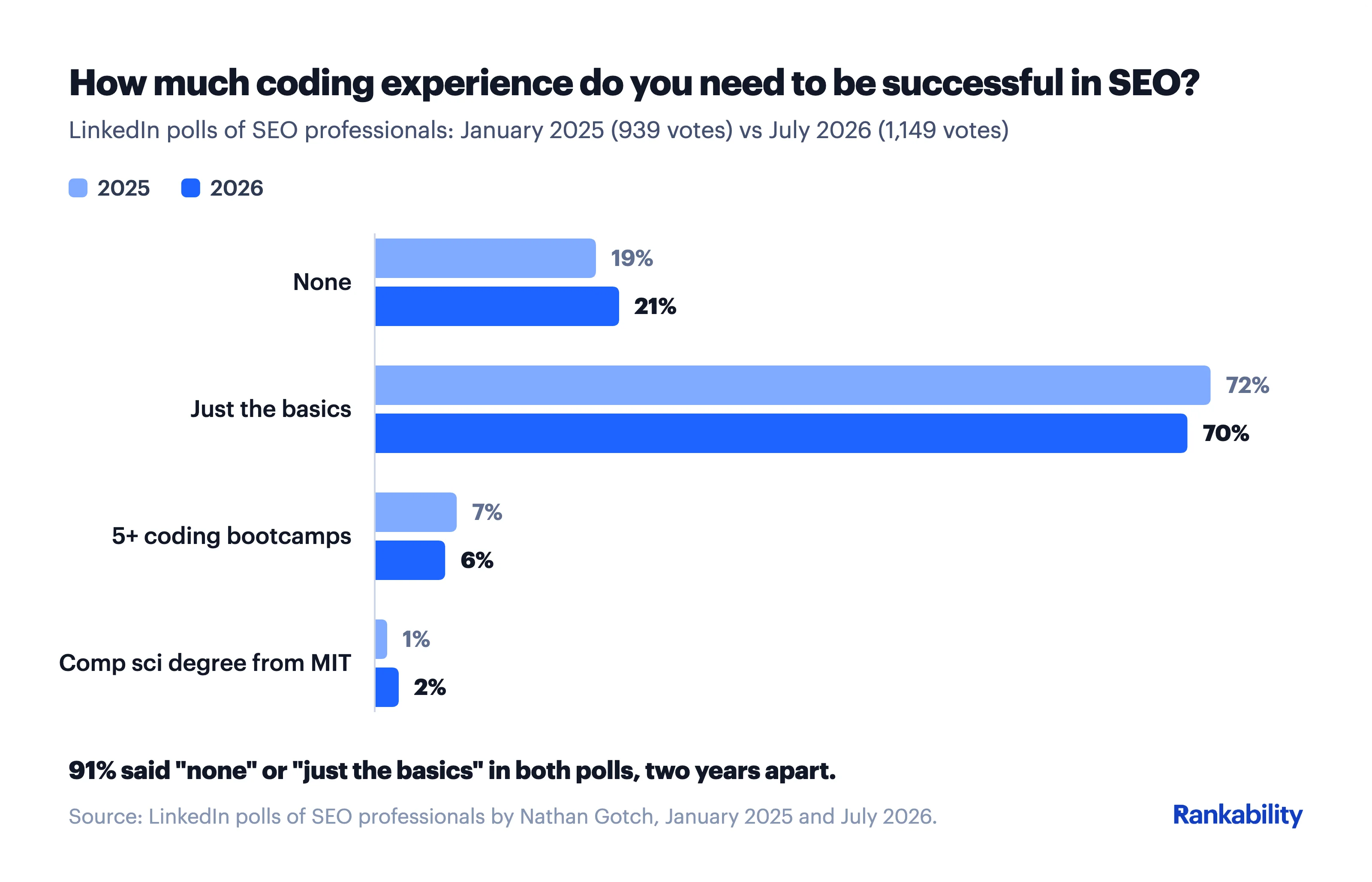
The result was identical both times: 91% of SEO pros say you need either no coding experience or “just the basics” to succeed in SEO.
That said, a basic understanding of how the web works is genuinely useful, especially if you want to implement more advanced strategies or fix technical SEO issues.
Here is what the data says, what changed between 2025 and 2026, and the three situations where a little coding knowledge pays off.
2025 vs 2026: I Ran the Poll Again
When I first asked “How much coding experience do you need to be successful in SEO?” in January 2025, 939 SEO professionals answered on LinkedIn:
- Just the basics: 72%
- None: 19%
- 5+ coding bootcamps: 7%
- Comp sci degree from MIT: 1%
A lot changed in the following 18 months. AI coding assistants went mainstream, “vibe coding” became a real workflow, and people with zero programming background started shipping working tools.
If coding skills were ever going to get more (or less) important for SEO, this was the moment.
So in July 2026, I ran the exact same poll again. This time 1,149 SEO pros answered on LinkedIn (at the time of writing):
- Just the basics: 70%
- None: 21%
- 5+ coding bootcamps: 6%
- Comp sci degree from MIT: 2%
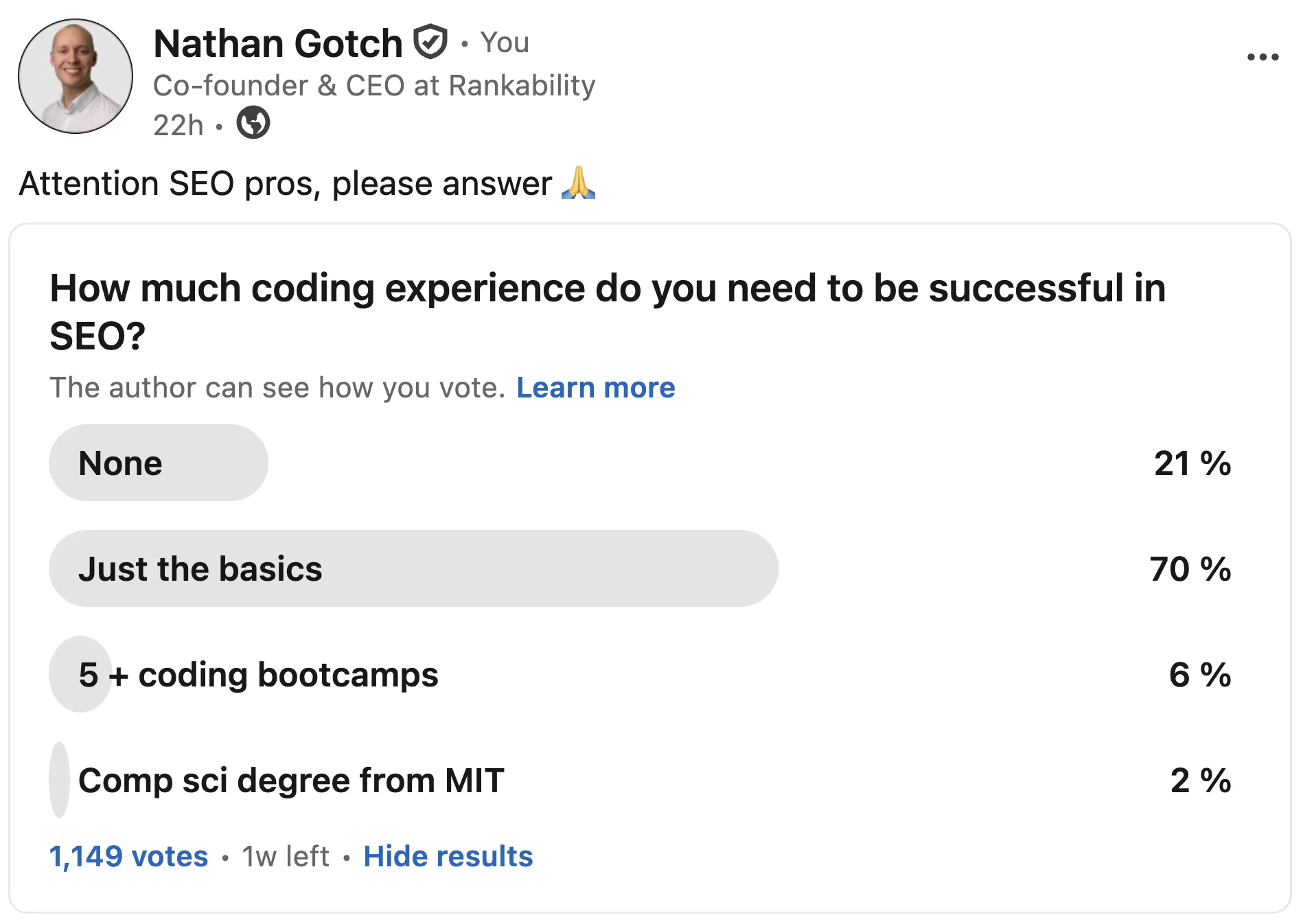
The consensus did not move. Every option shifted by one or two points, which is inside the margin of error for polls this size.
And the combined “none or just the basics” share was exactly 91% in both years.
The one directional change worth noting: the “None” camp grew slightly (19% to 21%) while “just the basics” shrank by the same amount.
That matches what you would expect in the AI era. When ChatGPT or Claude can write the code for you, more SEOs conclude you do not need to write any yourself.
The Same Poll on X Told the Same Story
I also ran the same poll on X in July 2026, where 122 people voted.
The overall verdict was the same (91% said none or just the basics), but the split was noticeably different:
- Just the basics: 53.3%
- None: 37.7%
- 5+ coding bootcamps: 4.1%
- Comp sci degree from MIT: 4.9%
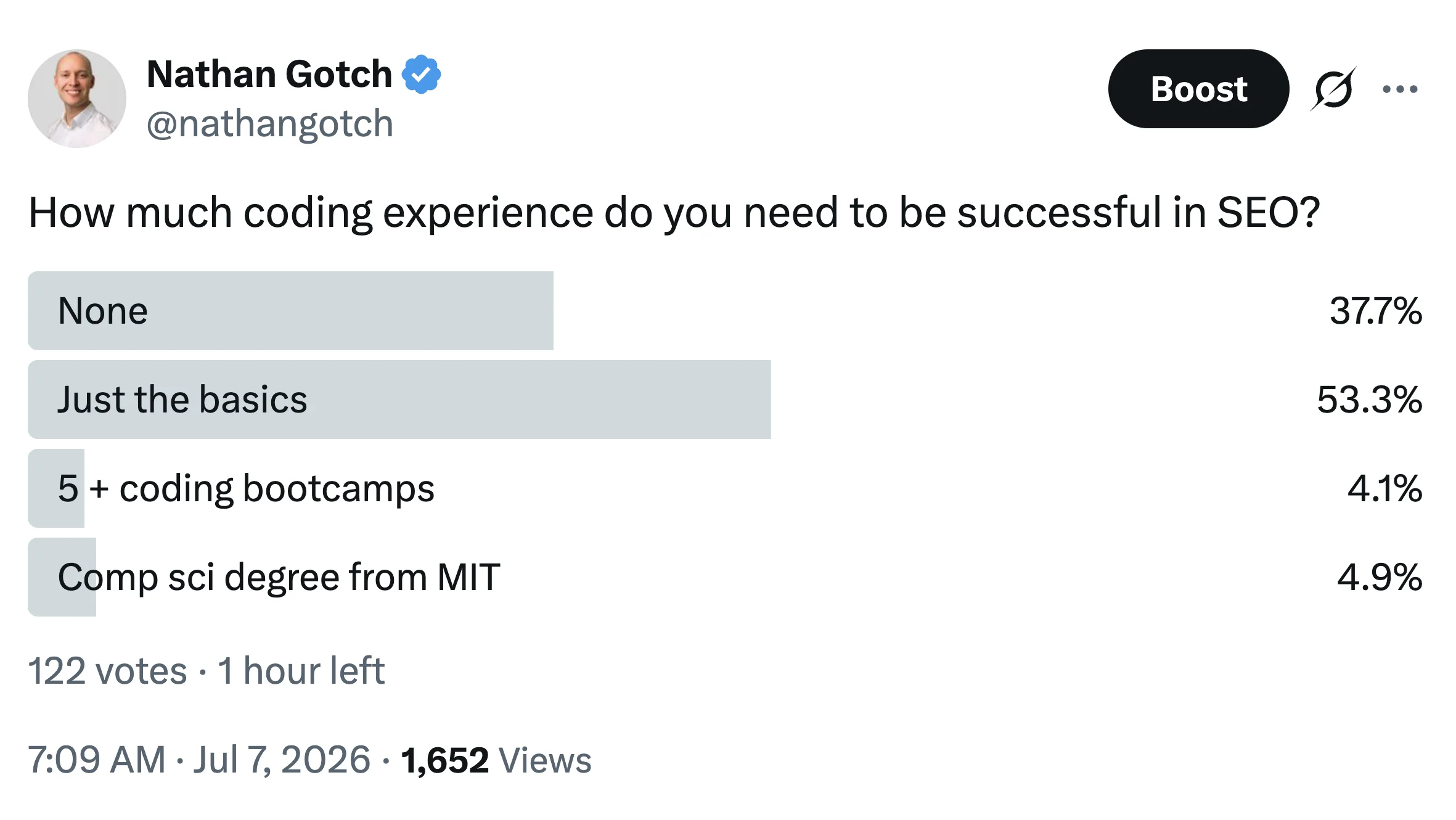
The X audience was nearly twice as likely as the LinkedIn audience to say you need zero coding experience (37.7% vs 21%).
It is a smaller sample, so take it as directional. But it fits the pattern: the more AI-forward the audience, the less they believe coding skills matter for SEO.
About this data: I polled SEO professionals with the identical question (“How much coding experience do you need to be successful in SEO?”) and identical answer options in two waves: January 2025 (LinkedIn, 939 votes) and July 2026 (LinkedIn, 1,149 votes; X, 122 votes). Total: 2,210 votes. Percentages are as reported by each platform.
91% of SEO pros agree: you need either no coding experience or just the basics to succeed in SEO. The number was identical in 2025 and 2026, across 2,210 votes.
Now, let me show you three scenarios where understanding coding basics will help.
3 Situations When Coding is Helpful for SEO
You don’t need to understand how to build websites and applications from scratch to succeed with SEO.
Especially now with AI and no-code tools.
More on this in a second.
But you must:
1. Understand the Basics
I barely know how the Internet works, but I’ve ranked for thousands upon thousands of keywords in Google.
Here’s the simplified version: the Internet is just computers finding ways to talk to each other, from two machines and one cable all the way up to routers, modems, and ISPs.
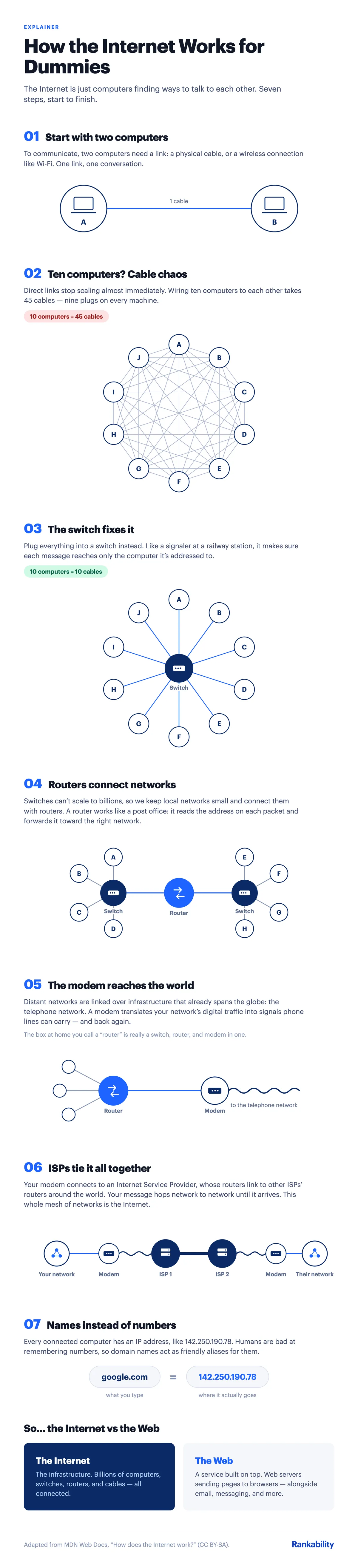
All you need is a basic understanding of the following:
Browsers
Google Chrome owns roughly 70% of the browser market share:
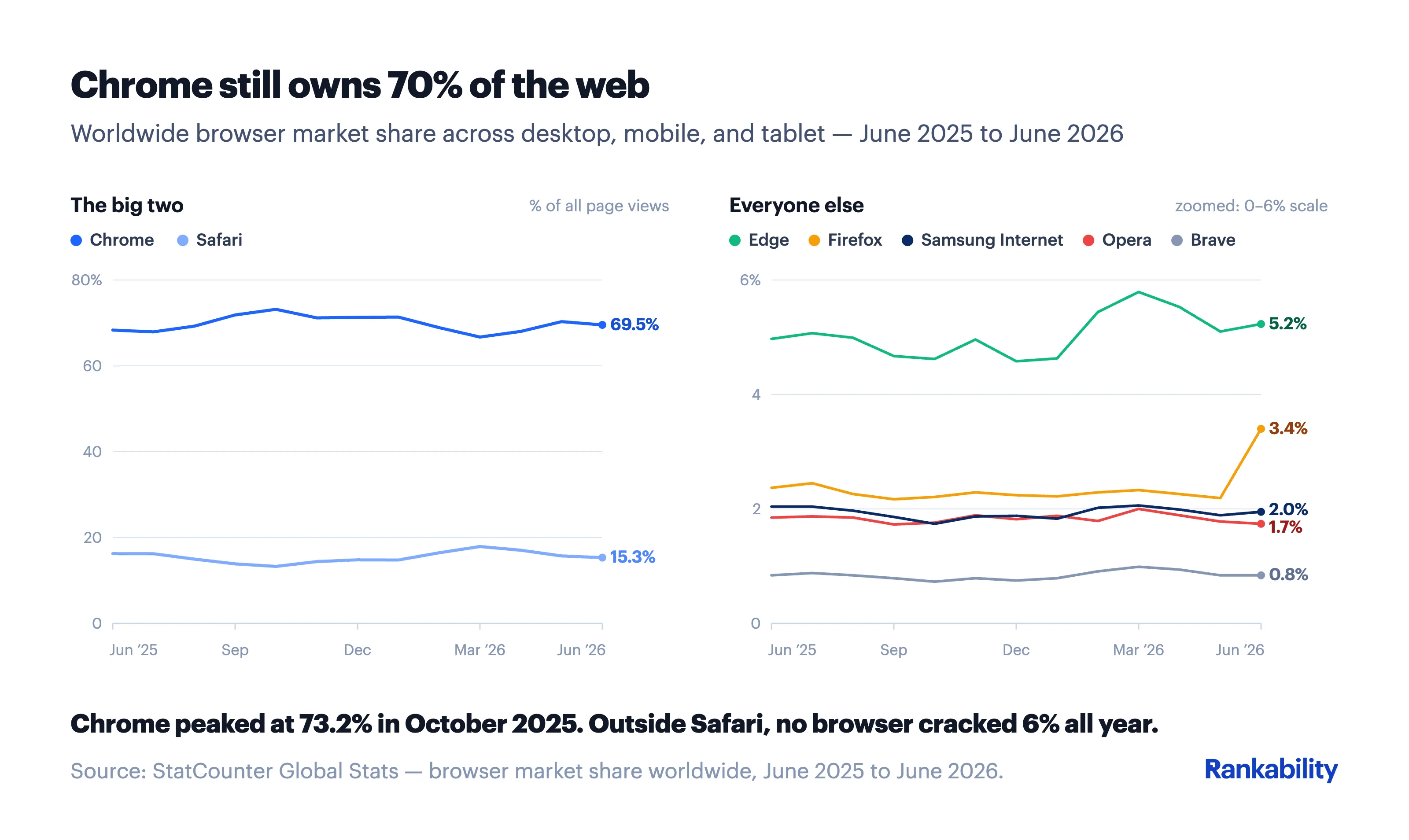
It’s wise to understand how to use it.
Browser Plugins
Browser plugins make your SEO life 10x easier.
For example, I use the Detailed SEO Extension to do a quick analysis of pages.
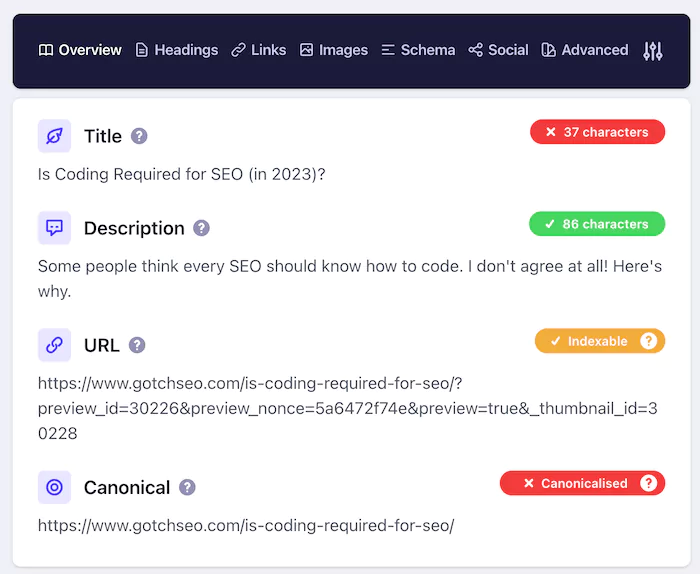
I also use:
- Broken Link Checker – Our free tool that finds broken links on any page.
- Grammarly – Highlights grammar, spelling, punctuation, and sentence structure issues.
- Schema Markup Viewer – Our free tool that shows what schema markup any page is using.
- People Also Ask Generator – Our free tool that pulls content ideas from Google’s People Also Ask section.
URLs
URLs are a fundamental part of the SEO system.
The most important thing to understand is to include your primary keyword should be in the URL.
Google is a relevance machine.
Your URL is one of the first touchpoints that Google has to understand the relevance of your page.
For example, look at the top 50 for “white prom dresses”:
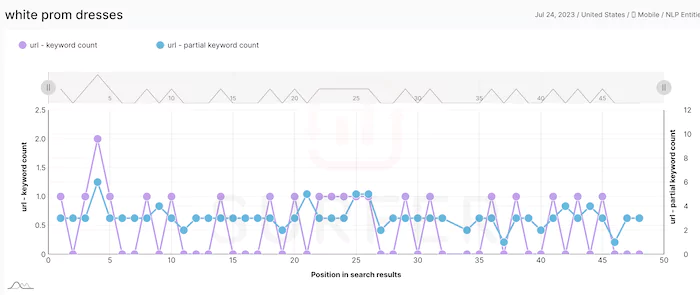
100% of the results have the exact or partial of the keyword in their URL.
Search Engines
I know this might be a shock, but you need to know how to use Google and other search engines to be decent at SEO.
Crazy, right?
But seriously, here are some basics:
Web Crawlers
Google and other search engines use spiders to crawl webpages on the Internet.
For you to rank in Google, your page must be crawled and indexed.
And that’s when this helpful command comes into play:
site:yourdomain.com
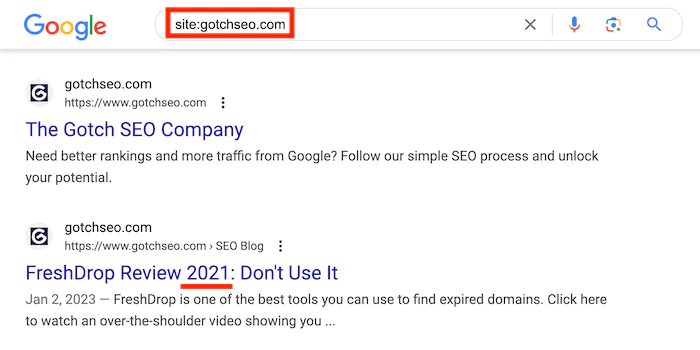
This is the quickest way to see what pages are indexed in Google.
It’ll also help you see content issues like the example above being outdated.
Search Strings
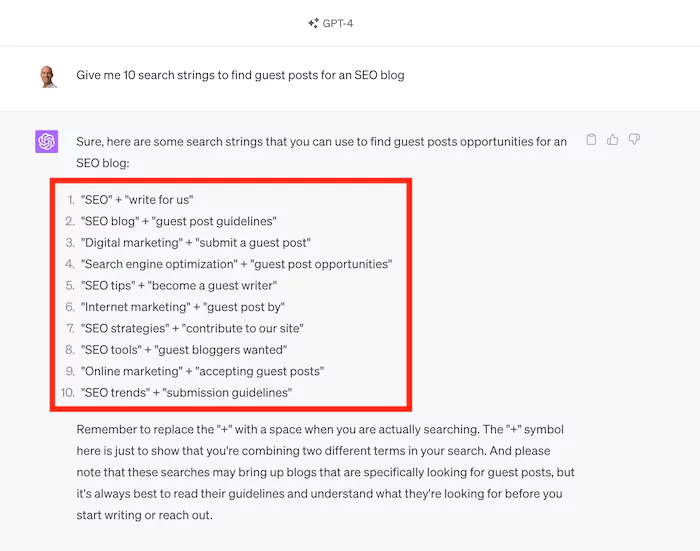
The best way to find backlink opportunities is to use Google.
The good news is that you don’t need to invent search strings.
Just use ChatGPT like so:
Basic Coding Languages like HTML
To optimize a website for SEO, you need to know some basic concepts within the categories web, search, and HTML like:
Titles
Watch this video to understand everything about SEO title tags:
Headings
Your H1 tag is the most critical heading, and it should contain your primary keyword.
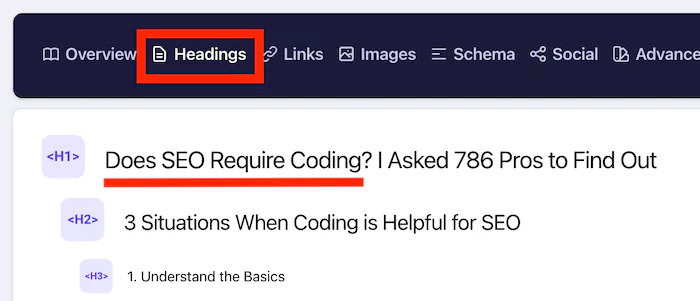
While your H2 should include a variation of your keyword.
Why do they matter?
Google crawls headings to understand what your page is about. So, adding relevant keywords in your headings is a wise move.
Also:
You should be able to identify the following HTML elements within the code like:
Links
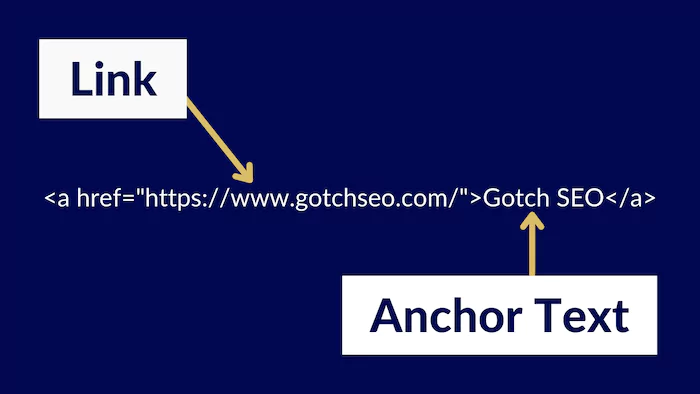
Links are the foundation of the web and are pathways for search engine crawlers to find pages.
You should understand the basic structure of a link and anchor text:
NLP (Natural Language Process)
Okay, this one might sound horrifying. But it’s critical to understand proper on-page SEO.
The layman’s definitions of NLP = keywords relevant to your core topic.
I’m about to get super meta with this, but it’ll be fun.
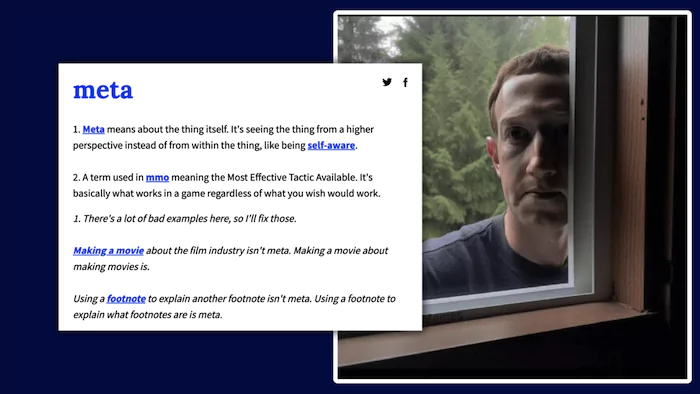
Here we go:
You’re reading this blog post targeting the keyword: “Does SEO require coding.”
And for my post to be extremely relevant to Google, I need to include NLP keywords like search engine optimization, coding skills, SEO specialist HTML code, and whatever else Rankability tells me:
In the first version of this post, the Rankability score was an impressive 24 out of 100.
That’s because A) it was very short, and B) it didn’t include many NLP keywords.
Now it’s scoring better (thanks to my trickery above):
The good news is that you don’t need to understand how NLP works.
All you need to know (in the context of SEO) is to add relevant keywords to the pages you’re trying to rank.
Content Management Systems (CMSs)
A CMS like WordPress or Shopify gives you a basic framework for a website, so you don’t have to build it from scratch.
You must understand how to navigate these platforms.
My recommendation is to build your own niche website on WordPress.
This experience will give you all the experience you need.
Related: Best CMS for SEO – We studied 10,000 keywords
Now that you understand some of the technical SEO basics, let’s get into some situations:
2. Fix Page Loading Speed
It’s no secret that Google uses Core Web Vitals as a ranking factor.
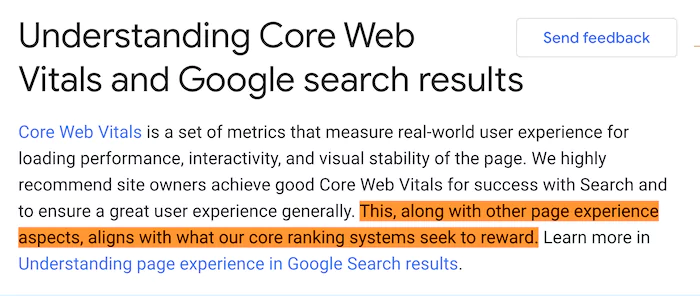
And that’s why it’s first on this list. You can get many other SEO variables right, but poor loading speed will kill performance.
Why?
Because it will cause poor user signals on your page like:
Pogo-sticking – when a user hits the back button on their browser to return to Google’s search results.
Or:
Weak engagement rate, which is a metric in Google Analytics 4. It measures how many events occur on your pages.
Events are dwell time, clicks, scrolls, conversions, etc.
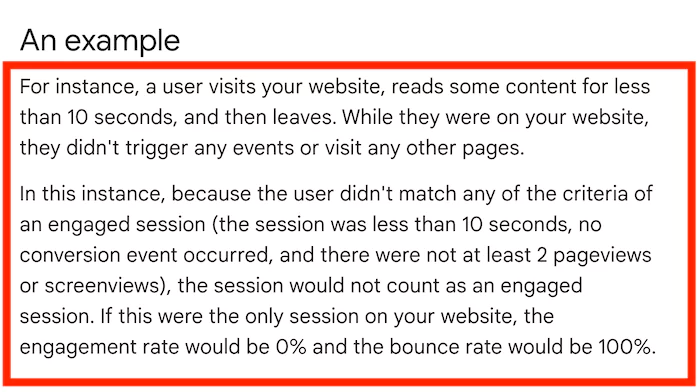
You want your engagement rate to be high on the pages you’re trying to rank.
Google’s search algorithm doesn’t use Google Analytics data for rankings.
But it likely uses similar signals to determine quality.
For example, look at the loading speed data below for a random keyword (wood burning kit):
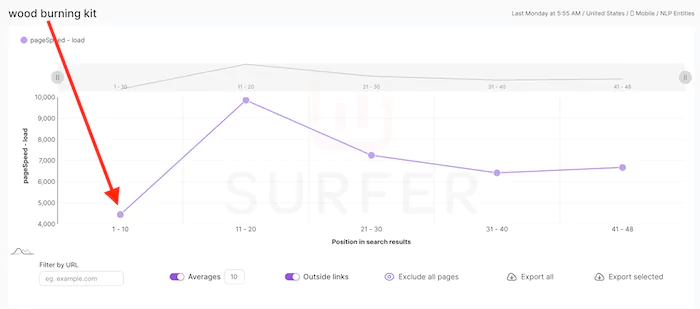
The average loading speed for the top 10 is 4.44 seconds, while the ranking results on page two is 9.85 seconds.
That means the top 10 results are 54% faster.
But as always:
Correlation is not causation.

Loading speed is one small variable in the total ranking equation.
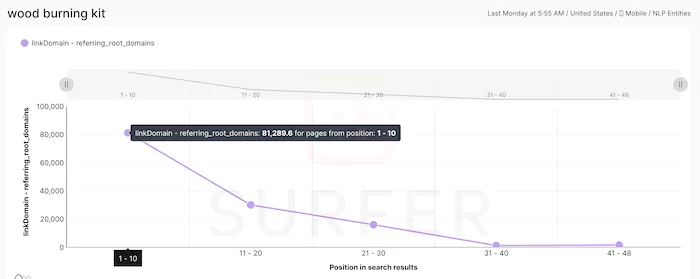
Especially when you compare it to backlinks and overall domain strength.
Continuing the same example, the top 10 domains have a ridiculous 81,289 referring domains on average.
You get it:
Loading speed impacts SEO performance.
But that’s not all:
It’s also detrimental to conversion rates.
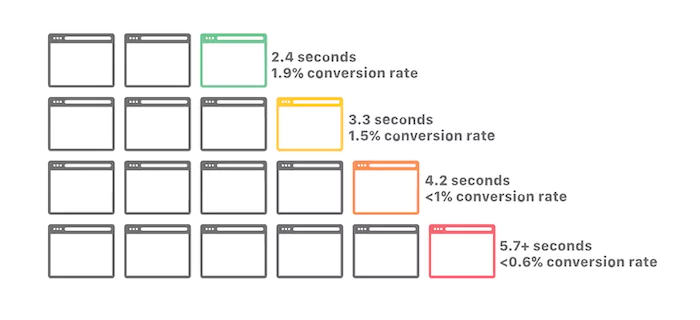
According to Google, a one-second delay in mobile loading speed decreases conversions by 20%.
That’s not all:
Skilled.co saw a 68% decrease in conversions when a page took over 5.7+ seconds to load.
And if you’re still not convinced:
Portent found that conversion rates drop by 4.42% for every additional second of loading speed.
In short, loading speed matters!
Now the question:
What does this have to do with coding?
Try this:
1. Copy the URL of a page you’re trying to rank #1 in Google
2. Open Google PageSpeed Insight and start your analysis

3. Now focus on your “Performance” score
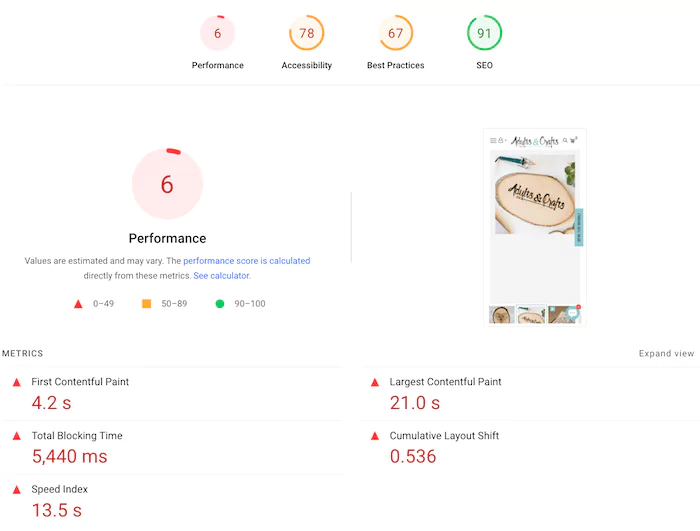
Yes, this score is ugly, but it’s also exciting because this page is ranking #16, even though the page experience is horrible.
That means with some adjustments, it’ll likely jump in rankings.
Here’s when it gets interesting:
Identifying the issue is easy, but how do you fix all these technobabble ideas that Google gives you?
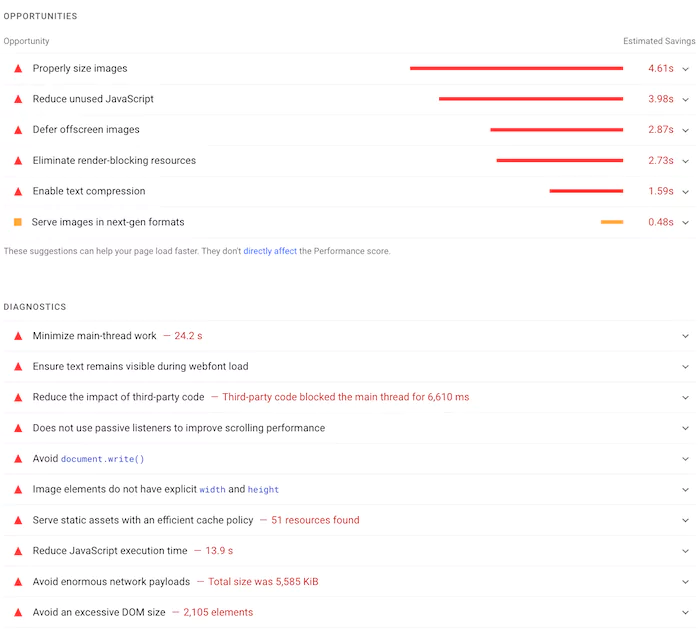
This is where having a basic understanding of coding is helpful.
The good news is that you don’t need a computer science degree from MIT.

In fact, you can quickly handle many of these issues without much coding experience at all.
Here’s how:
1. Start with images
If we remove your web hosting from the equation (which is the biggest factor), images are the biggest loading speed variable you need to focus on.
All you need to know are three principles:
Images should be sized as they’ll appear on the website itself
The quickest way to find out is to use “Inspect Element” on Google Chrome:
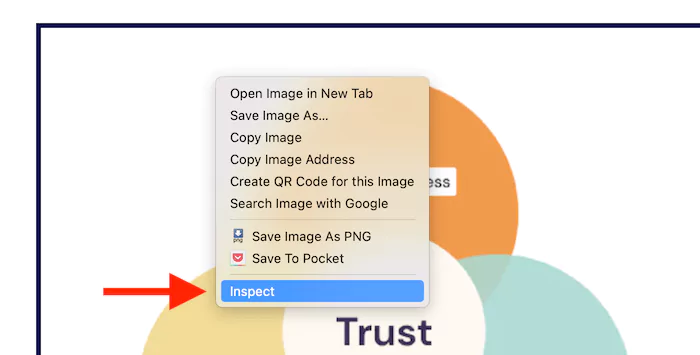
Ideally, your image should not be downsized.
For example, my image below is 700px, and its container is 700px.
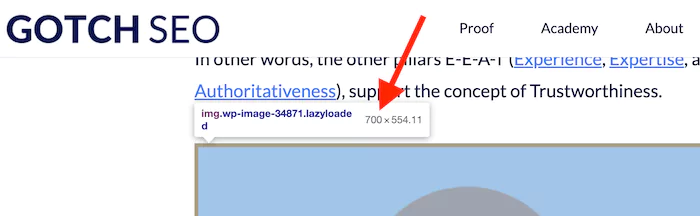
So, resize your images to match the scale on your page.
Always compress your images
Images are big files with a lot of bloat out of the gate. The good news is that you can compress them without compromising the quality.
I recommend our free WebP converter, which compresses and converts in one step.
Convert your images to WebP format
WebP is the fastest image file type and will have a big impact on loading speed.
The same free WebP converter handles this too: drop in your PNG or JPG and it comes out compressed and converted.
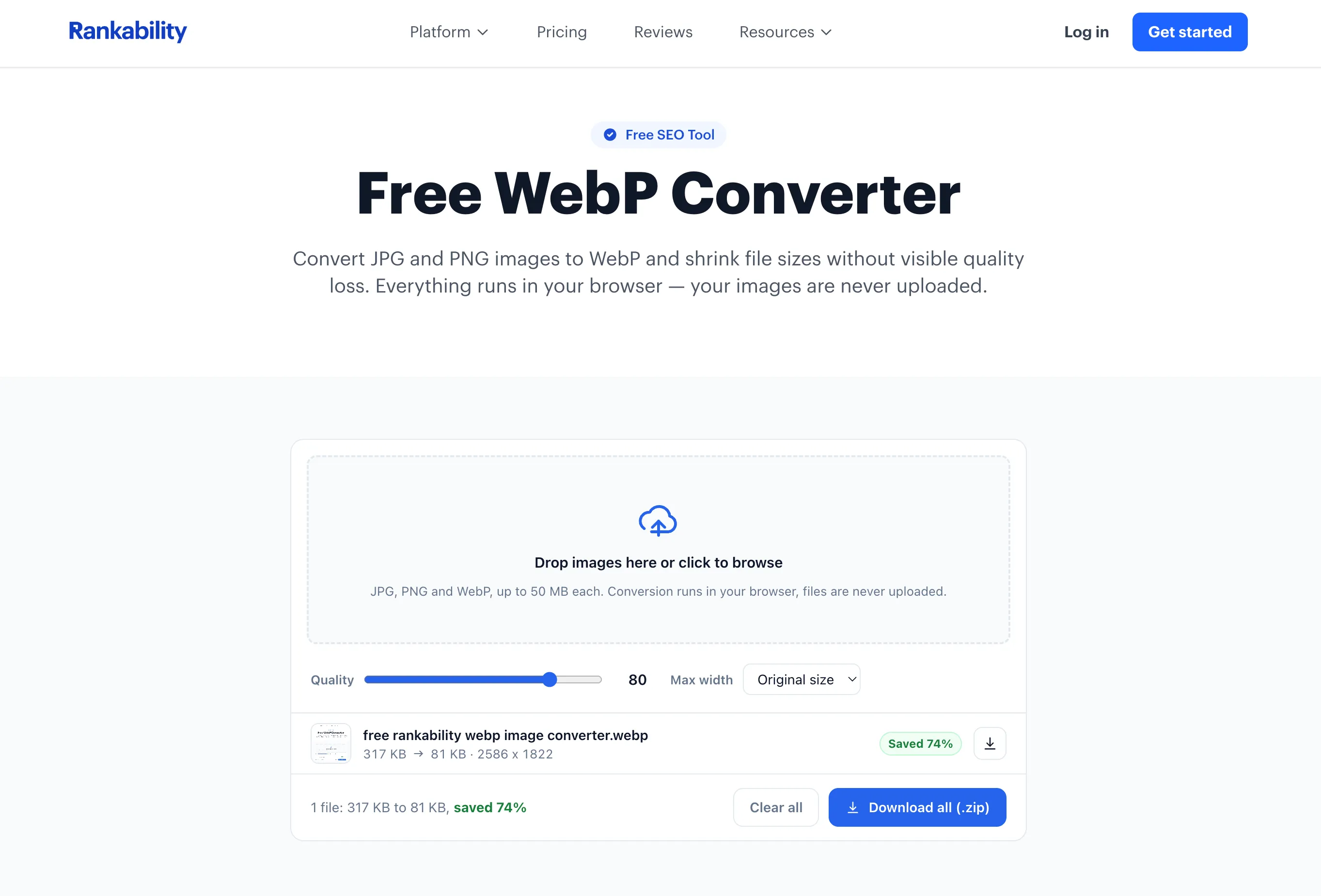
Go through this simple three-step process whenever you add an image to your website.
2. Download loading speed plugins
WordPress has an unlimited number of plugins you can use:
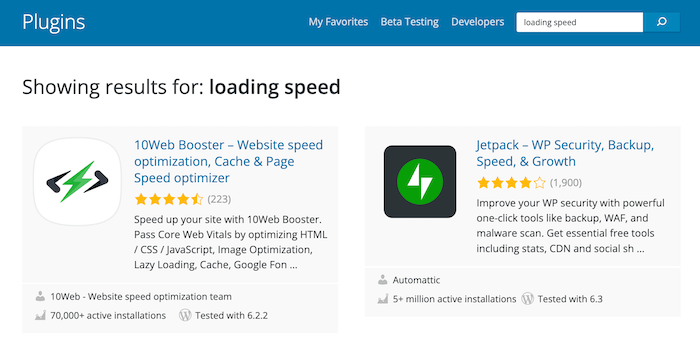
And the same with Shopify.
These plugins will do much of the heavy lifting for you.
3. Your theme / general design
If your theme is custom, you’ll need a developer.
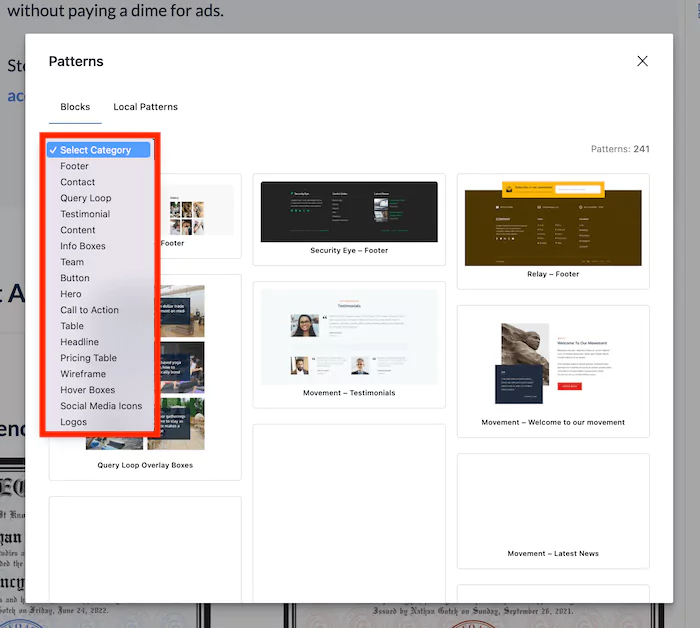
But if you’re on WordPress, you can use themes that are proven to be lightweight and fast, like Generatepress (what I use).
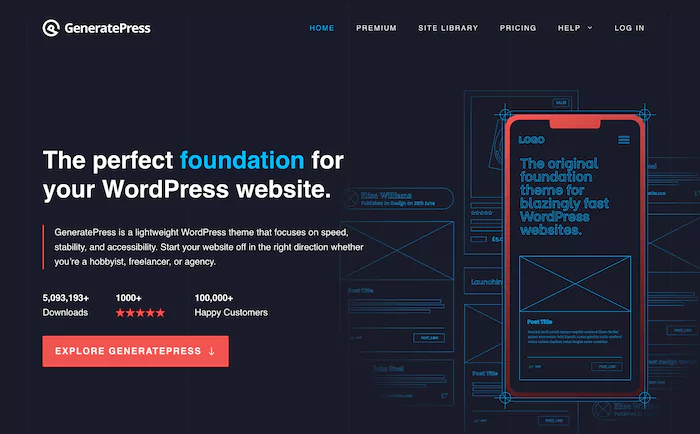
I also stack GenerateBlocks, which allows me to design my sites without coding.
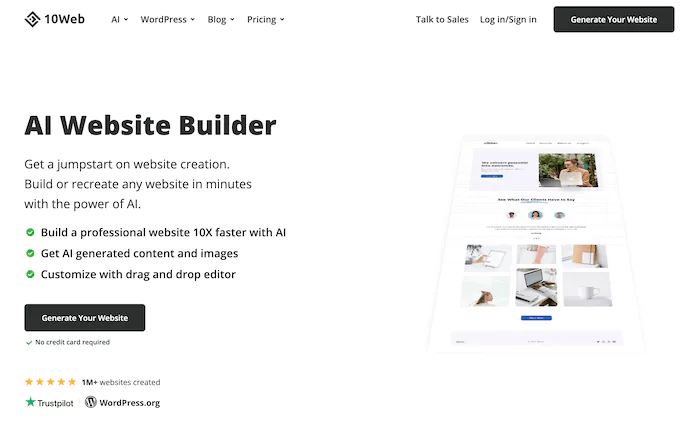
There are also some new AI-driven platforms, like 10web.io, that will build a WordPress site from scratch with just a few prompts.
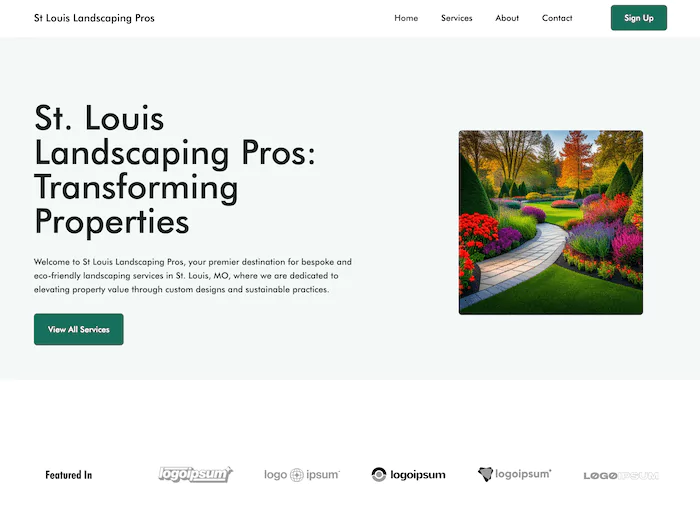
I created a demo local site in ~5 minutes, and it blew my mind:
4. Last resort: your hosting
Moving hosts isn’t as painful as it used to be. But it still requires lots of coordination.
I would try everything I mentioned before switching hosts.
I’ll tell you this, though:
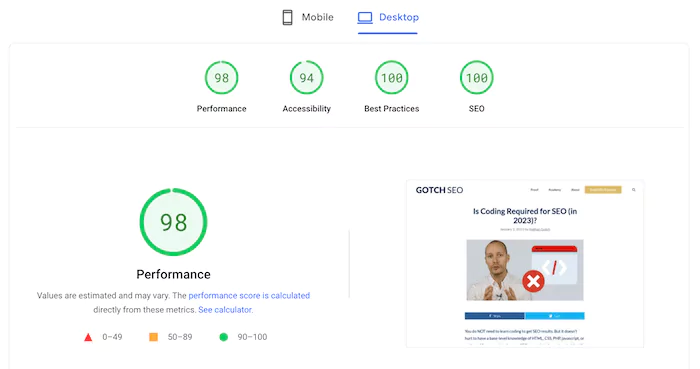
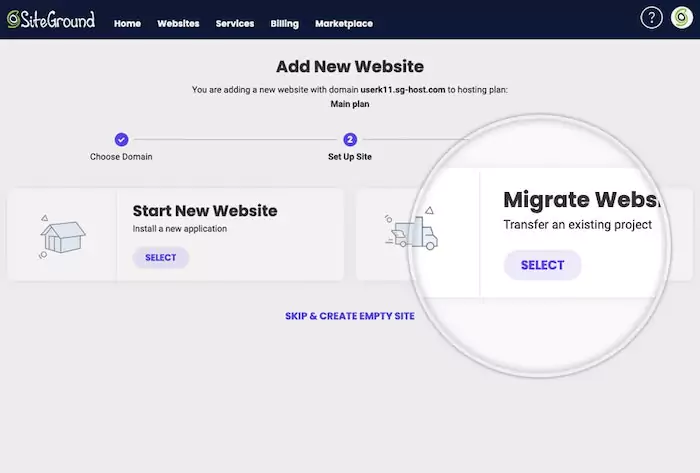
Switching all of our sites to an amazing host like Siteground (what I use) made a huge difference:
Plus, Siteground will migrate you, so you don’t have to think about it.
And now the final scenario you’ll need coding for SEO is:
3. Link Building
In the past, it was a nightmare trying to build any link bait like free tools or software.
Not anymore.
The playing field has been leveled with ChatGPT.
You can now have ChatGPT build your HTML, CSS, and JavaScript code from scratch.
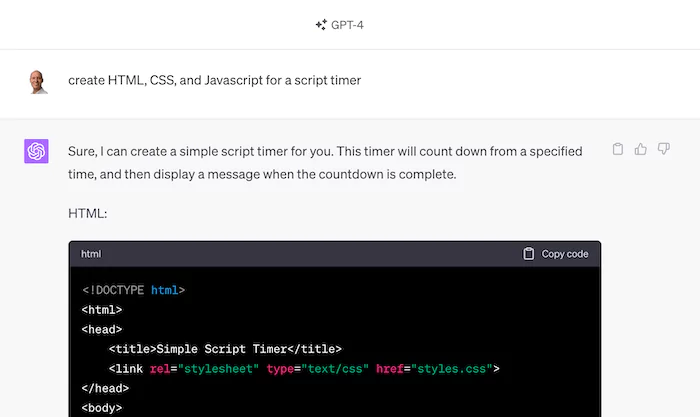
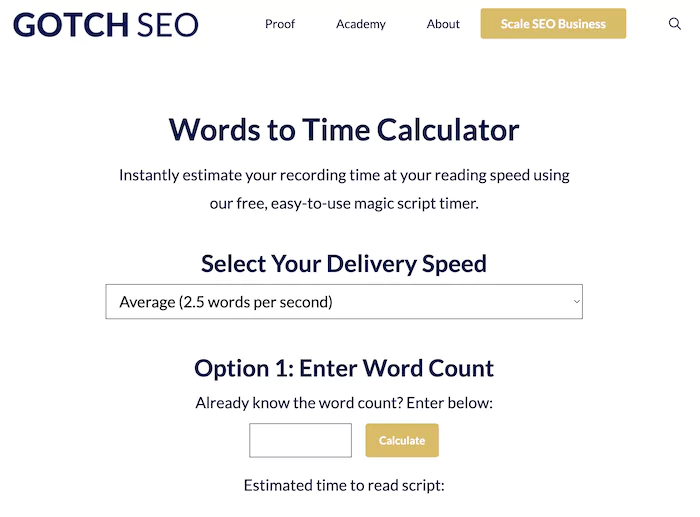
This is exactly what I did with this script timer.
I had ChatGPT build the code, and then I used the WPcoder plugin to get a shortcut for WordPress.
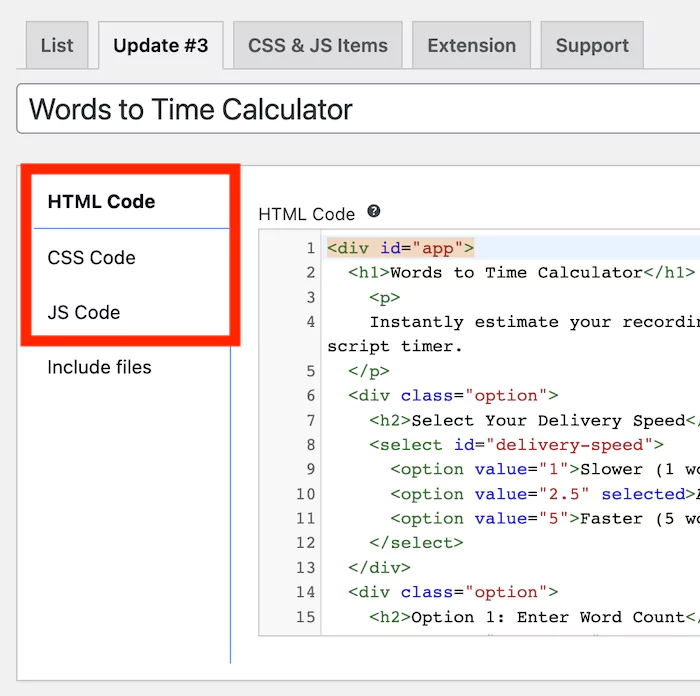
And within 60 minutes, I had a fully functional piece of link bait.
And the cool part is that it’s ranking #4 for script timer right now:

This is exactly why the “None” camp keeps growing in my polls: AI writes the code, so you never have to.
Is Coding Required for SEO? The Debate Ends Here…
Two years and 2,210 votes later, the verdict has not budged: SEO does not require coding, and the rise of AI has only strengthened that.
The skill that matters is knowing what to build and why. AI can handle the syntax.
Code is embedded within everything you do as an SEO professional. But you don’t need to understand every little aspect of coding languages. All you need are the basics and a willingness to learn some tools.
P.S. In 2026, the SEOs who win are the ones who pair these fundamentals with AI search (GEO).
Keep learning:
FAQs
Has AI changed whether SEO requires coding?
No. I polled SEO pros with the identical question in January 2025 (939 votes) and July 2026 (1,271 votes across LinkedIn and X), spanning the AI coding boom.
Both times, exactly 91% said you need either no coding experience or just the basics. The only shift was directional: the “None” camp grew slightly (19% to 21% on LinkedIn) as AI tools made writing code yourself less necessary.
Do you need to know how to code to succeed in SEO?
No. Across 2,210 votes in 2025 and 2026, 91% of SEO professionals said you need either no coding experience or just the basics.
Understanding fundamentals like HTML, URLs, and how browsers and crawlers work is helpful, but you never need to write production code.