
Free SEO tool
Free SEO Checker
Audit any page against the keyword you want it to rank for. See what is holding it back in Google and AI search, with a recommended fix for every issue.
What the SEO checker tests
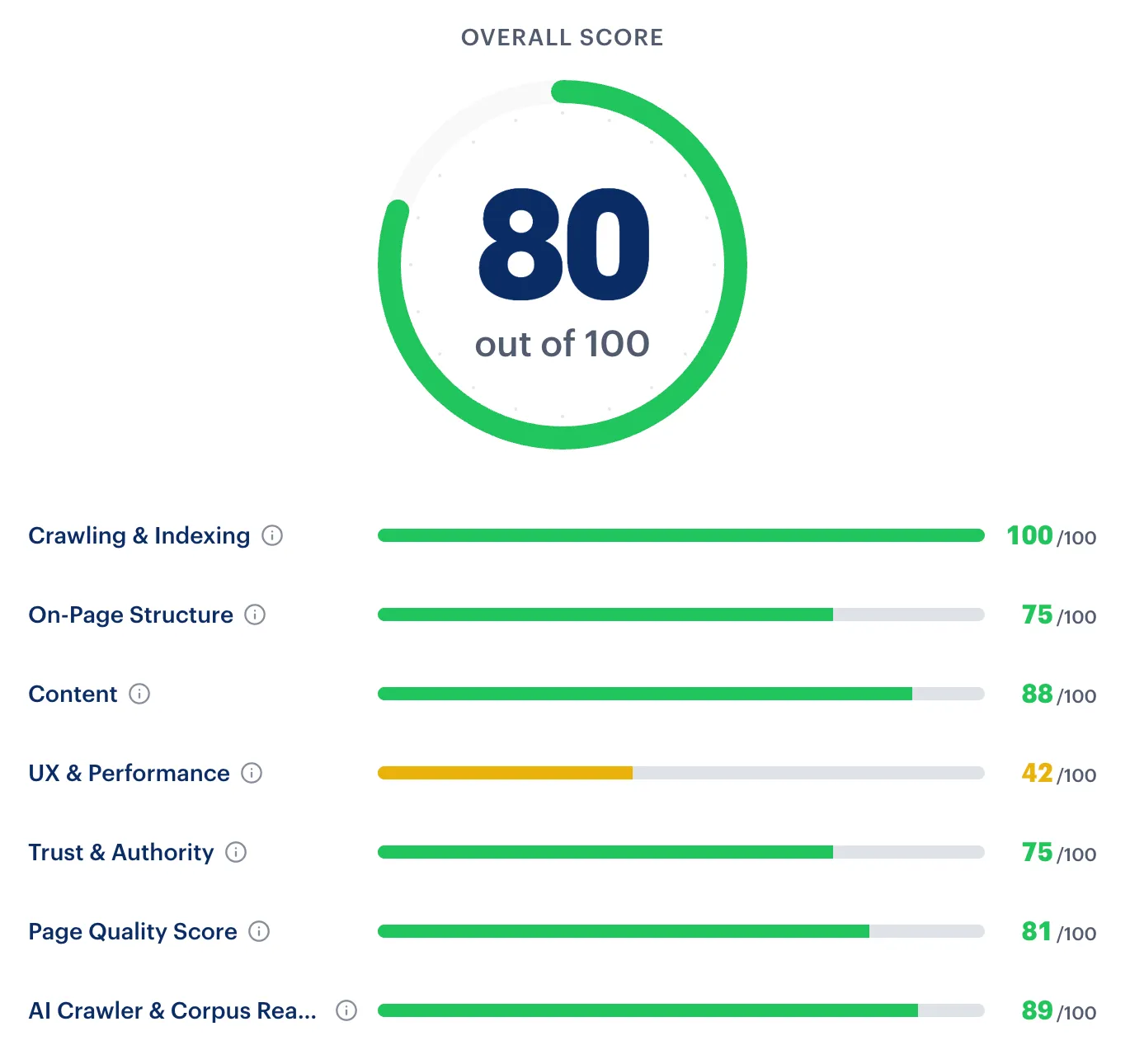
Most free checkers stop at technical basics. This one reads the page, researches the results for your keyword, and scores the page across seven sections, the same Page Auditor Rankability customers use on client sites.
You get an overall score out of 100, a score for each section, and the evidence behind every check.
-
Crawling and indexing
Whether search engines can fetch and index the page, plus canonical and related technical signals.
-
Content
Keyword use, topic and entity coverage, search intent fit, and how your page compares with the pages that rank.
-
On-page structure
Title, meta description, headings, internal and external links, broken links, freshness, and schema markup.
-
UX and performance
PageSpeed and Core Web Vitals lab data, mobile and page-weight signals, readability, and intrusive interstitials.
-
Trust and authority
The trust evidence a searcher expects for this keyword and intent, such as authorship, contact details, or reviews.
-
Page quality score
One consolidated quality rubric for the page, so you can see how close it is to what the keyword demands.
-
AI crawler and corpus readiness
Whether major AI and search crawlers appear able to access and interpret the page for AI answers.
How it works
-
Enter a page and its keyword
Paste the page URL and the search you want it to rank for. Add a location if the keyword is local.
-
Add your email and run it
The audit is free. Your report opens right away, and we email you a private link to it, valid for 30 days.
-
Fix what the report finds
Every failed or warning check explains the evidence and includes a recommended fix.
The audit runs in the background while it reads the page, researches the results, and scores each check. You can leave the page; we email the link when the report is ready.
Why a keyword makes the audit useful
Whether a page is “good for SEO” depends on the search it is meant to win. A product page, a local service page, and a guide need different things.
With your keyword, the checker detects search intent, compares your page with the pages that rank, and grades trust signals for that intent. A service keyword with a city is graded on service area, contact details, reviews, and credentials instead of article checks.
Built to avoid bad advice
- Homepages are not penalized for having no keyword in the URL.
- Checks that cannot be verified are shown as evidence but left out of the score.
- Sections that cannot be evaluated are excluded, not scored as zero.
Auditing client sites every week?
Rankability gives agencies the full audit toolkit: crawl entire sites with Site Auditor, run up to ten page audits in one batch, audit Google Business Profiles, and share read-only reports with clients.
SEO checker FAQ
Is this SEO checker really free?
Yes. You can run up to three free page audits per day. We ask for your email so we can send a private link to each report. No credit card or Rankability account is required.
Why does the SEO checker ask for a target keyword?
A page can only be judged against the search it is meant to win. The keyword lets the checker detect search intent, compare your page with the pages that currently rank, and flag the topics and trust signals searchers expect. Generic checkers that skip the keyword can only test technical basics.
What does the SEO score mean?
The score runs from 0 to 100. Rankability weights the sections that apply to your page and keyword, and leaves out any section it cannot evaluate rather than scoring it as zero. Treat the score as a diagnostic: it shows where the page falls short, not a guarantee of rankings. A high score never outweighs a blocker. Fix any noindex, canonical, crawl, or search intent problem the report flags, whatever the score.
Does it check AI search visibility too?
Yes. The AI crawler and corpus readiness section checks whether major AI and search crawlers appear able to access and interpret the page. To test crawler access across a whole domain, use the free AI Search Indexability Checker.
What should I do after the audit?
Fix crawl and indexing blockers first, then work through the failed checks in the order the report lists them. Once the changes are live, request indexing in Google Search Console and rerun the audit. Judge the result by impressions, clicks, and rankings over the following weeks, not by the score alone.
Can ChatGPT check my SEO instead?
ChatGPT can help you draft titles, meta descriptions, and outlines, or explain an issue. It cannot fetch your page the way search crawlers do, test indexability, measure performance, or see which pages currently rank for your keyword. Use the checker for the evidence, then use AI to help write the fixes.
Can I audit a whole website?
The free checker audits one page at a time. Rankability customers can crawl an entire site with Site Auditor, run up to ten page audits in one batch, and share read-only reports with clients.
Why did my audit stop before the full report?
Before the full analysis, a page must be crawlable, indexable, and have enough readable content. If it fails one of those gates, you get the gate report instead. Check robots rules, noindex tags, bot protection, logins, and content that only appears after JavaScript runs.
More free SEO tools
- AI Search Indexability Checker Test whether Googlebot, GPTBot, and PerplexityBot can reach your site.
- Broken Link Checker Find dead links and redirects on any page, with CSV export.
- Web Page Size Checker Measure an HTML response against Googlebot’s 2 MB fetch limit.
- llms.txt Checker Validate an llms.txt file and see what AI tools can read from it.