
Most people are dorking out over acronyms like SEO, AEO, and GEO. But what they don’t realize is that the fundamentals of proper content optimization still matter.
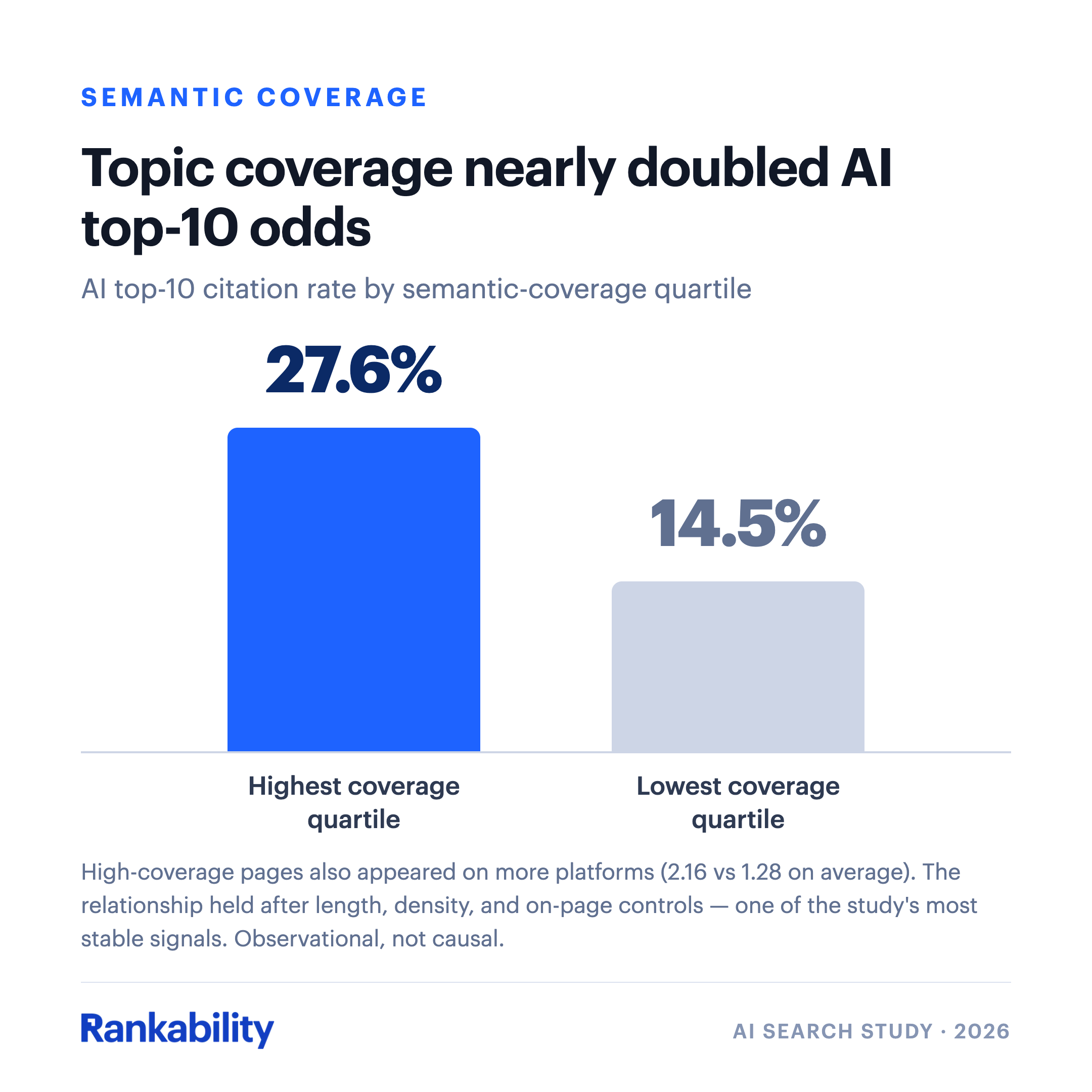
Our AI search study found that thorough topic coverage nearly doubled the top-10 AI citation rate (27.6% vs. 14.5%).
In other words:
Pages that were more relevant got cited more by AI.
You can perform basic SEO content optimization without tools by simply placing your primary topic in the URL, title tag, meta description, H1, and in the first 100 words.
But to go pro, you’ll need the best content optimization tools.
Publisher disclosure: Rankability publishes this guide and is one of the products compared. The order reflects our editorial recommendation for agency workflows. If you’re looking for AI tools for keyword research, technical audits, and reporting as well, see our guide to the best AI SEO tools.
Key takeaways
- Optimize for topic coverage, not keyword density.
- Upgrade existing pages before you create new ones.
- Research competitors across Google and AI platforms, not Google alone.
- Treat every AI draft as a first draft and keep a human in the loop.
Best Content Optimization Tools at a Glance
| Tool | Best for | Starting price |
|---|---|---|
| Rankability Content Optimizer | Optimizing existing pages for Google and AI search | From $97/mo (plans) |
| Rankability Copywriter | Content briefs and drafts matched to search intent | Included in Rankability plans |
| Google Search Console | Finding the queries a page is dragging on | Free |
| Microsoft Clarity | Seeing how readers engage with an optimized page | Free |
| ChatGPT x Rankability | Briefs and edits from a chat | ChatGPT plan plus Rankability |
| Claude x Rankability | Briefs and edits with Claude, via the connector directory | Claude plan plus Rankability |
| Codex x Rankability | Entity research and edits inside your codebase | Codex plan plus Rankability |
| Surfer SEO | Real-time writing guidance from the SERP | From $49/mo (annual) |
| Clearscope | Clean content reports for editorial teams | From $129/mo |
| Frase | Fast SERP research and content briefs | From $39/mo (annual) |
| MarketMuse | Content strategy and topic modeling for large sites | Demo only (now part of Siteimprove.ai) |
| NeuronWriter | Semantic term recommendations on a budget | From $23/mo |
| PageOptimizer Pro | On-page recommendations from correlation testing | From $40/mo |
| AirOps | Scaled AI content workflows | Free to start; no public prices |
| Writesonic | Fast AI drafts with SERP guidance | From $79/mo (annual) |
Prices change often. We list starting prices from each vendor’s public pricing page; check the vendor’s current page before buying.
My Content Optimization Tool Stack for AEO + SEO
Here are the tools my team uses every day to optimize content so it ranks in Google and gets cited by AI platforms like ChatGPT.
1. Rankability Content Optimizer
Rankability is one of the only content optimization tools that conducts cross-platform competitor analysis.
Here’s how it works:
Step 1: Enter your keyword and page, then pick research platforms
Start by entering a target keyword and an existing URL. Then pick your research platforms.
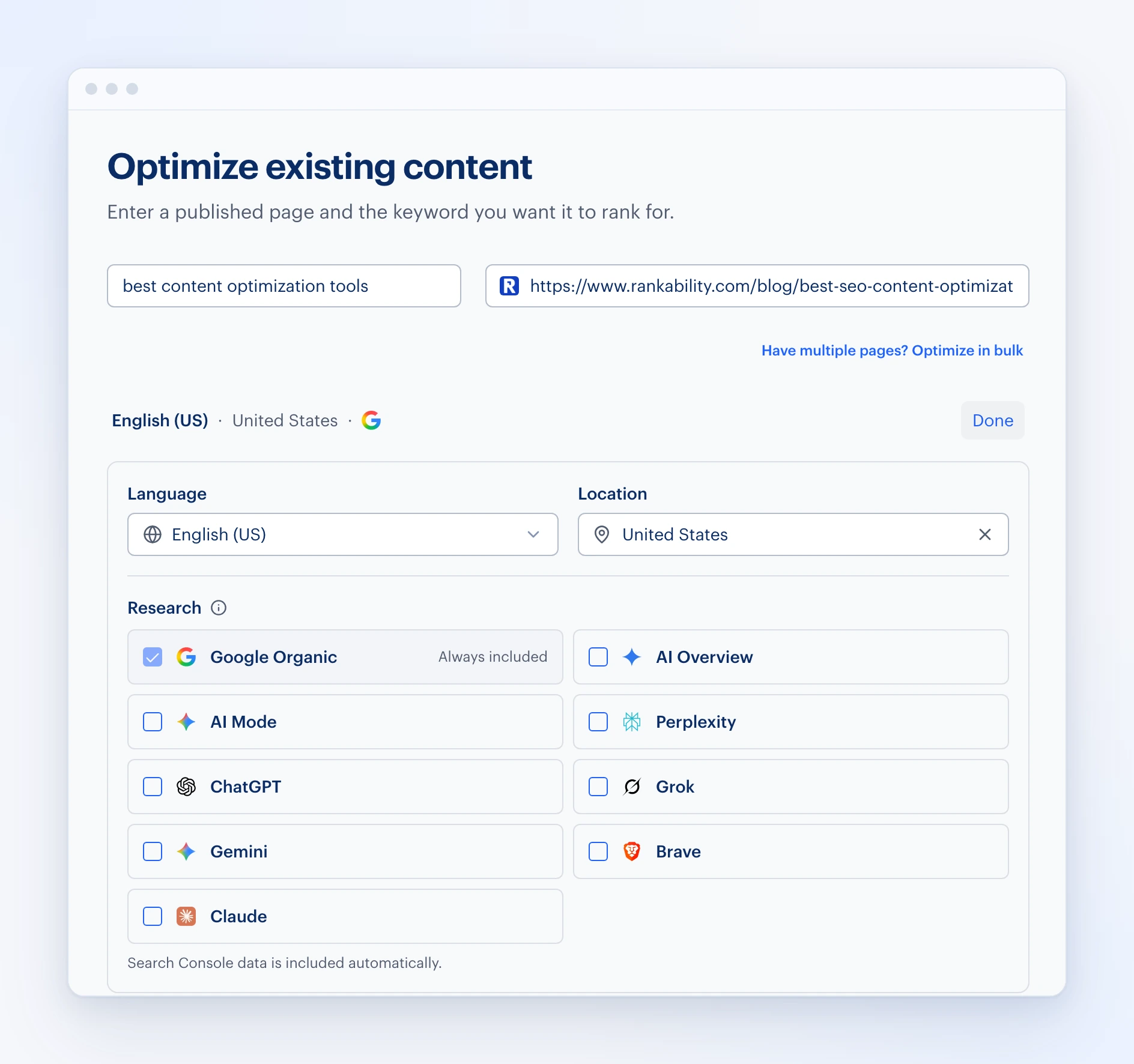
Google is the default, but you should also use ChatGPT, Claude, and Brave to get competitor diversity. Each of these platforms uses different retrieval systems and practices. So you’ll get a nice blend.
Start the report and within a few minutes, Rankability will deliver your content inside of the content editor.
Step 2: Review your content score
The next step is to review your content score. This content grade measures two variables:
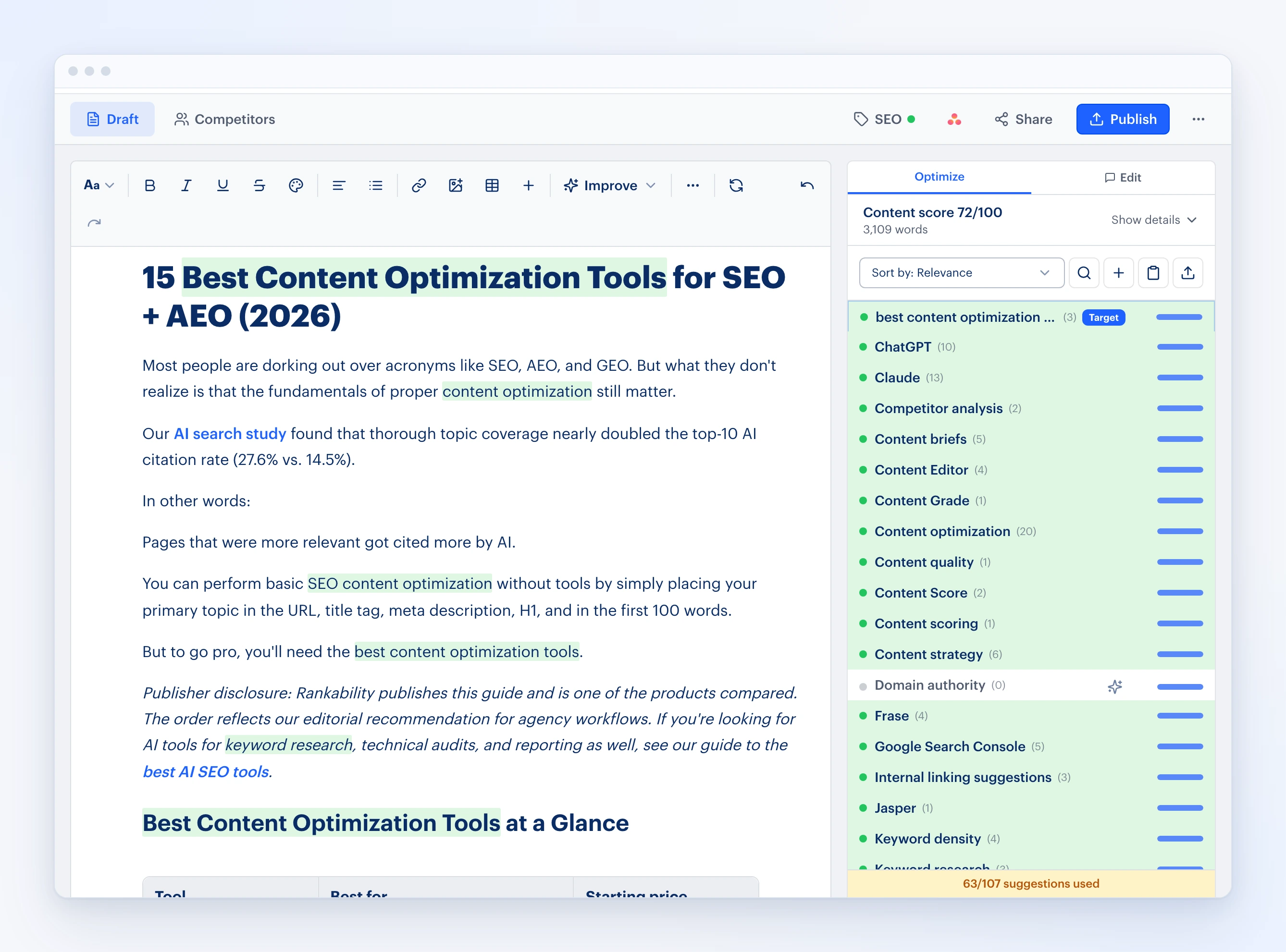
Variable #1: On-page SEO. It’s a simple criterion: is your topic in the title, meta description, H1, first 100 words, and early in the H2/H3?
Variable #2: Topic coverage. NOT keyword density!
Most content optimization tools reward you for keyword stuffing. Meaning, they’ll tell you to mention X keyword X amount of times. Don’t focus on this. There is no evidence that keyword density is a ranking factor. In fact, it may hurt more than help.
So what should you do instead? Focus on topic coverage. This is about to get meta, so stick with me.
That paragraph you just read was designed to cover “keyword density,” which is one of the topics recommended by Rankability. Notice how I didn’t care how many times I mentioned it. It just naturally showed up three times. That’s okay.
The goal is always to naturally cover the topics. That’s it. Sometimes you can cover a topic in a sentence. Other times it may require a full section (or even a completely new asset). Don’t overthink it.
Step 3: Sort by unused topics
My favorite thing to do to optimize content inside of Rankability is to go to the dropdown and then sort by unused topics. I like to look at these topics and identify opportunities to add and cover these topics in the content.
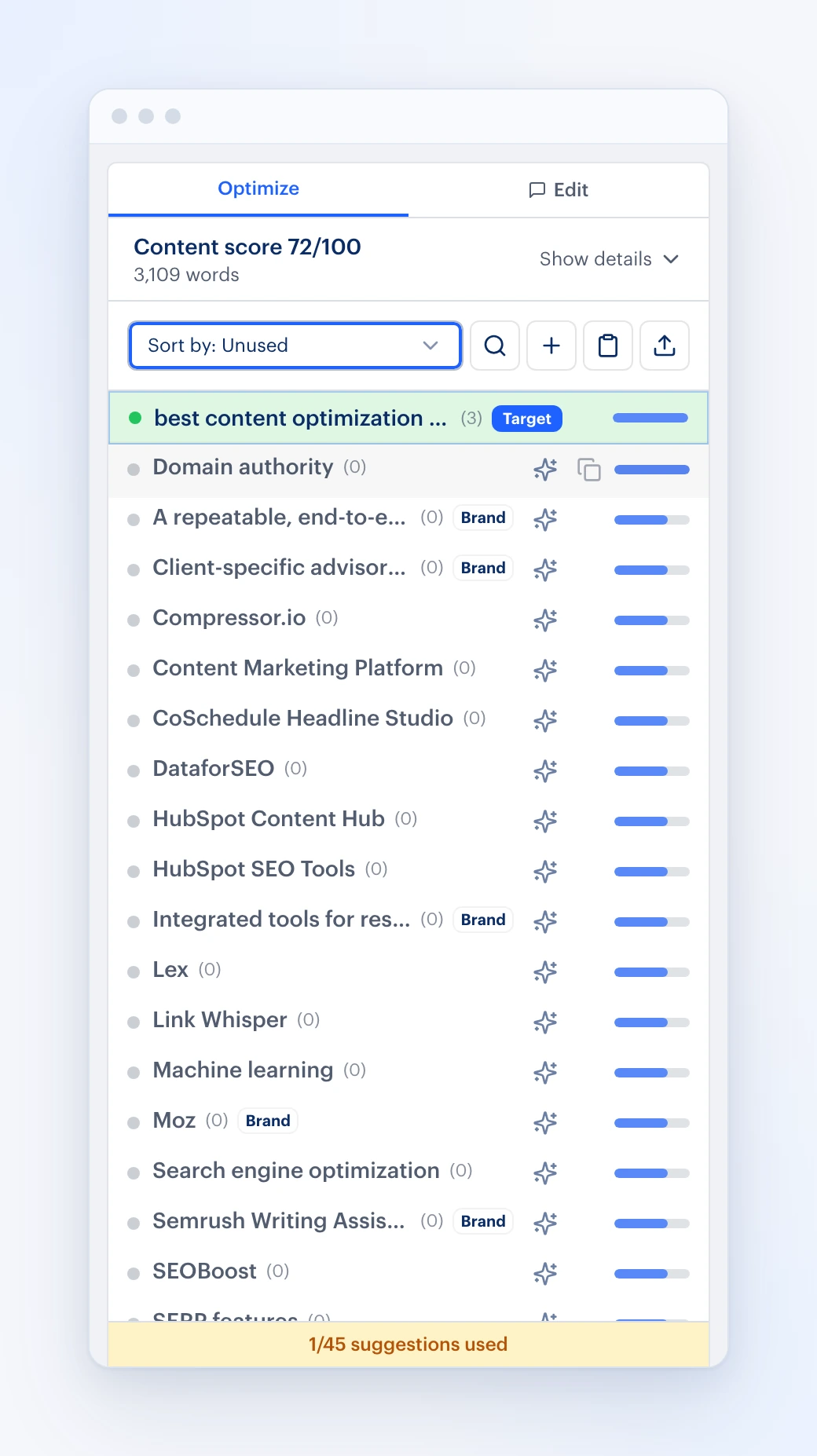
As you go down, all the topics are prioritized based on relevance, so the most relevant topics that the competitors cover are at the top. These are the same topics you want to cover.
Step 4: See how competitors cover each topic
For example, when I click into Domain authority, a little lightbox opens up and I can see exactly how that particular idea and topic is being used by the competitors. I can see the context in which it’s being used, so I can develop a strategy to ultimately cover that topic in our own unique way.
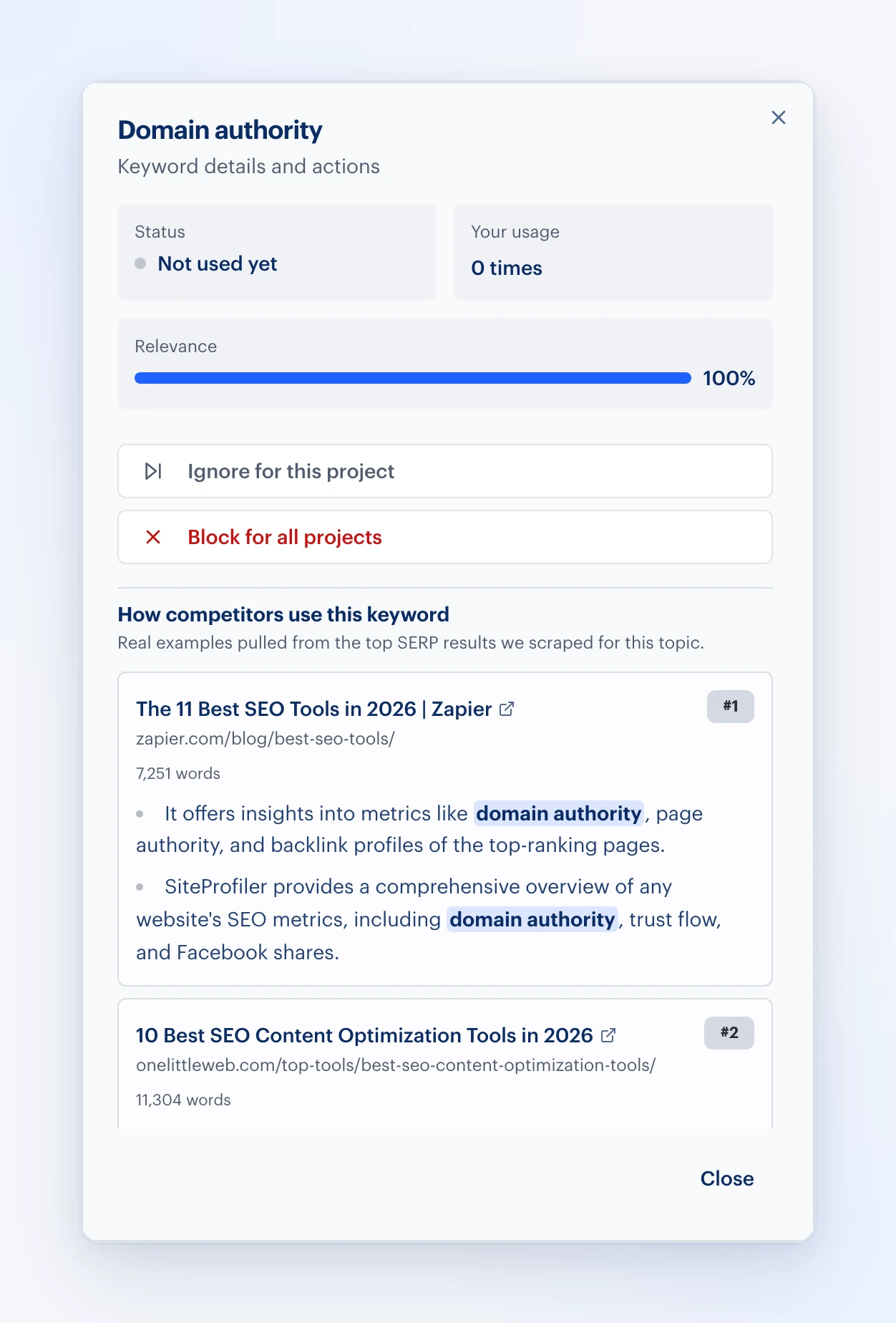
If you want to do this in a more streamlined way, we use the most advanced AI models, where you can actually click on the little AI button. It will find a place to put that topic into the content in a natural way.
Tip: Whatever the AI puts into your content, review it to make sure it’s accurate.
Step 5: Let Serena make the edits
The next piece of the optimization process I like to go through is the Edit tab. In the Edit tab you can have Serena make any edits for you:
- Do additional research
- Rewrite certain parts of the content
- Expand your coverage or run an editorial pass
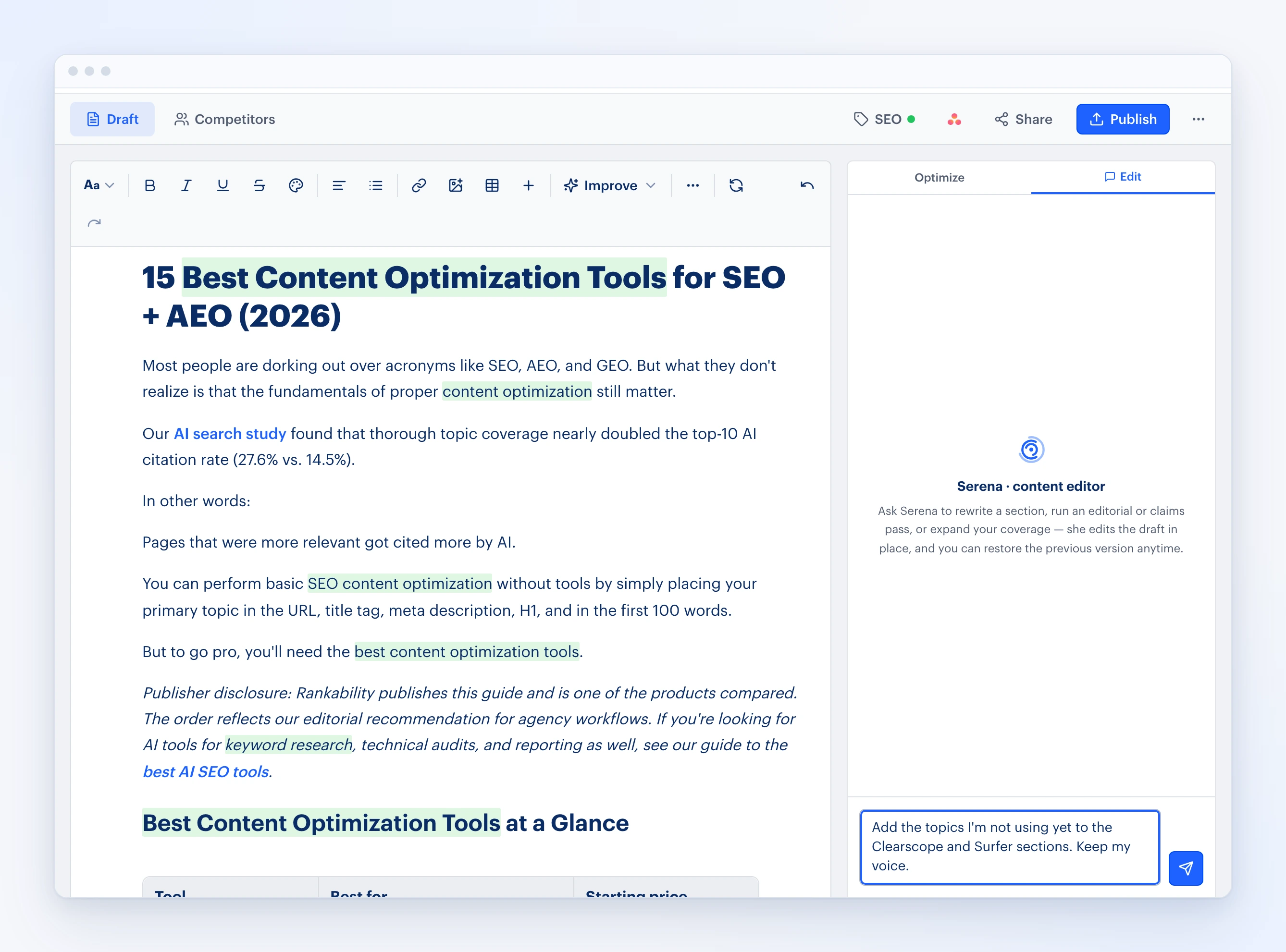
The world is your oyster when it comes to using her, and most people are not using her to the full extent because you can simply just talk to her. She will literally make edits to the content inside of the content editor.
- Best for: agencies and teams optimizing existing pages for Google and AI search.
- Pricing: Starter is $97/month, Growth $297/month, and Pro $497/month, with unlimited workspaces and team members on every plan. See plans.
2. Rankability Copywriter
So much of what I’ve covered here today is about optimizing an existing asset. This is the most valuable work you can do because most pages we study (and we’ve studied thousands and thousands of pages at this point) are usually very underoptimized and do not properly cover their topic.
One of the easiest and fastest ways to get more visibility in classic search and AI is to simply upgrade and improve existing pages. You should always do that first.
Once you’ve taken care of all your existing pages, what do you do next in your content strategy? I start thinking about how we build more topic support around these existing pages (this is how you build topical authority), and that’s where Rankability’s Copywriter tool comes into play.
Here’s how it works:
Step 1: Enter a topic
Enter a topic you want to get more search and AI visibility for.
Step 2: Confirm the search intent match
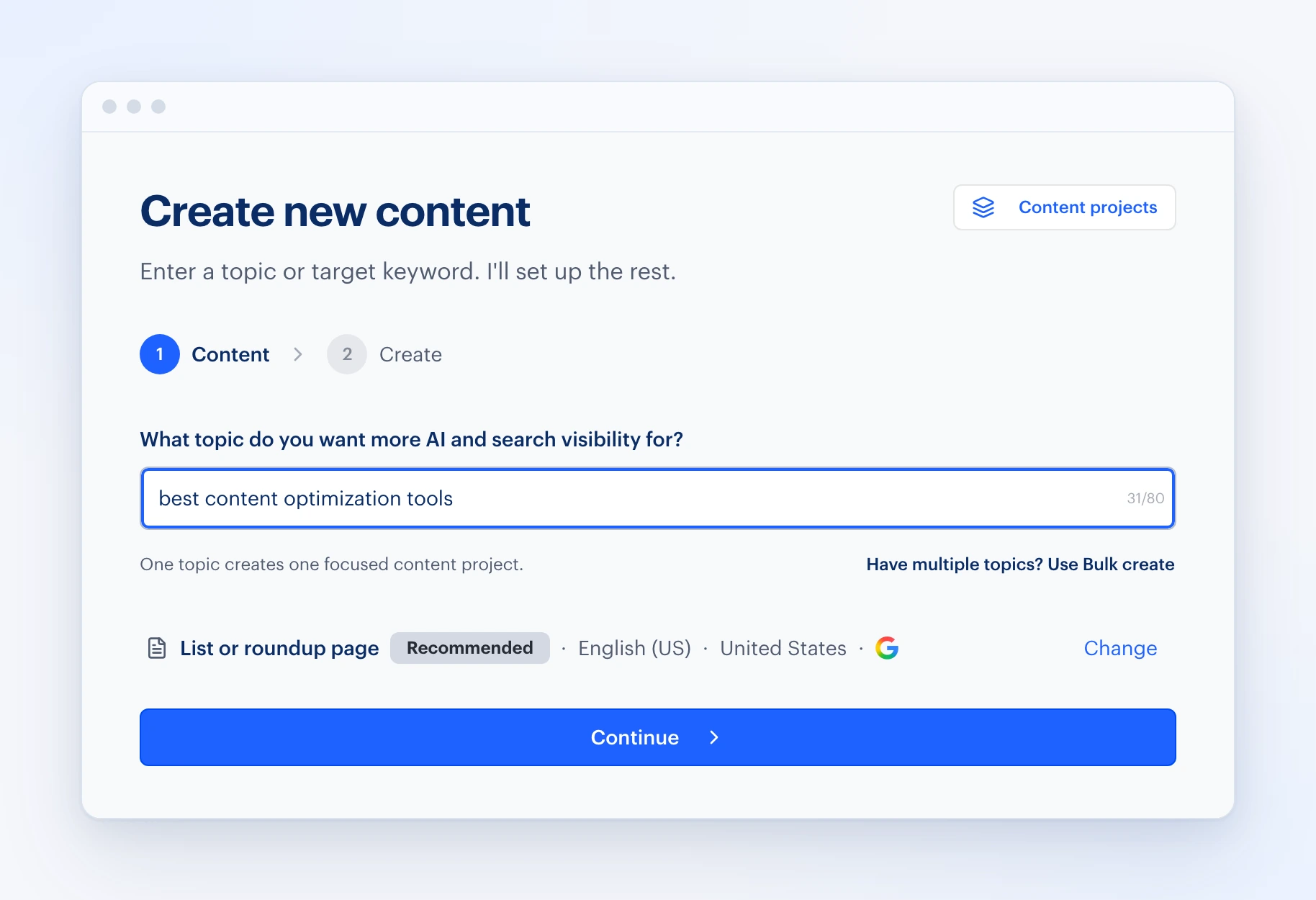
Confirm the search intent match. Rankability automatically identifies the best page structure based on the intent of the topic. This is a huge differentiator for Rankability compared to other content tools out there.
The system will change the content format and style based on the intent. As of right now, it supports listicles, local service pages, ecommerce category pages, and many others. That means you won’t get a generic article when you’re trying to create content for a local service page.
If you want a different content type, language, or location, click Change. That’s also where you pick your research platforms.
Step 3: Pick your research platforms
Rankability is one of the only platforms that conducts cross-platform research across traditional search and AI. Google organic is the default, but you can also select AI Overview, AI Mode, ChatGPT, Perplexity, Grok, Gemini, Brave, and Claude.
Step 4: Pick how much you want Rankability to do
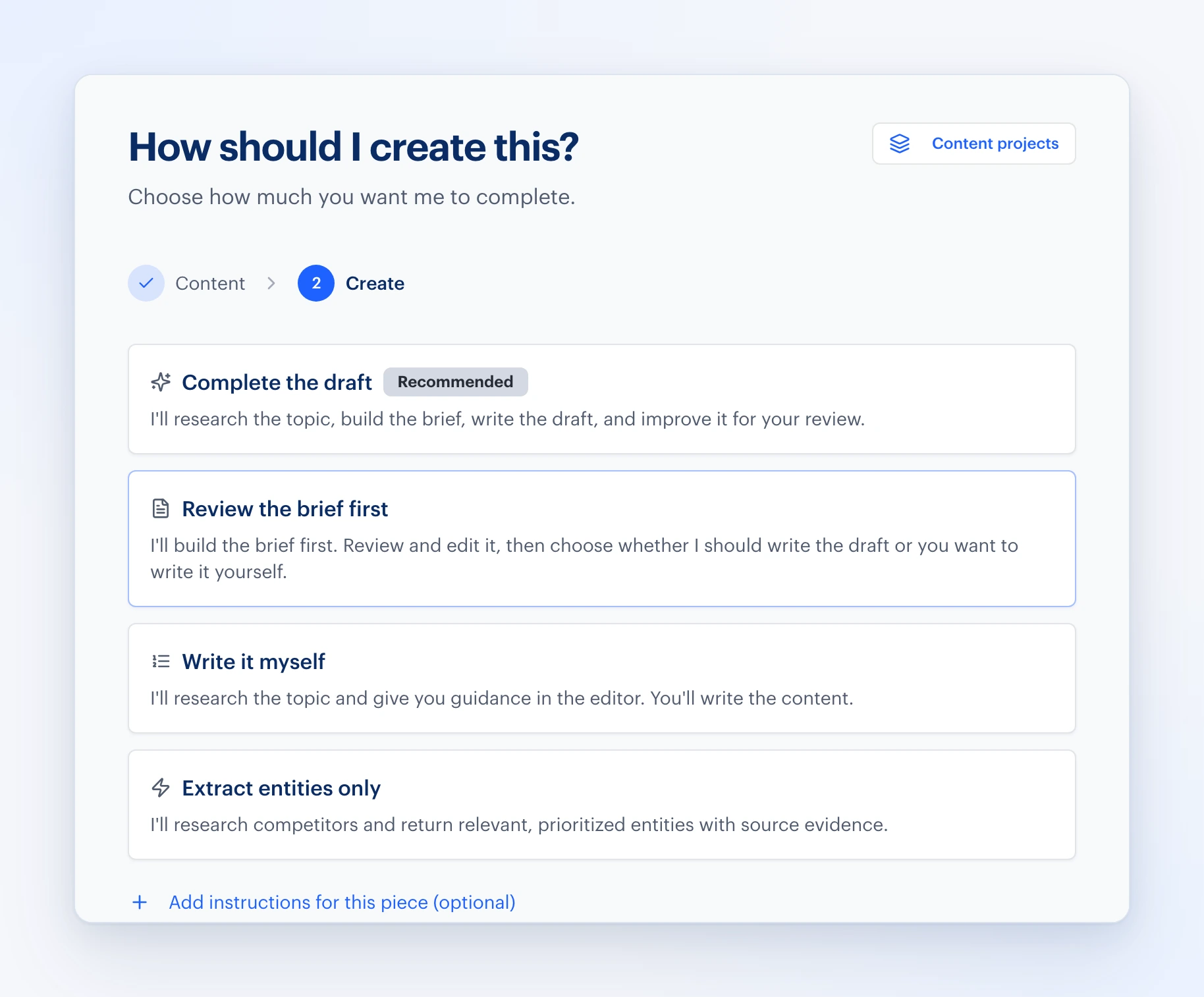
You have a few options:
Complete the draft (done for you)
This mode does all the research, competitor analysis, content brief creation, content generation, editing, QA, and links.
Even then:
You should still treat it as a first draft and have human QA before it goes live.
Review the brief first
Mode #2 will do research and then create a full content brief for you to review. It includes a full outline:
- Title, meta description, and suggested URL
- Topics to cover
- Questions to answer, pulled from People Also Ask
- Internal linking suggestions
- Grounding sources from your knowledge base
You can then decide to write it yourself or use AI to write it.
Write it myself (research only)
This is the best option if you just want Rankability to do the research and give you the topics to cover. Most businesses using this option are working with a writer.
Extract entities only
The final option is to skip the content editor experience altogether and instead just get a list of the topics and entities from the competitors. I use this option quite a bit when working with Claude or Codex. More on this in a second.
- Best for: content briefs and first drafts that match search intent.
3. Google Search Console
So after you’ve created or optimized an asset, the next best move is to monitor Google Search Console queries.
Over time you’ll start to see which queries are dragging.
Then you can go back to the assets you created and find opportunities to cover the long-tail topics. This is the simplest form of content gap analysis, and it’s free.
In some cases, you may want to spin up a new asset.
My criteria for this is simple:
Create a new page if the keyword is underperforming and has different intent.
You can also find some really valuable queries in Bing Webmaster Tools.
- Best for: finding the queries an optimized page is still dragging on.
4. Microsoft Clarity
Another critical piece of tracking and performance you need for content is Microsoft Clarity. Within Microsoft Clarity, you can:
- See heat maps and how users are engaging with the page you optimized or created
- Find points of friction on that page
- Build a list of user experience changes, even UI or design changes, that’ll improve that page overall
As a result, the more users like the page, the more likely it is, over time, to perform in traditional search engines.
- Best for: seeing how readers actually use an optimized page.
5. ChatGPT x Rankability
Rankability has an official ChatGPT plugin, Rankability: AI SEO, AEO & GEO. In ChatGPT, open Plugins, search for Rankability, open the listing, and select Try in chat. Sign in to Rankability, and you decide how much access you give. Anything that uses your Rankability account usage asks for your approval first.
Then the world is your oyster as far as content optimization with ChatGPT.
Use this prompt to see the power:
“Use Rankability to create a content brief for [KEYWORD]”
And in a few minutes, you get an expert-level brief ready for writing.
6. Claude x Rankability
Rankability is listed in Claude’s connector directory. Open Claude, go to Customize → Connectors, and select Discover. Search for Rankability, open the listing, and select Connect to Claude.
Claude will then ask you to log in to Rankability, and you decide how much access you give.
And then again, run a prompt like this:
“Use Rankability to create a content brief for [KEYWORD]”
Claude will return a brief and can even suggest modifications that land back in Rankability.
7. Codex x Rankability
Same process as Claude, but you add the server yourself. In the Codex desktop app or IDE extension, open Settings → MCP servers → Add server, choose Streamable HTTP, enter https://app.rankability.com/mcp, save, restart, and select Authenticate. Type /mcp to confirm Rankability is active.
This is where the Extract entities only option shines. Ask Codex to pull the entities for your keyword from Rankability, then have it update the page in your codebase and open a pull request for human review.
Other Content Optimization Tools Worth Considering
I’m bullish on Rankability because I use it every day to get killer results. But there are some other great content optimization tools out there. Here’s what each one does best.
Surfer SEO
Surfer SEO gives writers real-time feedback on headings, term usage, and coverage while the article is still being written, based on the pages that rank for the keyword. Its content score and content editor make it a common choice for teams that want guidance inside the draft.
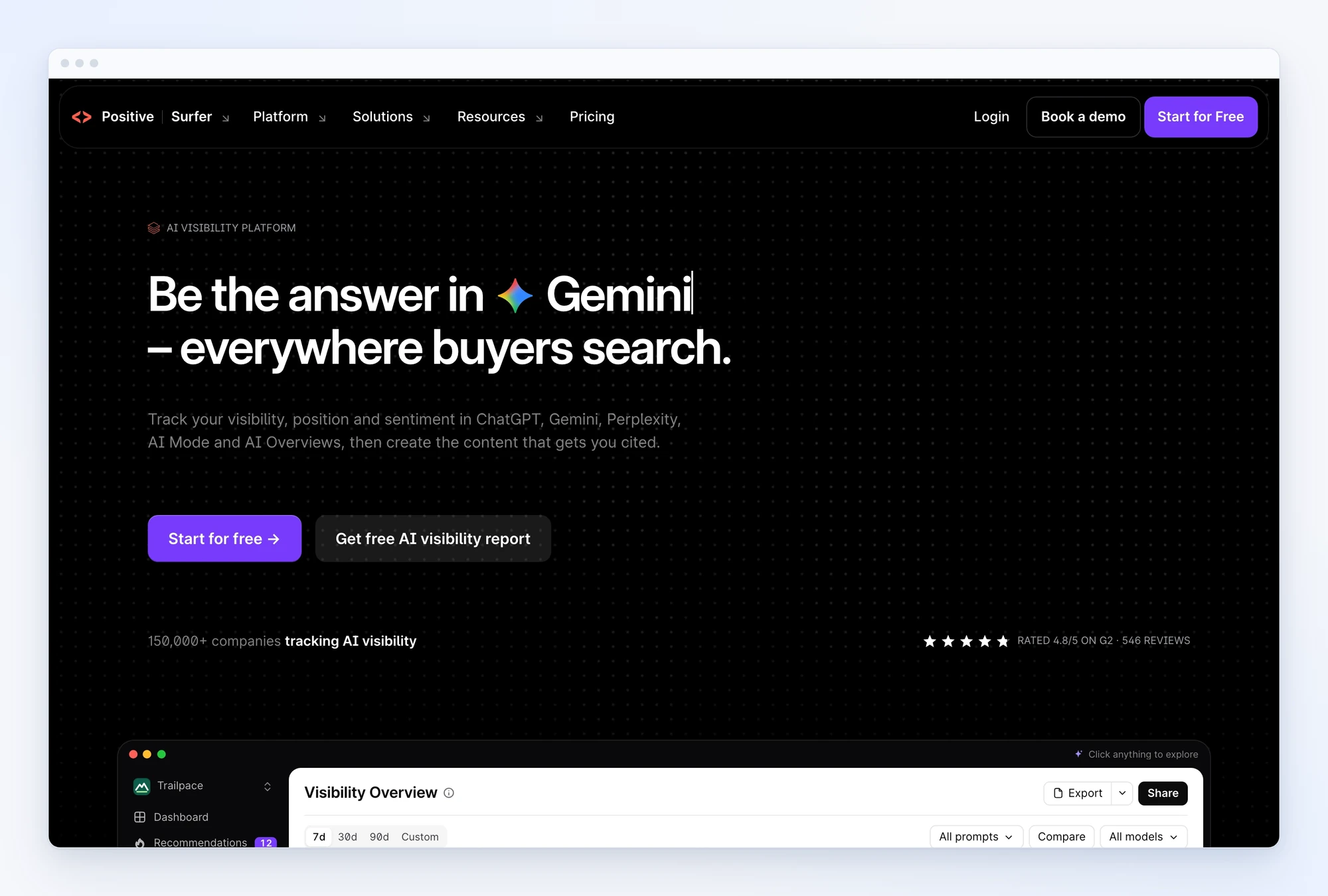
- Best for: real-time optimization while drafting.
- Pricing: Discovery $49/mo, Standard $99/mo, Pro $182/mo, and Peace of Mind $299/mo, all billed annually; Enterprise is custom.
Clearscope
Clearscope produces clean, high-signal content reports that keep writers focused on relevance instead of noise. Teams with several writers use it to hold an editorial standard across every brief.
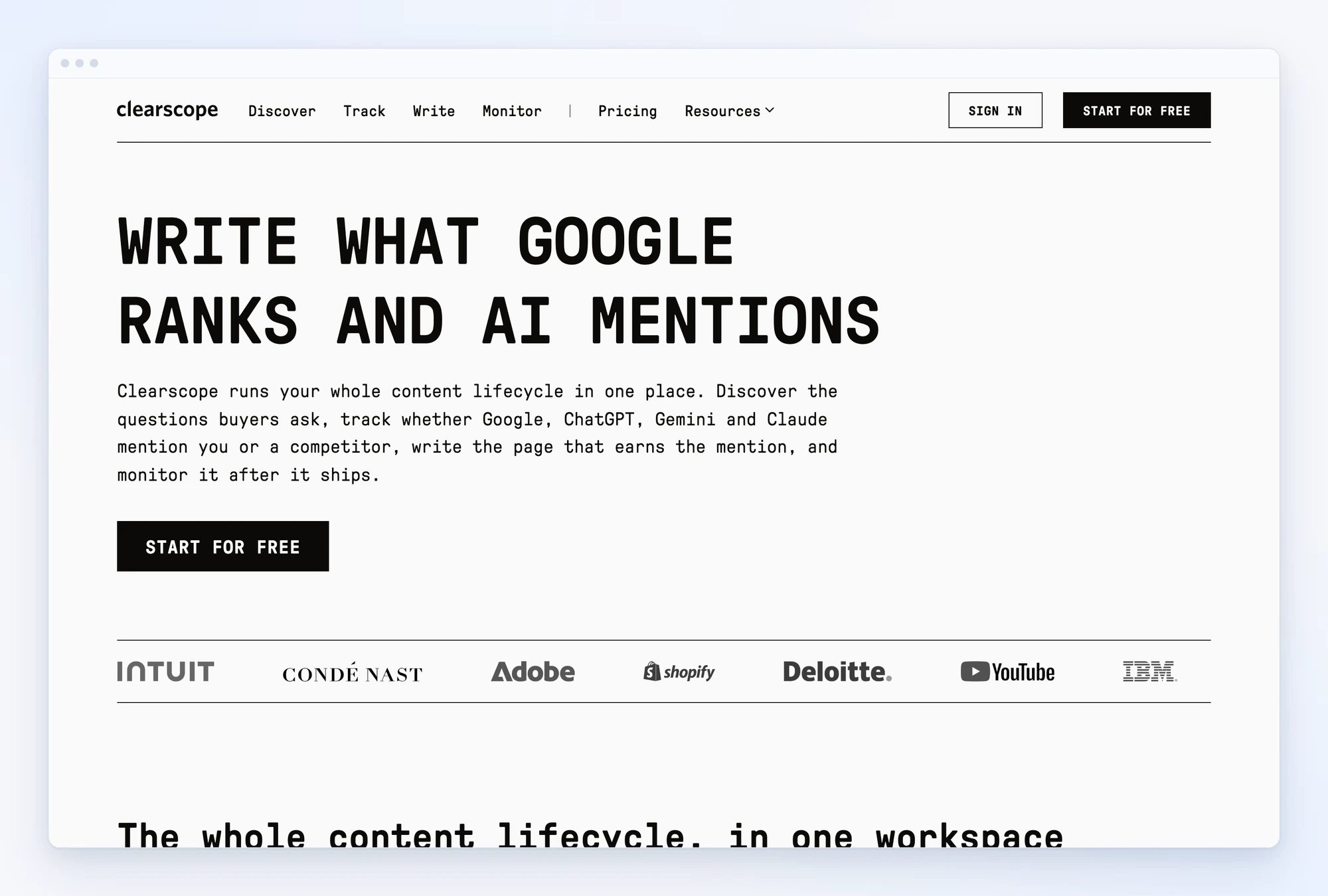
- Best for: editorial teams that want consistent content quality.
- Pricing: Essentials $129/mo, Business $399/mo, Enterprise custom.
Frase
Frase is research-first: it summarizes the SERP, pulls common questions, and turns a keyword into a structured content brief quickly. It’s useful when the bottleneck is getting from keyword research to an outline, not the writing itself.
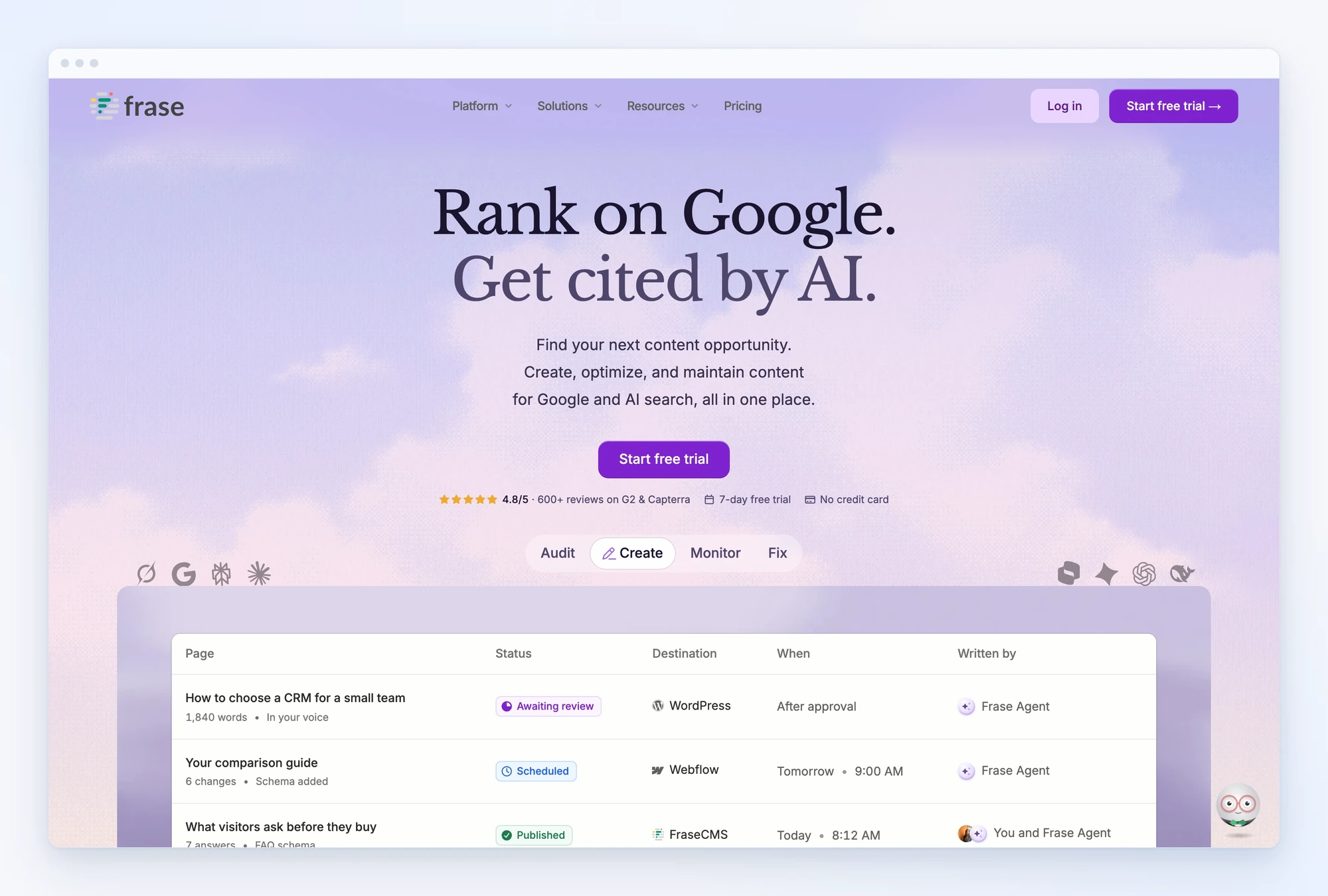
- Best for: fast SERP analysis and content briefs.
- Pricing: Starter $49/mo ($39/mo billed annually), Professional $129/mo ($103/mo billed annually), Scale $299/mo ($239/mo billed annually).
MarketMuse
MarketMuse is a content strategy platform more than an editor, and it’s now part of Siteimprove.ai, which acquired it in late 2024. It uses topic modeling to analyze a site’s content inventory, find gaps, and prioritize which pages deserve a content refresh first.
- Best for: content strategy and topical authority planning on large sites.
- Pricing: no public pricing; it’s now sold through Siteimprove.ai, so you request a demo.
NeuronWriter
NeuronWriter uses natural language processing (NLP) and SERP analysis to recommend the semantic terms and entities that ranking pages share. It adds AI writing, internal linking suggestions, and WordPress and Google Search Console integrations at a low price.
- Best for: semantic SEO on a budget.
- Pricing: from $23/mo (Bronze).
PageOptimizer Pro
PageOptimizer Pro (POP) builds on-page recommendations from correlation testing against the pages that rank, covering terms, structure, and word count targets. Credits also power its EEAT, NLP, AI, and Watchdog tools.
- Best for: practitioners who want precise on-page targets.
- Pricing: Basic $40/mo; Unlimited $62/mo and Teams $119/mo, billed annually.
AirOps
AirOps is for building scaled AI content workflows: keyword research, content generation, SERP analysis, and direct CMS publishing in one custom pipeline.
- Best for: teams producing content in bulk.
- Pricing: start free; Solo and Pro plans don’t list public prices, and Enterprise is custom.
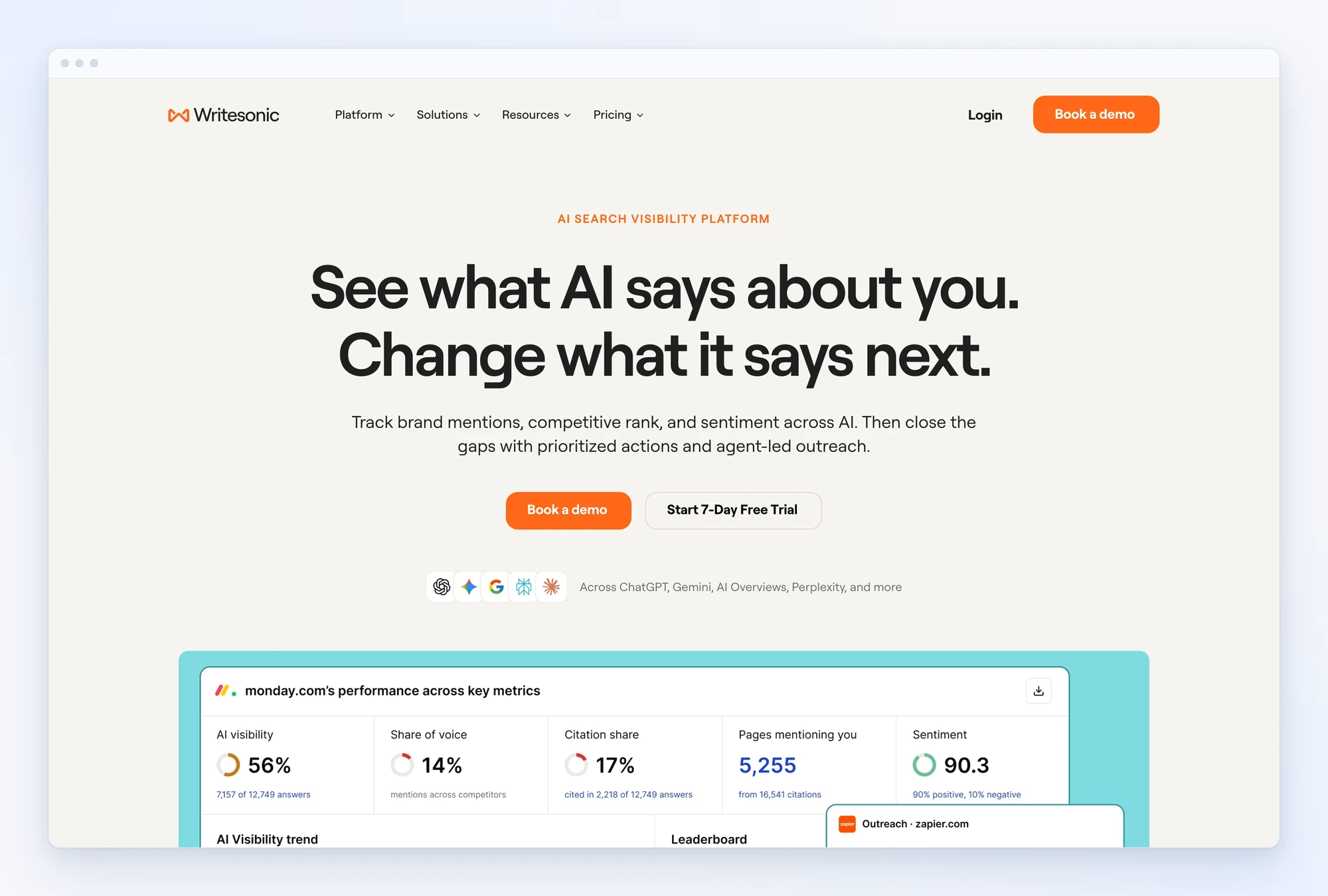
Writesonic
Writesonic pairs an AI writing assistant with real-time SERP analysis for quick first drafts, and pulls keyword data through Ahrefs and Semrush integrations.
- Best for: fast AI drafts.
- Pricing: Starter $79/mo, Basic $199/mo, and Growth $399/mo, billed annually; Enterprise is custom.
Also worth a look: SE Ranking’s content tools for teams already on its platform; Scalenut, Dashword, and GrowthBar for budget brief-to-draft workflows; and Jasper if you mainly need an AI writing assistant rather than an optimizer.
Free Tools That Support Content Optimization
You don’t need a paid tool for every step. These free tools fill specific gaps around an optimizer:
- Google Keyword Planner and Google Trends: check demand and seasonality before you decide a page is worth optimizing.
- Google Autocomplete, AnswerThePublic, and AlsoAsked: find the questions searchers ask, so your FAQ and subheadings answer real queries.
- Hemingway Editor: tighten long sentences and passive voice after the optimization pass. Readability still matters to readers, and to AI systems that summarize the page.
- Screaming Frog SEO Spider: crawl the site to find thin pages, missing titles, and internal linking gaps across many URLs at once.
- Lighthouse: check page speed and Core Web Vitals in Chrome, so a well-optimized page isn’t held back by a slow template.
Use these alongside an optimizer, not instead of one: none of them shows which topics the ranking pages cover.
Content Optimization Tools to Avoid
Some tools I don’t recommend for content optimization because they’re extremely thin or low value for the price:
- Semrush SEO Writing Assistant: basic readability, tone, and keyword checks inside Google Docs or WordPress, and it requires a Semrush Guru plan ($249.95/mo) or higher.
- Ahrefs Content Helper: fine if Ahrefs is already the center of your work, but too thin to justify on its own next to a dedicated optimizer.
- Yoast SEO and All in One SEO (AIOSEO): good WordPress plugins for publishing basics like titles, meta descriptions, and readability checks. But they grade a focus keyword, not topic coverage against the pages that rank, so they aren’t content optimization tools.
How to Choose a Content Optimization Tool
Compare tools by the jobs you need done, not the length of the feature list:
- SERP analysis and topic research: does it show what the ranking pages cover, across Google and AI platforms? That’s the core of both SEO and Generative Engine Optimization (GEO).
- Topic coverage over keyword density: does it recommend topics and entities (semantic SEO), or push you to repeat a keyword?
- Content briefs: can it turn research into a brief a writer can use, with questions and internal linking suggestions?
- Content scoring you can trust: does the score reward coverage and on-page basics rather than word count? In our study, longer pages did not earn better AI citation positions once topic coverage was considered.
- Search intent: does it change the format for a listicle, a local service page, or an ecommerce category?
- Measurement: can you see rankings, clicks, and AI visibility after you publish, so you know which pages need a content refresh?
Don’t expect any tool to replace authority. But don’t over-rotate on it either: 72.8% of the AI-cited pages in our study had no page-level referring domains.
FAQs About Content Optimization Tools
What are the best tools for content optimization?
For agencies optimizing for Google and AI search, start with Rankability’s Content Optimizer and Copywriter, and pair them with Google Search Console and Microsoft Clarity. Surfer SEO and Clearscope are strong dedicated editors, Frase is quick for briefs, and MarketMuse suits large-site content strategy.
How do you use a content optimization tool without over-optimizing an article?
Use the tool to find important topics, questions, and gaps, then apply its recommendations only when they improve accuracy and reader value. Keep the writing natural, don’t force keywords or chase a target score, and review the finished article for clarity, originality, and usefulness.
Can ChatGPT do SEO?
ChatGPT can help with outlines, rewrites, and drafts, but on its own it doesn’t replace SERP analysis, source verification, or performance tracking. Connect it to a tool like Rankability so it works from real research data, and keep a human in the loop.
Is SEO dead now with AI?
No. AI platforms lean heavily on pages that already rank: in our study, AI cited 98.9% of the pages ranking in positions 1 to 3. Optimizing for classic search and for AI answers is mostly the same work: cover the topic well and make the page easy to understand.
Your Next Move
You have lots of options when it comes to content optimization tools. Rankability is one of the only tools with cross-platform research and a well-developed MCP.